Affiliate Disclosure: Some links in this article may earn us a small commission if you make a purchase, at no additional cost to you.
A Monitor To Match Your Setup
The most common practice after finally building your dream gaming computer or picking up a new console is finding a monitor to match that hardware. Luckily, there is a monitor for every setup, from budget to high-end. So whether you are currently rocking an RTX 5090 or playing on your new PS5, grabbing one of these monitors is likely the next crucial upgrade to your setup to get beautiful gameplay or dominate your ranked matches.
Best Monitors For Gaming: A Quick Glance
Monitor | Best For | Panel Type & Resolution | Tier / Budget |
|---|---|---|---|
Best Overall Gaming Monitor | Penta Tandem QD-OLED / 4K (3840 x 2160) / 240Hz | Premium Flagship | |
Esports Grade Motion Clarity | Fast-TN (DyAc 2) / 1080p (1920 x 1080) / 600Hz | Premium Flagship | |
Casual & Esports Gaming Ready | Gen 3 QD-OLED / 1440p (2560 x 1440) / 360Hz | Premium Mid-Range | |
Affordable OLED Gaming | QD-OLED / 1440p (2560 x 1440) / 240Hz | Mid-Range Value | |
Best 4K Mini-LED Dual-Mode | Fast IPS Mini-LED (1152 Zones) / 4K 160Hz or 1080p 320Hz | Mid-Range Value | |
Best Budget Gaming Monitor | Rapid IPS / 1080p (1920 x 1080) / 240Hz | Budget Pricing |
How To Pick The Right Gaming Monitor
Before pulling the trigger on a monitor, keep these key factors in mind:
Graphics Card & CPU: The most important thing you can do before taking a leap of faith on buying a new monitor is knowing your hardware. Checking your graphics card will determine what monitor resolution will work for you. Then the CPU will determine the performance, popularly known for how many frames per second you can push in GPU and CPU intensive games, usually competitive ones, to max out your refresh rate.
Pick Resolution & Refresh Rate: Now that you know exactly what your hardware can handle, you need to pick either the best your setup can run or, better yet, decide just how you want to play. It doesn't always have to be the perfect combo. If you want 4K Ultra settings and your GPU can handle it, then great, but if you also just want 1080p at 600Hz to get ultra smoothness, then that's also a fantastic choice. Don't let people convince you that you have to play one way or another. Get the monitor you'll enjoy most, as long as your hardware can handle it.
Panel Type: This basically comes down to personal preference and your budget. You need to decide if the extra money is worth spending on an expensive OLED or just grabbing a more budget-friendly monitor. Then, honestly, expect different panels to have completely different nuances to deal with, so you'd be the one to pick and choose.
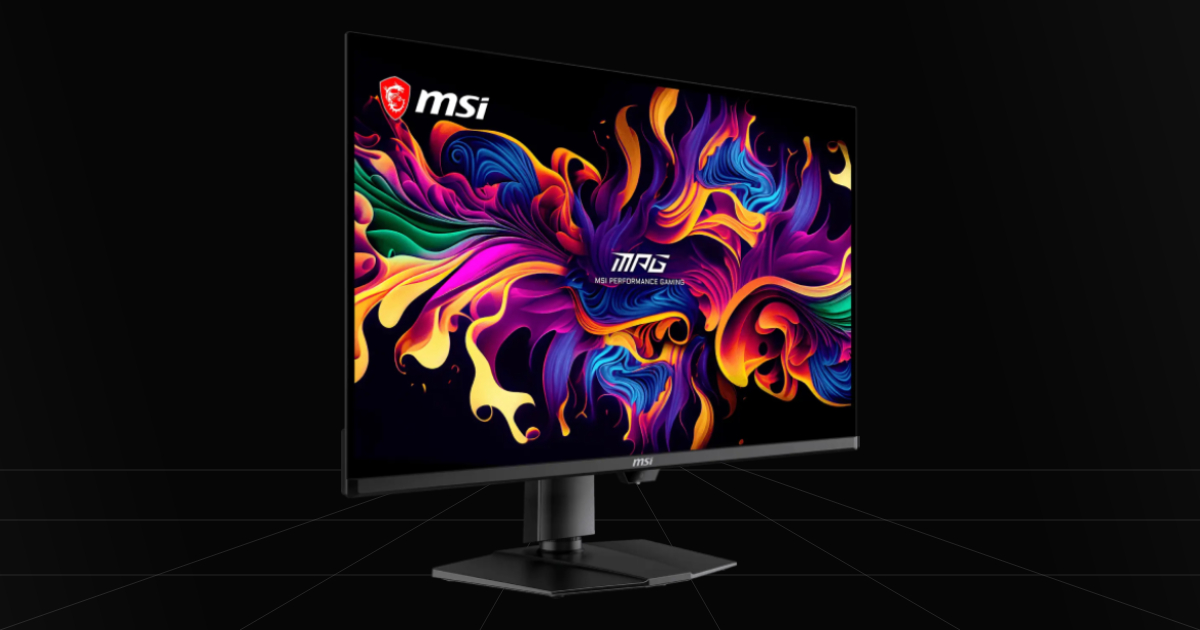
1. MSI MPG 322UR QD-OLED X24 - Best Overall Gaming Monitor
Quick Take
Penta Tandem QD-OLED is easily the safest and best option you can get your hands on currently, making this the single best gaming monitor money can buy. You get high 4K resolution, vibrant QD-OLED colors, improved brightness, and better ambient light handling, which makes gaming look like proper eye candy.
The Catch
While it has massively improved over previous QD-OLED panels, you're still not going to want to play in a super bright room or have direct sunlight landing on your screen, which still raises black levels. Then for work, text clarity has definitely improved, but it still has some text fringing at 4K if you are particularly sensitive to it.
Where To Buy
➔ Check Price on Amazon
➔ Check Price on Newegg
Why We Chose It
Truth be told, it currently just seems like the best overall pick if you're looking for a gaming OLED display in this price range without falling victim to hoping you will simply win the panel lottery. We just can't imagine someone wanting to pay around $1,000 dollars just to get a screen that has massive gray banding on Tandem WOLED. Which sucks, because theoretically these new WOLED monitors really have the best blacks, offer higher refresh rates, have better light handling, and far less text fringing.
The Penta Tandem MSI QD-OLED steps forth, outpacing all previous generations of QD-OLED very well. It brings increased brightness, DarkArmor film, and deeper blacks while still keeping those ultra-vibrant colors. Does it reach the exact same black levels of Tandem WOLED? No, but it gets a lot closer with its 40% performance increase to black levels in lighted rooms and the DarkArmor film, which lowers that purple effect from ambient light. That makes this glossy and vibrant QD-OLED a safer purchase to avoid massive gray banding issues, letting you simply turn off the lights in the room for a proper theater gaming experience.
Pros & Cons
Pros
Penta Tandem QD-OLED: A massive improvement over past generations of QD-OLEDs to increase black levels, improve brightness, and boost color vibrancy.
4K Resolution: This monitor comes in at a sharp 3840 x 2160 resolution at 240Hz, perfecting all-around gaming whether you're chasing pretty graphics or competitive advantages.
Improved Text Fringing: If you already love QD-OLED, the performance increase in text clarity is noticeably better, not perfect, but far more tolerable if you're sensitive to it.
Cons
Ambient Light: While it is a huge upgrade, it is still not quite on the level of Tandem WOLED, meaning raised dark blacks can still happen in lighted rooms, though it is far more playable now. You'll still prefer playing with the lights off though.
Premium Price: This technology costs a pretty penny, and it's also still very limited to only a very few options to actually get your hands on a Penta Tandem OLED screen.
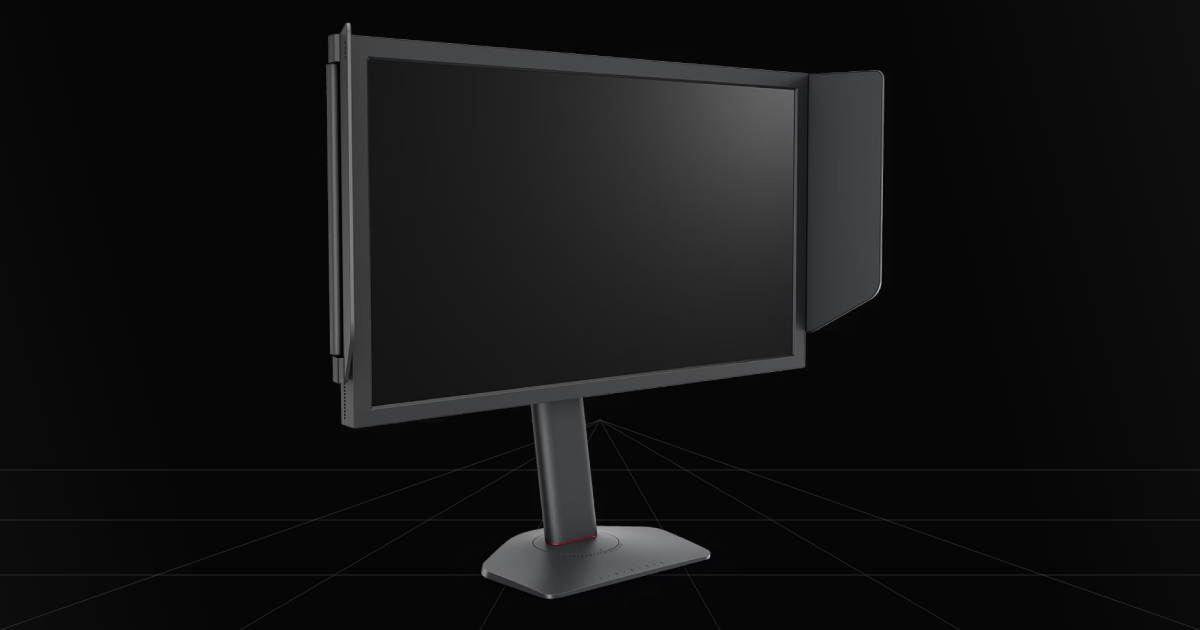
2. BenQ ZOWIE XL2586X+ - Esports Grade Motion Clarity
Quick Take
This monitor is great when you are purely focused on being better at competitive shooter games, where you want the absolute current best motion clarity with DyAc 2 and extremely high refresh rates up to 600Hz. You get a massive advantage for winning more gunfights and improving your overall gameplay.
The Catch
It requires DyAc 2 to be enabled to improve motion clarity enough to beat OLED's raw 0.03ms gray to gray response times, and then it loses in just about everything else, like vibrant colors, amazing black levels, and that cinematic gaming or content experience. Just barely beating OLED in motion clarity at nearly the same price point is a tradeoff, but it makes sense for those mostly looking for the absolute best esports monitor.
Where To Buy
➔ Check Price on Amazon
➔ Check Price on Newegg
Why We Chose It
When we're honest and think about the best overall for this specific category, we have to admit that this truly is currently the best option for these types of competitive players. Even if we think TN panels will eventually fall behind, and hopefully the same goes for this extreme pricing.
You get extremely high refresh rates for the ultimate low latency, along with fast, clear motion for keeping your crosshair locked on your opponents. DyAc 2 really clears up that image even more, and at every frame you see, you know exactly what you're looking at. This gives you the advantage to keep your mechanical skills at higher-level play and improve faster than everyone else.
Pros & Cons
Pros
DyAc 2: Gives you the most clear visuals in motion clarity to perfectly track enemies with no distractions.
600Hz Refresh Rate: Able to see up to 600 FPS, drastically improves motion smoothness and lowers overall game latency.
24.1in Display: For competitive gaming this is considered the perfect screen size without stressing your eyes while playing close to the screen and it's also the best pixel density to make 1080p look sharp.
Cons
TN Panel: In 2026, choosing a TN display at this price range is quite unbelievable to most because OLED is at this same exact price range and cheaper depending on the display.
1080p Resolution: This specific panel only operates at 1080p resolution, this resolution is for more budget gamers or specifically looking for a competitive edge.
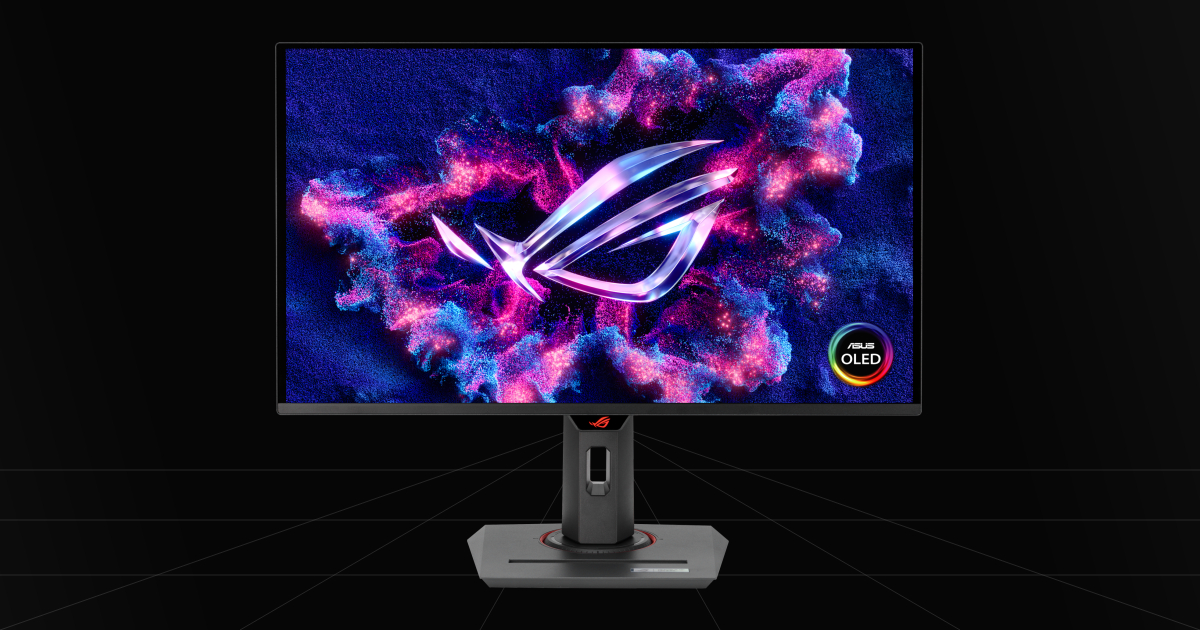
3. ASUS ROG Strix XG27ACDNG (360Hz) - Casual & Esports Gaming Ready
Quick Take
The most likely premium to mid-range option that most people will be interested in due to its lower pricing and a more common resolution, making it a monitor that's easy to support for most gaming setups. You get that amazing, vibrant OLED experience, but you can also easily run your favorite games at 1440p ultra settings or still make full use of its competitive 360Hz refresh rate.
The Catch
While it still has its 0.03ms gray to gray OLED response times, amazing colors, and deep pitch blacks, the lower cost comes from using a panel design without the newest Tandem tech. That means overall brightness is a bit lower, and you're going to want to double check your ambient room lighting so your blacks don't raise or give off a purple tint on the screen.
Where To Buy
➔ Check Price on Amazon
➔ Check Price on Newegg
Why We Chose It
Out of all the mid-range OLEDs we've seen, this one is the best out-of-the-box experience available. Sure, most of these QD-OLEDs are nearly the same in brightness, colors, and most importantly, black levels. They mostly differ in their quality-of-life features and technology. ASUS has somewhat better light handling, stronger connectivity, and just a minor advantage overall. If you really like the brightest screen possible, it edges out the competition there too in SDR. That makes it one of the best 360Hz QD-OLED panels you can buy without paying over $1000.
Pros & Cons
Pros
360Hz Refresh Rate: Gain a competitive advantage with very stable 360 FPS smoothness for gaming in esports or even more casual titles.
Beautiful Gaming Screen: QD-OLED doesn't just offer that theater-like, inky black feel, but colors also pop way more when paired with infinite contrast to make graphics look vibrant and beautiful.
OLED Anti-Flicker: OLEDs can flicker in dark scenes when frame rates fluctuate, but ASUS lets you adjust OLED Anti-Flicker in the OSD menu across different refresh rate ranges to smooth out that VRR flicker.
Cons
Purple Tint in Light: When ambient light, especially harsh rays, hits the panel, it causes a purple tint and ruins those deep black levels.
DSC Limitations: To actually make full use of 1440p at 360Hz with 10-bit color, Display Stream Compression will be used, and you also lose out on NVIDIA DSR/DLDSR unless you disable DSC.
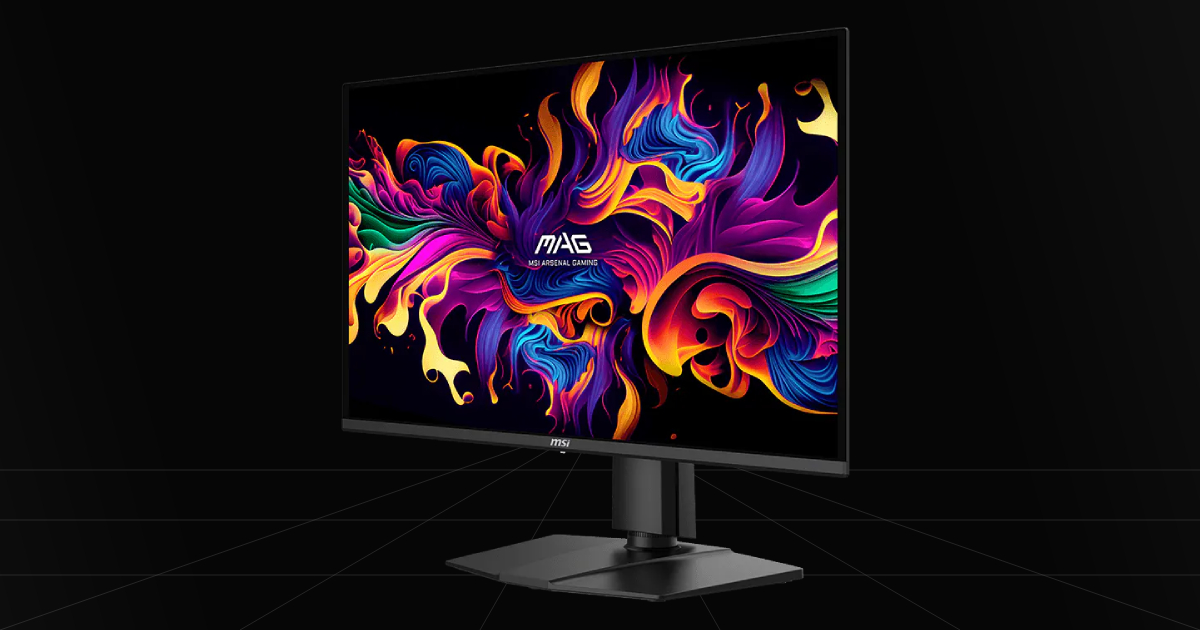
4. MSI MAG 274QP QD-OLED X24 - The Best Affordable OLED
Quick Take
An absolute bang for your buck purchase around $350, if I wanted an OLED monitor at an actual reasonable price, I'd get this 1440p 240Hz OLED monitor. Even as a cheaper product, it still delivers exceptional value over other affordable options with Aspect Ration Options, OLED Care 2.0, and a great 3-year burn-in warranty, all in this affordable bundle.
The Catch
There are two main catches when buying an affordable OLED. Firstly, as a budget-focused panel, you won't find the same ambient lighting performance and upper-tier features seen on more expensive models on the current market. Secondly, it was also stripped of some premium features that some may care about, like a KVM switch or USB Type-C power delivery.
Where To Buy
➔ Check Price on Amazon
➔ Check Price on Newegg
Why We Chose It
I would choose this over other stripped-down, budget Gen 3 OLEDs for the main fact that you get more features and a solid warranty on the MSI model. Features such as OLED Care 2.0 are just better and improved over other brands' older standard panel and pixel refresh cycles. It has pixel shift and taskbar or logo dimming to prevent burn-in. Then you have some other smaller features like still getting firmware upgrades, a headphone-out port, and being able to adjust your aspect ratio to fit a 24.5-inch screen for competitive gaming or just to help with strain on your eyes depending on your personal preference to screen size.
Pros & Cons
Pros
Affordable: One of the best affordable high-end gaming monitors on the market.
240Hz Refresh Rate: An unbelievable 240Hz for ultra smoothness during gameplay at 1440p resolution, which makes it a great choice for most people.
QD-OLED: Having QD-OLED over WOLED makes for a very vibrant screen, giving you more pop and punchy colors.
Cons
Dimmer Screen: Unfortunately, the lower cost also means older technology, barely peaking around 200 nits of brightness in SDR and having an HDR peak of 400 nits.
Ambient Light Handling: Expect a purple tint when direct light hits the screen, and ambient light will also raise black levels, giving it a slight grayish or a brighter shade of black look.
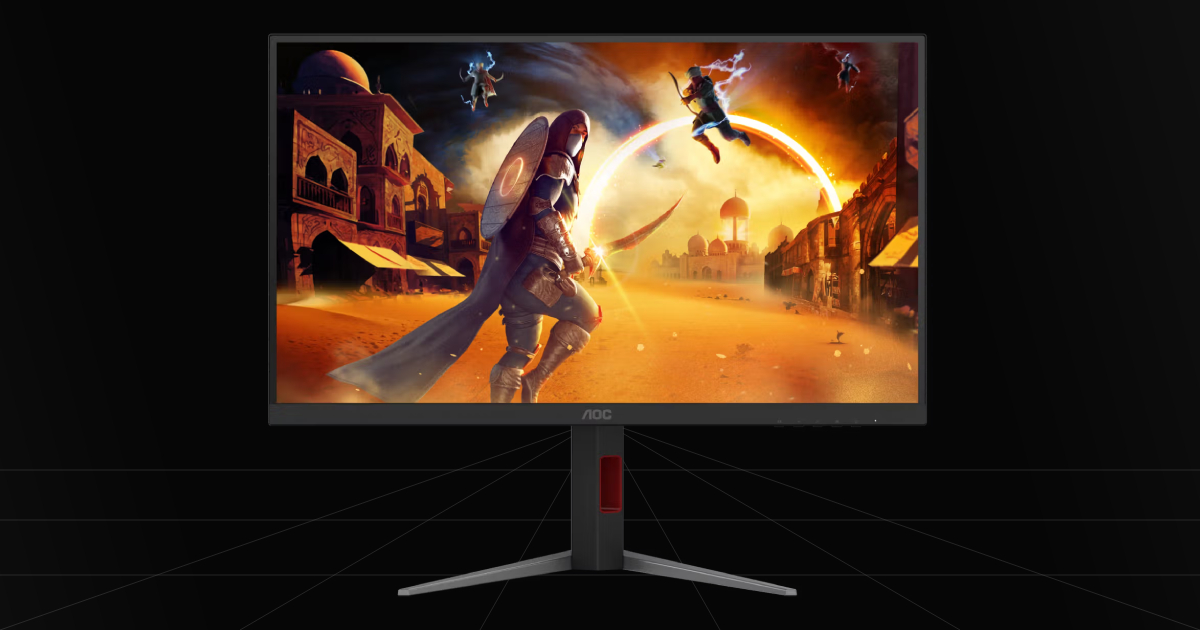
5. AOC U27G4XM Mini-LED - Best 4K & 1080p 320Hz Dual-Mode
Quick Take
Another perfect affordable mid-range monitor when seeking an alternative to extremely overpriced premium monitors. AOC gets you the best of all worlds here with 4K 160Hz and 1080p 320Hz, so you get to choose between the type of gameplay you want for your hardware while still rivaling OLED's deep blacks.
The Catch
Mini-LED is a great option when it comes to peak brightness and going blow for blow with OLED blacks, but it is still an LCD display with less raw performance compared to OLED. That means you lose those instant gray to gray response times, introducing some ghosting and some minor dark smearing.
Where To Buy
Why We Chose It
Having an alternative to the best premium TN and OLED options is just a must-have for this list. Mini-LED is a powerful and fearless choice, unlike TN being a very niche purchase these days for specific gamers, or having to worry about OLED burn-in and how you have to deal with panel lottery on some models. This is the perfect in-between option. You still get extremely good blacks, a much brighter display for all light environments, HDR 1000 support, and a Dual Mode swap so you can play on ultra 4K settings or swap to 1080p 320Hz for competitive gaming. Is it the best overall? No. However, is it one of the most balanced options on this list? Most definitely!
Pros & Cons
Pros
Mini-LED: A Mini-LED display has the benefit of challenging OLED blacks while also being a much brighter display, making the full image pop overall.
Dual-Mode: Your able to swap from 4K 160Hz to 1080p 320Hz so you can play any game how you prefer with your hardware.
Glossy Screen: They took a glossy coated screen path over a matte screen which helps provide a sharper image, deeper blacks, and vibrant poppy colors.
Cons
More Bloom in Blacks: Compared to OLEDs, you will likely notice a fair bit more bloom around objects in pitch black scenarios.
Ghosting & Overshoot: You might possibly notice a slight trail behind objects when turning fast or flicking to opponents in game. Luckily it can be optimized with response time settings.
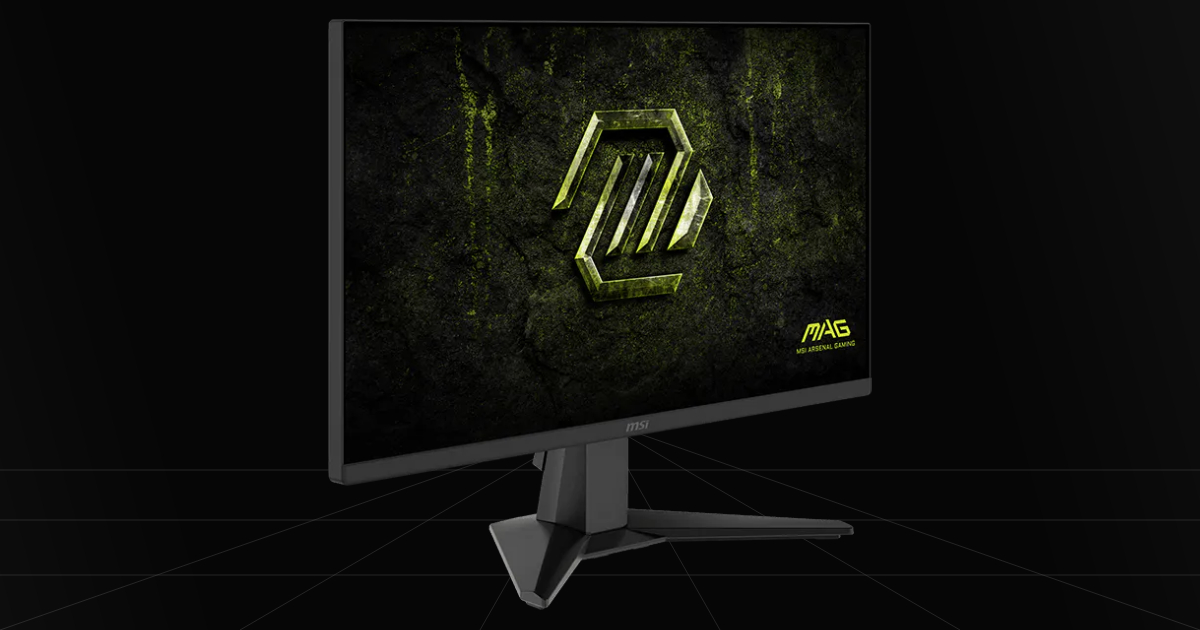
6. MSI MAG 245F X24 - Best Budget Gaming Monitor
Quick Take
A 1080p resolution, 240Hz monitor with Rapid IPS for just over or around $100 is nothing short of a steal. Whether you need a gift for a kid getting his first PC, or you just forgot to include the monitor in the budget for your new setup, this is a great budget starter gaming monitor.
The Catch
It's a good old-fashioned LCD IPS panel, so expect some backlight bleed, minor ghosting, and its one and only lower native resolution, no dual-mode magic here.
Where To Buy
➔ Check Price on Amazon
➔ Check Price on Newegg
Why We Chose It
It's extremely fast, smooth, and bright. At this price point, 240Hz is an amazing find with the right IPS panel, in this case Rapid IPS, minimizing the amount of ghost trailing notoriously seen on IPS monitors. While it's nothing like a Mini-LED or an OLED, IPS is still one of the best panel types for pure vibrant colors and packs a good pop to the display. Probably the biggest drawback, outside of lower resolution and backlight bleed, is that HDR is going to look terrible. I wouldn't even consider touching this setting at all unless you want washed out colors.
Pros & Cons
Pros
Rapid IPS: Far better than standard in-plane switching on IPS panels, pushing pixel response down to 1ms or even lower, specifically this monitor hits 0.5ms response times.
240Hz Refresh Rate: For a budget monitor, a 240Hz refresh rate for competitive gaming allows for high smoothness and good motion clarity for an IPS panel.
Cons
LCD Panel: Being stuck on an LCD screen introduces more possibility for ghosting, overshoot, and backlight bleed to occur, overall lowering picture quality.
1080p Resolution Trade-Off: At this price range, you can really only find 1080p resolution, meaning you leave room on the table to upgrade again later.
So What Is The Right Gaming Monitor For You?
The final decision when choosing the right monitor for you really just comes down to your hardware or future upgrades and, honestly, the most important thing, your preference. Whether that means high refresh rate upgrades, resolution bumps, or simply wanting to buy a panel upgrade to go from LED to OLED. Any way you want to play is the right way, and don't let anyone tell you that you need to play one way or another. Just simply make sure your hardware can handle your choice of upgraded monitor specs and enjoy playing.