Affiliate Disclosure: Some links in this article may earn us a small commission if you make a purchase, at no additional cost to you.
The Gaming Mouse Your Hand Deserves
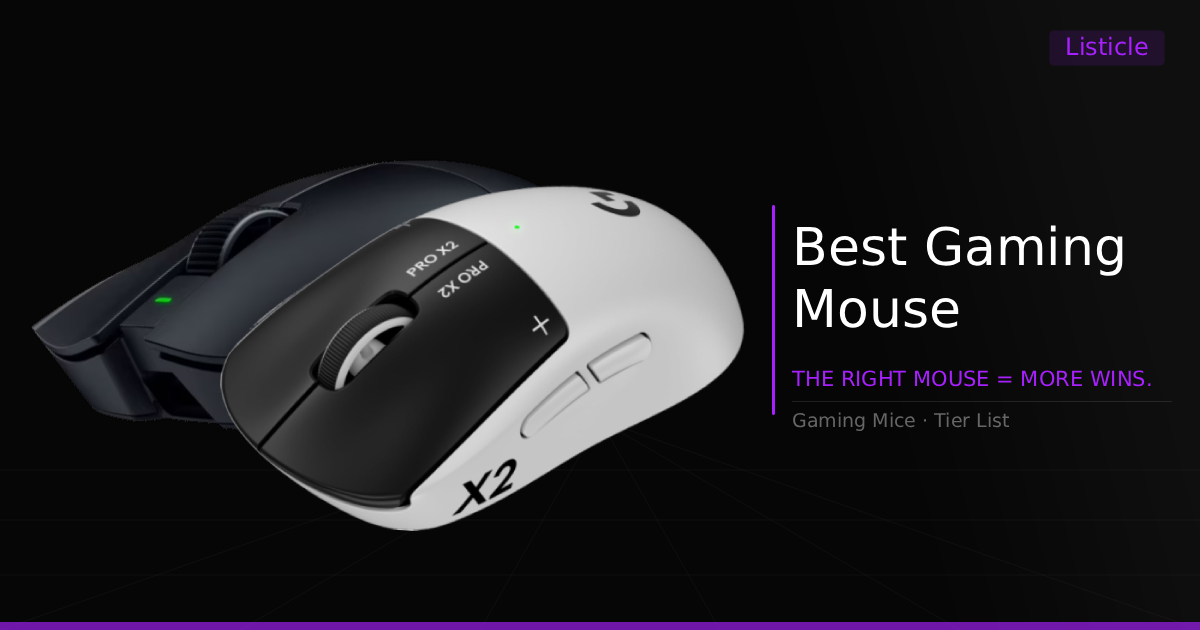
Coming across the right gaming mouse for you might feel difficult, but luckily it's really not all too terrible of an experience. Whether you feel like a mouse won't fit your needs, or you're worried your hands might be too small or large for a specific shape, I'm here to give you something different from everyone else's opinions. I will provide you with some of the best suggested mice you can possibly buy for day-to-day advantages in gaming and general daily comfort. One thing I'll personally stand by, however, is that there is no perfect mouse for your hand. If competitive gaming is your goal, train with your mouse as if it is your sword, and adapt to its comfort through learning. Now let us help you find a great sword.
Best Gaming Mice: A Quick Glance
Mouse | Best For | Grip Style & Hand Size | Tier / Budget |
|---|---|---|---|
Best overall rounded competitive gaming mouse | Claw, Palm / Medium, Large hands | Premium Flagship | |
FPS gaming and custom click configuration | Claw, Palm / Medium, Large hands | Premium Flagship | |
All-around competitive gaming for larger hands | Palm / Large hands | Premium Flagship | |
Best competitive fingertip mouse | Fingertip / Small, Medium hands | Premium Enthusiast | |
Best mid-range G PRO alternative | Fingertip, Claw, Palm / Medium, Large hands | Mid-Range Value | |
Best compact mid-range G PRO alternative | Fingertip, Claw, Palm / Small, Medium hands | Mid-Range Value | |
Mid-range MMO gaming and productivity mouse | Relaxed Claw, Palm / Medium, Large hands | Mid-Range Specialty | |
Ultimate budget FPS gaming mouse | Claw, Fingertip / Small, Medium hands | Ultra Budget |
How To Pick The Right Gaming Mouse
Before pulling the trigger on a mouse, keep these three key factors in mind:
Shape & Hand Size: Taking note of your hand size and applying it to a shape that fits can really fill the comfort out and assist in naturally griping the mouse
Grip Style: There are three main grip styles that gamers refer to. Claw grip grabs around the mouse with the bottom of your palm likely resting partly on the shell, while your fingers are arched, only gaining traction from the thumb and pinky on the sides. Palm grip usually just lays your palm and fingers down pretty relaxed, sitting kind of flat against the mouse hump and buttons. Finally, there is fingertip grip, where your fingers grab the mouse similarly to a claw grip, but your palm doesn't rest on the mouse hump at all.
However! My opinion is that your hand should naturally just sit on the mouse in whatever way best allows you to control it comfortably, usually creating a unique combination or a mix of all of them.
Realistic Adaptation: Sure, you can find a mouse shape and size that suits your hand and your goals perfectly. No mouse, though, is perfect, and not a single one will ever fit in your hand exactly how you wish it did right out of the box. Not without practice. If you want a mouse for a competitive advantage, you have to train with it as if it were your new shiny sword. Only then will that mouse naturally fit your hand through real, hard-earned aiming experience.
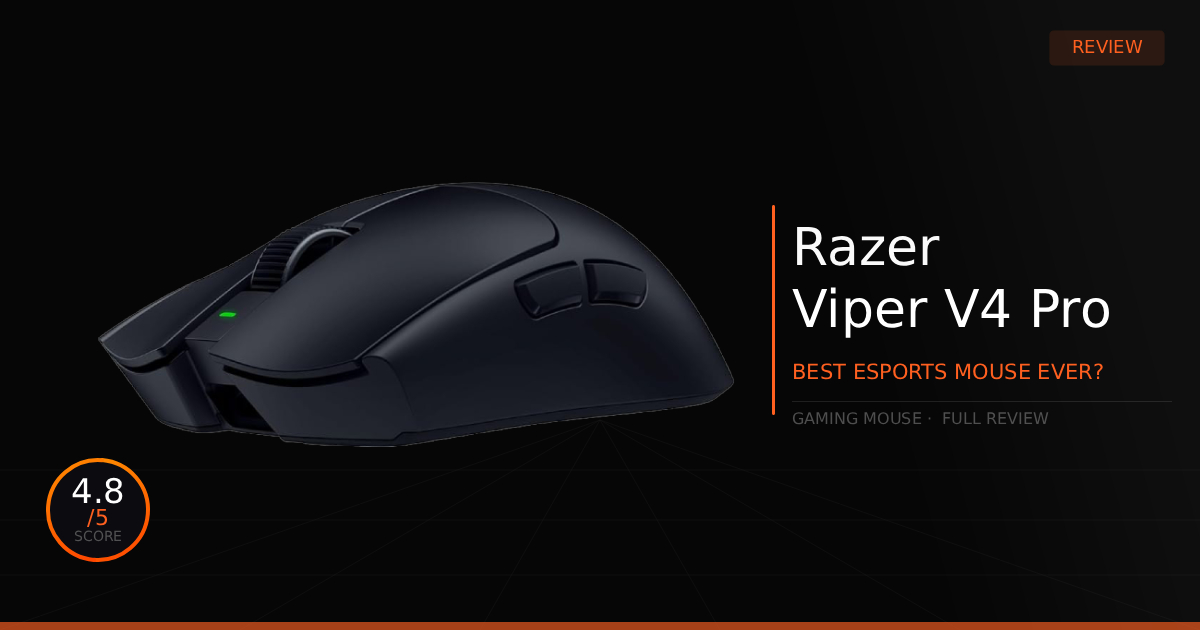
1. Razer Viper V4 Pro - Best Overall Performance
Quick Take
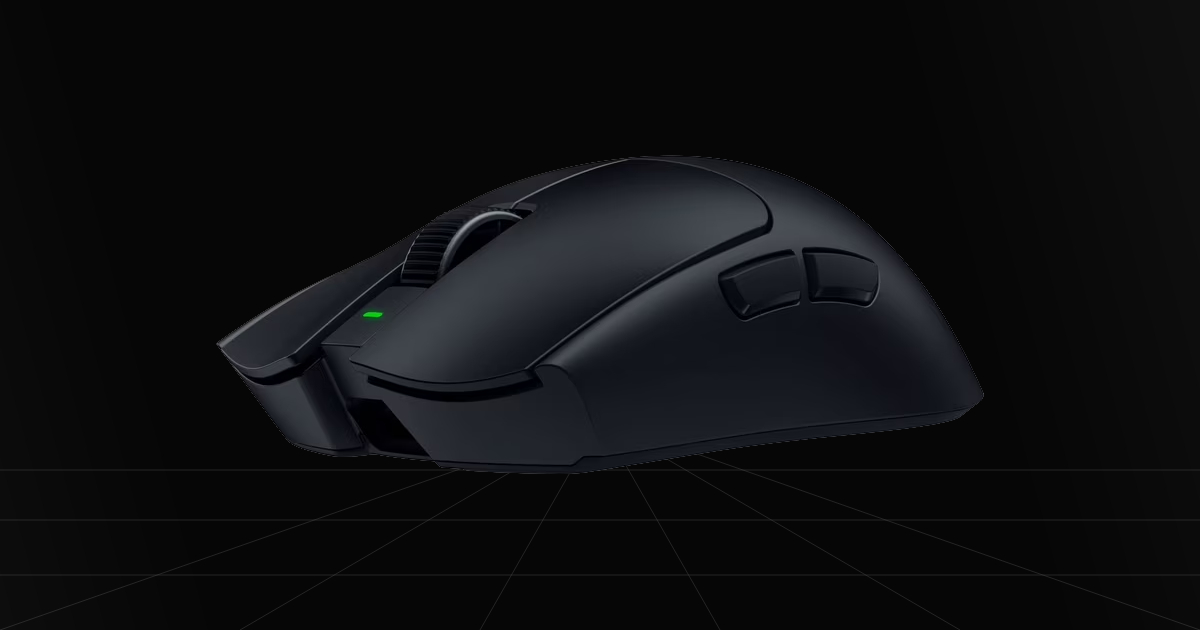
The Razer Viper V4 Pro is easily one of the most consistent and high-performing mice on the market. It carries an incredibly stable 8kHz polling rate and an extremely low weight of just 49 grams of perfectly balanced, distributed weight. Topping it all off is their new frame sync technology, which improves high polling rate tracking, smooths out your micro-stutters, and increases battery life dramatically.
The Catch
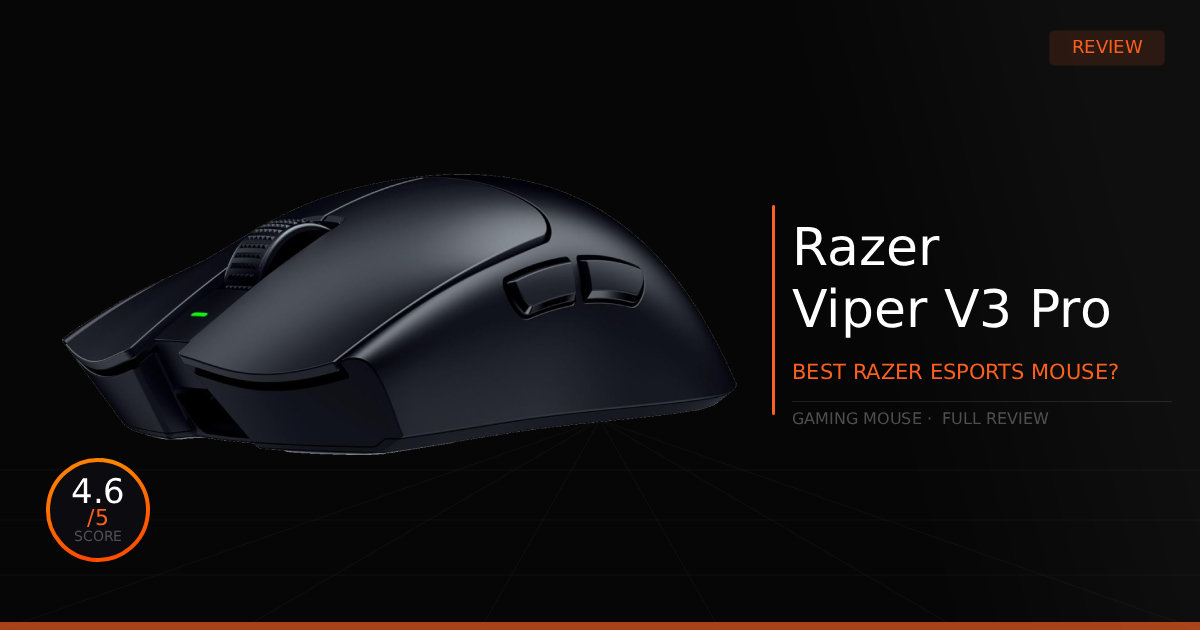
Its innovation with frame sync is great, but honestly, there isn't a massive amount of innovation after that. Most people upgrading from a Razer Viper V3 Pro will see it as a bunch of small, though definitely needed, upgrades. That still makes it a harder purchase to justify if you already spent a ton of cash on the previous generation, especially just to get small quality-of-life features to perfect an already very good mouse.
Where To Buy
Why We Chose It
From my point of view, it was pretty much a no-brainer to recommend the Razer Viper V4 Pro. Almost anyone can pick up this semi-ambidextrous mouse and have a good experience with it. It's actually no lie whatsoever, it really has a comfortable shape for most people, sitting right on the edge of perfect weight distribution for total control. Sure, there might be a few shape iterations you might personally prefer, like a bigger hump to fit your palm, but generally, it fits all grip styles if you're willing to adapt, minus extremely small and extremely large hands.
At the end of the day, you get the highest-performing hardware in a mouse, probably the best weight distribution for balance, improved battery life, and new mouse switches with faster clicks. It's a bunch of small but worthwhile upgrades, and most mice companies have never accomplished that quite like Razer.
Pros & Cons
Pros
Frame Sync: Smooths out high polling rate tracking, eliminates micro-stutters, and boosts battery life dramatically.
8K Hz Polling Rate: Lowers mouse sensor and click latency dramatically and improves motion clarity on high refresh rate monitors.
Build Quality: Everything from the build durability to the mouse clicks, scroll wheel, and side buttons has been completely improved.
Cons
Loud Clicks: The improved feedback and lower click latency introduce much louder clicks that are bound to annoy your roommates.
High Cost: It sits right on the expensive end for a premium product, making it just a bit over fairly priced if you ask us.
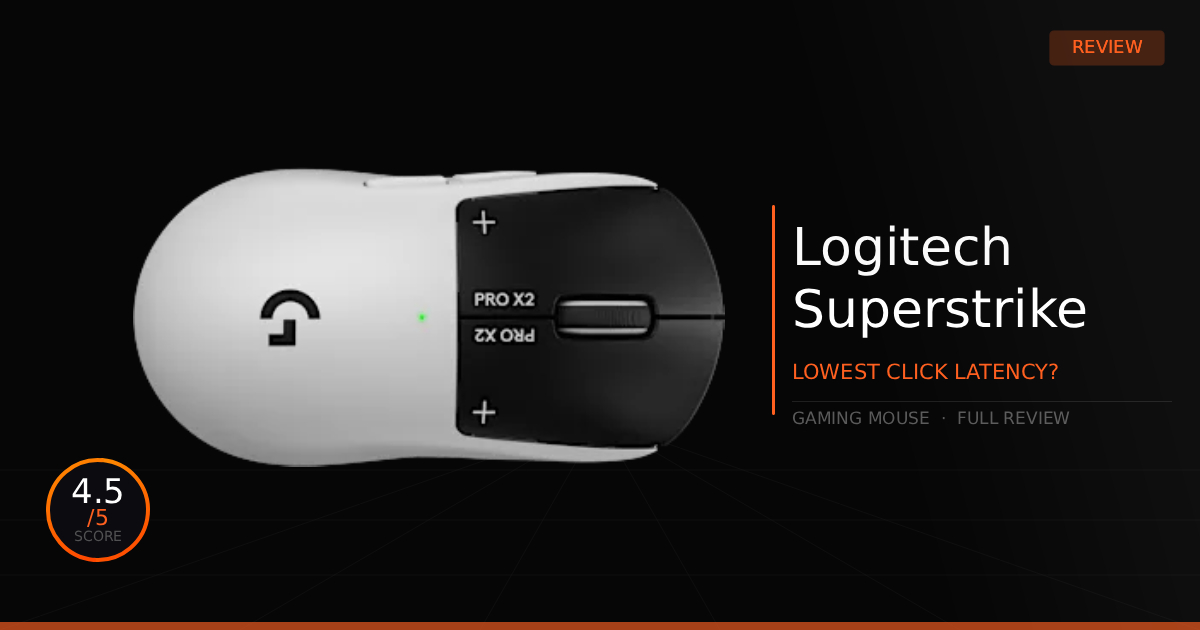
2. Logitech G Pro X2 Superstrike - Customizable Clicks for a Competitive Edge
Quick Take
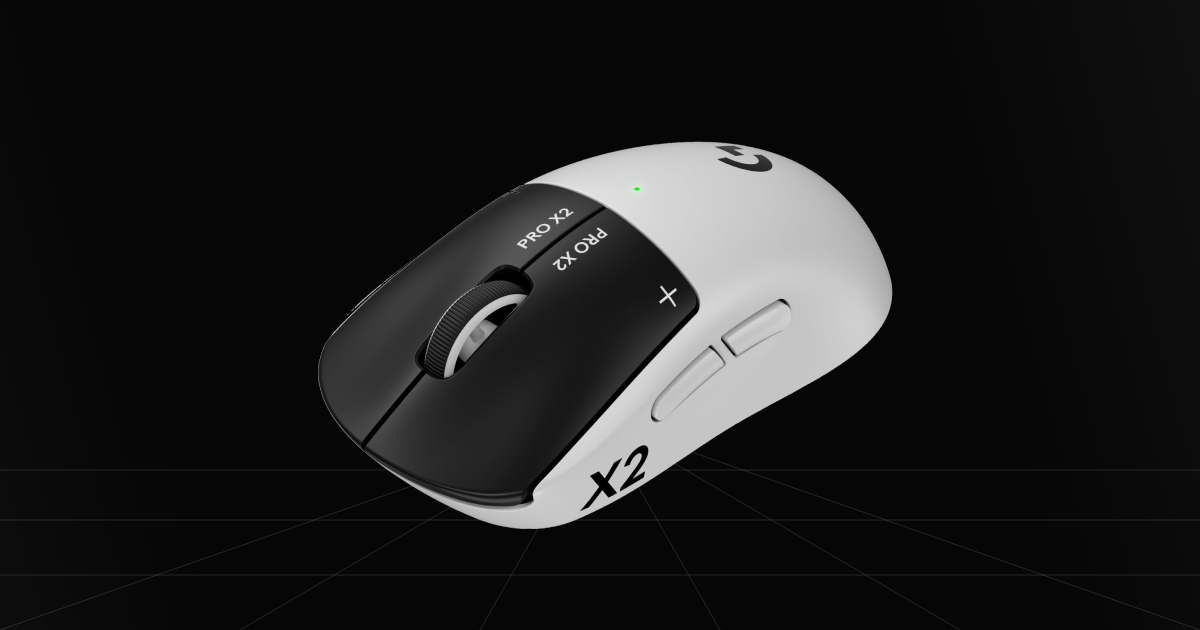
This is another fantastic mouse for competitive gaming and daily usage comfort, featuring a very friendly, semi-ambidextrous shape with a rounded back hump. It specifically gives you a massive advantage with its newly designed motor for HITS, which completely removes standard switches to allow for complete customization over your actuation point and click feel, while even gaining rapid trigger settings for a mouse to shoot faster and win more gun fights.
The Catch
Unfortunately for gamers, its biggest negative comes from that very same motor. Replacing mechanical switches makes the front side, well, more front-heavy, meaning the weight distribution isn't very good. It also sits right at 61 grams, which isn't bad, but it is nothing dramatically improved on weight. Topping it off, it is also the most expensive mouse on this entire list.
Where To Buy
➔ Check Price on Amazon
➔ Check Price on Newegg
Why We Chose It
The Logitech GPRO X2 Superstrike has its share of new issues that it presents with its fresh technology, but overall, will it throw you off? Maybe a little at first, but with a little time and warming up to it, you can control the mouse perfectly fine. The weight balance tradeoff also comes with an arsenal of new improvements that are well worth giving a shot.
HITS, or Haptic Inductive Trigger System, is a brand-new switchless technology made by Logitech. You can customize your actuation depth point, which in turn lets you change exactly when it activates in action, and you're also able to control the physical feel and the force required to click. This easily makes it one of the most tunable mice to date, stepping completely outside the box to push new waves into gaming mouse innovation.
Pros & Cons
Pros
HITS: The Haptic Inductive Trigger System gives your mouse unbeatable click control compared to any other mouse on the market.
Rapid Trigger: A customizable setting that controls exactly when your click resets after release, allowing you to spam clicks faster or time them perfectly to your rhythm.
Comfortable Shape: One of the most popular reasons this is such a great all-around mouse for most people is how easily the back hump rests into your palm, making it incredibly easy to naturally grip with its egg-like shape.
Cons
Back-Heavy Weight Distribution: Because the new motor sits in the back, the mouse is noticeably back-heavy, making it a little awkward in the hand at first. This uneven weight distribution can easily speed up hand fatigue in fast-paced scenarios and long gaming sessions.
Stock Mouse Skates: The durability is only around average quality for a premium mouse. They scratch easily and wear down quite fast.
Expensive: One of the most premium mice on the market also comes with a premium price tag, sitting right around $180.
3. Razer DeathAdder V4 Pro - Gaming For Larger Hands
Quick Take
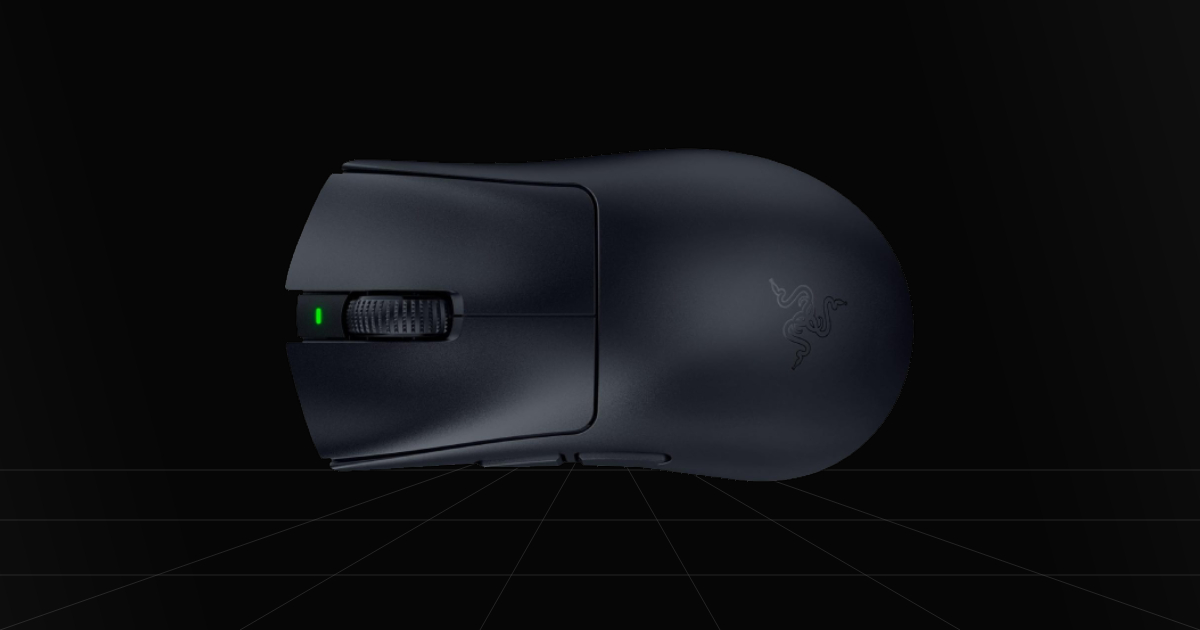
A top-tier performer, this time specifically designed for gamers who have larger hands, really love to palm grip, or just like to relax their hands around the mouse to fill out the back hump. It still gives you massive esports gaming advantages, featuring an 8000Hz polling rate on HyperSpeed Wireless Gen-2 for improved latency, alongside overall improved build quality compared to its previous V3 generation. This puts it right up there, rivaling very close to a Viper V4 Pro and GPRO X Superlight on raw performance.
The Catch
Realistically, it's another overall upgrade rather than any brand-new innovative tech. If you already have the Razer DeathAdder V3 Pro, or want to save some cash by getting it instead after checking out the V4 Pro, you absolutely could. On top of that, it does miss out on some of the flagship Razer Viper V4 Pro features, like Razer Frame Sync.
Where To Buy
➔ Check Price on Amazon
➔ Check Price on Newegg
Why We Chose It
Similar to the Razer Viper V4 Pro, this mouse is a great upgrade when you're seeking the best advantages and build quality enhancements for both a competitive and casual gaming experience. It takes a bunch of minor upgrades over its previous generation and slaps them into a new mouse. You'll notice improved durability, slightly lighter clicks, a less mushy scroll wheel, and even improved latency with the new HyperSpeed Wireless Gen-2 dongle found on all current Razer V4 mice.
While it technically improves latency and stability, it is probably nothing anyone will ever actually notice in real-world use. Still, with all of its improvements, this essentially makes it a Razer Viper V4 Pro packed into a different shape for those seeking a different type of comfort. You're only realistically losing out on a couple of small features that won't directly make you a better or worse gamer, notably a slightly older sensor and the lack of frame sync technology.
Pros & Cons
Pros
True 8kHz Polling Rate: Extremely high polling rate support with extremely low latency tracking and clicks in supported games, featuring near-zero performance impact depending on the game.
Ergonomic Shape: A right-handed ergonomic shape featuring an inward curve on the left side and a centered hump to fill larger to medium hands for relaxed claw and palm grip playstyles.
Upgraded Dongle: The HyperSpeed Wireless Gen-2 dongle provides a true upgrade to stability and latency over wireless technology, consistently outperforming nearly all other brands on the market.
Cons
No Frame Sync: Unlike the Razer Viper V4 Pro, the DeathAdder V4 Pro did not receive frame sync technology, meaning you miss out on improved aiming smoothness, saved battery life, and protection against system lag when using higher polling rates.
High Price: Sits around $170, making it a very premium mouse purchase, especially for a first-time PC gamer, while sitting just under Logitech's GPRO X2 Superstrike in pricing.
4. Pulsar Lab X2F - Best Competitive Fingertip Mouse
Quick Take
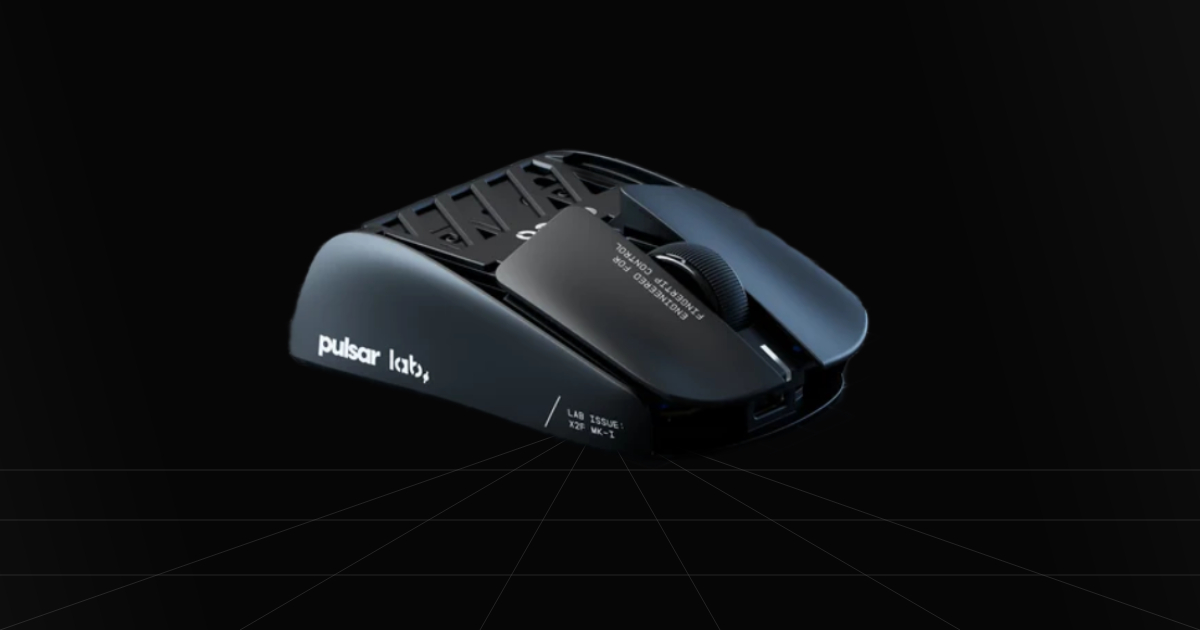
Not the lightest-weight fingertip mouse, but it brings the most impressive shape to your fingers. Rather than giving you a weird unnatural fingertip shape to hold, Pulsar's Lab X2F is literally the shape of your favorite mice cut in half, making it easy to naturally grip while still delivering overall premium quality.
The Catch
First is the value. It's a very solid mouse, especially given the lack of amazing fingertip options, but the price is kinda steep for a mouse that barely slides into premium standard and doesn't really beat out or come close to something like a Razer flagship. It still has quite a bit of room for improvement at that price point. Second, this mouse is strictly designed for a specific niche of gamers who stick strictly with a fingertip grip.
Where To Buy
Why We Chose It
We genuinely believe this is likely one of the easiest fingertip mice to get used to and actually give a shot if you're looking to try out a new grip style. I've personally never opted for a fingertip grip style, however, this one feels the most natural in hand.
To add to that, everything is pretty premium, getting you a good coating, amazing clicks, although responsiveness could be improved, and surprisingly good side mouse buttons as well. Build quality is tough and proves it's worth the premium price, but what about the weight? A lot of users complain about 38 grams being too heavy, but for us, that wasn't really a bad thing, even if it is one of the heavier fingertip-style mice. It is still worth getting if you want an easy entry into fingertip grip and don't mind paying a premium.
Pros & Cons
Pros
High End: Very durable build that comes loaded with high-end hardware, like its flagship XS-1 sensor with 32,000 DPI that supports high polling rates.
8kHz Dual Polling Rate: Hits a max 8000Hz polling rate in both wired and wireless modes for maximum control over latency.
3-Type PTFE Skate Support: Includes space for dot skates, corner skates, or full-sized skates right on the Pulsar Lab X2F.
Cons
Heavy Clicks: The switches feel very tactile, but at first, they might feel a bit heavy or stiff. It is nothing extreme, but definitely something to keep in mind.
Niche Grip Style: This mouse is really only viable for those seeking a dedicated fingertip mouse, offering no palm support whatsoever.
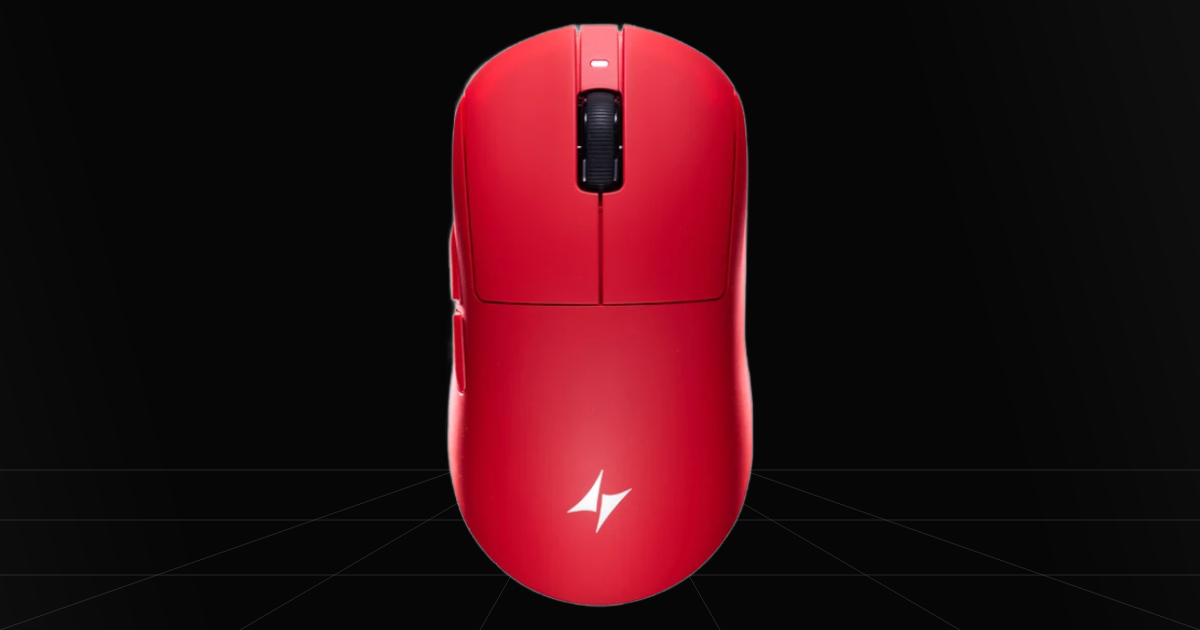
5. ATK Dragonfly A9 Ultimate - Best mid-range G PRO Alternative
Quick Take
Easily one of the best mid-range, high-performance mice on the market if you're looking for a solid G PRO shape, serving as a direct 1:1 copy rather than just an alternative. This means it will automatically fit well if you've already enjoyed G PRO mice in the past and want a fresh replacement without dropping $100+. Overall, it's a solid, high-performing mouse with only a few minor missing premium touches, making it an objectively better purchase for most gamers on a budget.
The Catch
Probably the most important catch to note is that ATK Gear is based in China, meaning contacting support has to be done through email or their online contact page. That not only makes support harder to reach, but it can also mean waiting a bit longer than expected to receive your package. On top of that, it is still a mid-range mouse, so while it is insanely good for its price, don't expect GPRO X2 Superstrike levels of tech, just good old-fashioned optical switches alongside a tiny bit of mouse button wobble.
Where To Buy
➔ Check Price on Amazon
➔ Check Price on ATK Store
Why We Chose It
We had to add a mid-range option to this list where you feel like you could go a little more budget but still feel like you got a premium gaming mouse. Currently ATK seems to be pushing the boundaries of budget gaming mice to new standards, they even have unique features in their web based software, yes web based, not required to download software to control the mouse settings such as polling rate and DPI. Truthfully enough, in most scenarios unless if your already coming from a premium mouse sensor and click, there is generally almost no dramatic performance boost to stop you from performing with a mid-range lightweight gaming mouse.
Pros & Cons
Pros
8000Hz Polling Rate: Ultra-high polling rate that decreases input latency and visibly improves motion clarity.
Web Software: You aren't forced to download bloated mouse software, instead you get fully functional, web-based software to completely control your mouse with unique customization features.
Coating: The new nano coating creates a slightly grippier surface, giving you way more overall control.
Extra Skates: Comes with an extra set of full-sized skates to swap in once your original pair wears down.
Cons
Custom Switches: Their custom FE optical switches feel a bit light to the click and lack a little tactile response, making them easier to spam or accidentally misclick. This mostly comes down to personal preference, though.
Side Buttons: Slightly mushy with a bit of post-travel, which isn't a total dealbreaker, but it is definitely noticeable.
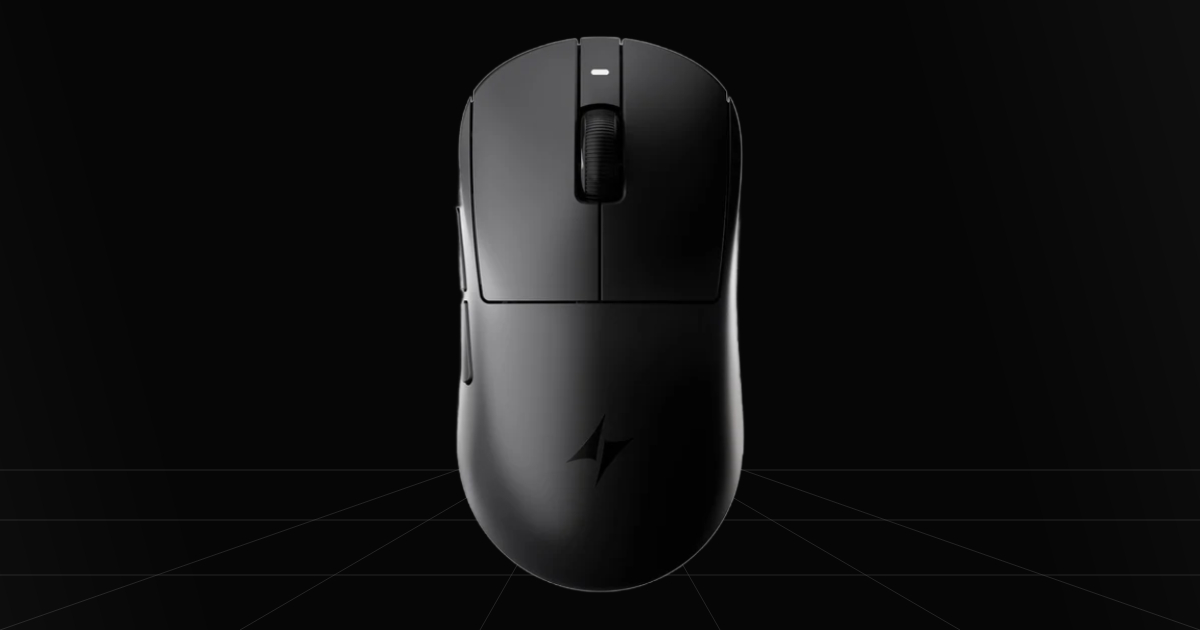
6. ATK Dragonfly A9 MINI+ - Best compact mid-range G PRO alternative
Quick Take
A great secondary choice from ATK if you have smaller hands or just want a more compact mouse for a specific grip style like claw or fingertip. You still get the benefit of an even more lightweight mouse, high polling rate hardware, and that same copycat shape of the Logitech G Pro, specifically mimicking the G Pro X Superlight 2c at a mid-range price point.
The Catch
As great as this mouse is, it is still ATK, so dealing with customer support could still be a drawback, and this time around they even used a bit of sneaky marketing to appear better than reality. ATK advertised this mouse as a 39g mouse, but it actually sits closer to 41–45g depending on the size of the skates you use.
Where To Buy
➔ Check Price on Amazon
➔ Check Price on ATK Store
Why We Chose It
It was as simple as knowing we love ATK's development of mice for a broader range of buyers, offering good performance while being far more affordable. If we included the normal-sized mouse, why not provide options for everyone? You get nearly the same experience compared to the ATK Dragonfly A9 Ultimate, just in a more compact shape. This allows for more control in micro-flicks for those who gravitate towards claw and fingertip playstyles, or if you generally have a smaller hand, this will just be a better fit overall. Topping it off, you pretty much lose nothing besides a few minor changes in internal hardware and inbox accessories, making it another great option depending on your personal requirements.
Pros & Cons
Pros
8000Hz Polling Rate: Ultra-high polling rate that decreases input latency and visibly improves motion clarity.
Web Software: You aren't forced to download bloated mouse software, instead you get fully functional, web-based software to completely control your mouse with unique customization features.
Coating: The new nano coating creates a slightly grippier surface, giving you way more overall control.
Compact Size: The scaled-down shell makes micro-adjustments incredibly effortless for claw and fingertip grip styles.
Cons
Custom Switches: Their custom FE optical switches feel a bit light to the click and lack a little tactile response, making them easier to spam or accidentally misclick. This mostly comes down to personal preference, though.
Misleading 39g Weight: It's advertised as a 39-gram mouse, but it's actually closer to 45g with full skates, or 41g if you switch to dot skates. That 39g rating is just the bare shell weight without any skates installed.
Side Buttons: Slightly mushy with a bit of post-travel, which isn't a total dealbreaker, but it is definitely noticeable.
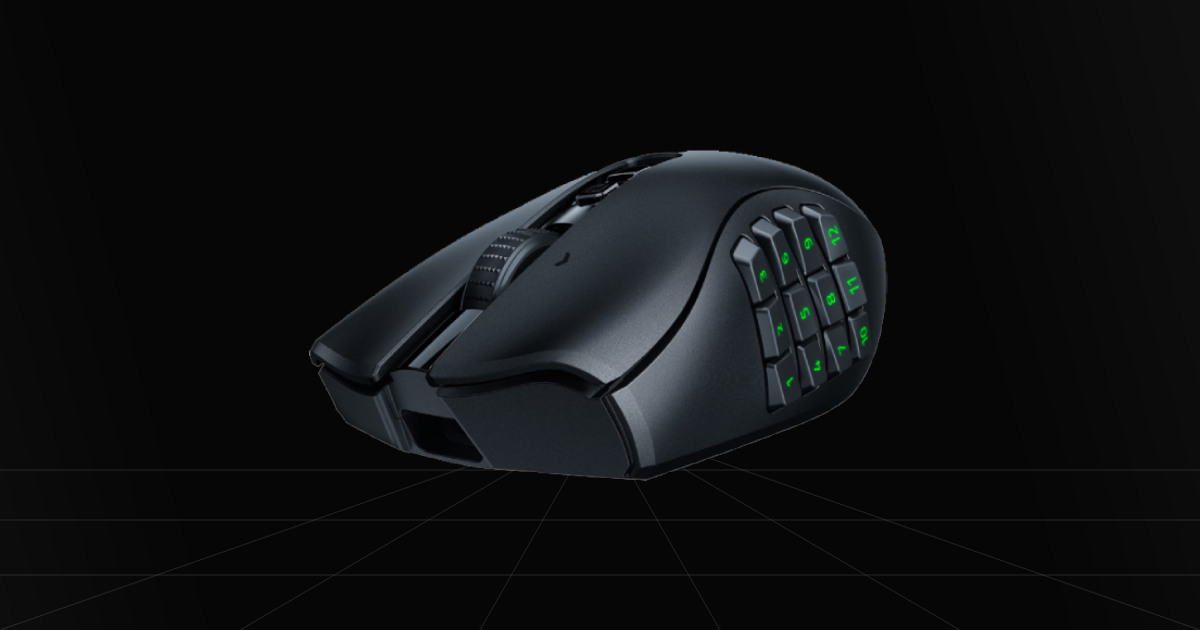
7. Razer Naga V2 HyperSpeed - Mid-range MMO gaming and productivity mouse
Quick Take
Specifically a mouse to take advantage of for gaming if you play a lot of MMORPGs on keyboard and mouse. All the extra side buttons give you an easier, more relaxed time casually setting up custom keybinds and macros for certain games, which in turn makes this mouse pretty decent for productivity macros too.
The Catch
It isn't really designed for FPS games or aim-focused esports titles in general. Not that you couldn't use it for that, but its design makes it much heavier, with a bulky, wide shape that's harder to grip unless you are palm gripping the mouse. It far more suits casual play so you don't misclick all the side buttons or grip the mouse awkwardly, throwing off your aim. It still comes down to preference, but it certainly wasn't designed first for shooter games.
Where To Buy
➔ Check Price on Amazon
➔ Check Price on Newegg
Why We Chose It
The reason the Razer Naga V2 HyperSpeed gaming mouse made the list is because since this is a best gaming mouse list, I figured someone would appreciate a mouse that isn't just focused on esports and top-of-the-line performance gaming. Rather, this one provides efficiency for casual gaming and daily use. You can set up keybinds right on the 12 side buttons for games that have a dramatic amount of spammable commands, or you can even set up macros through Razer Synapse software to increase workflow so annoying tiny tasks get done on command. Overall, that makes it a great option for casual gaming. One final thing to mention here as a minor con is that the macros don't work on the onboard memory and only function when the software is running in the background, which is kinda disappointing if you care about those kinds of features.
Pros & Cons
Pros
19 Programmable Buttons: Has 19 total buttons to configure, with 12 sitting right at your thumb for in-game keybinds and macros.
Powerful Sensor: Its Focus Pro 30K optical sensor keeps this mouse up to date and on par for tracking compared to top FPS gaming mice, which is awesome for an MMO-designed mouse.
Dual Wireless Mode: Support for quick connectivity using either the 2.4GHz USB dongle or completely wireless via Bluetooth.
Cons
No Macro Onboard Memory: Unfortunately, especially for those who want to use this mouse for productivity, macros cannot be saved directly onto the mouse memory and require the Synapse software to be running in the background.
Requires Batteries: Requires a single AA battery to power the mouse, but luckily it has a super long battery life.
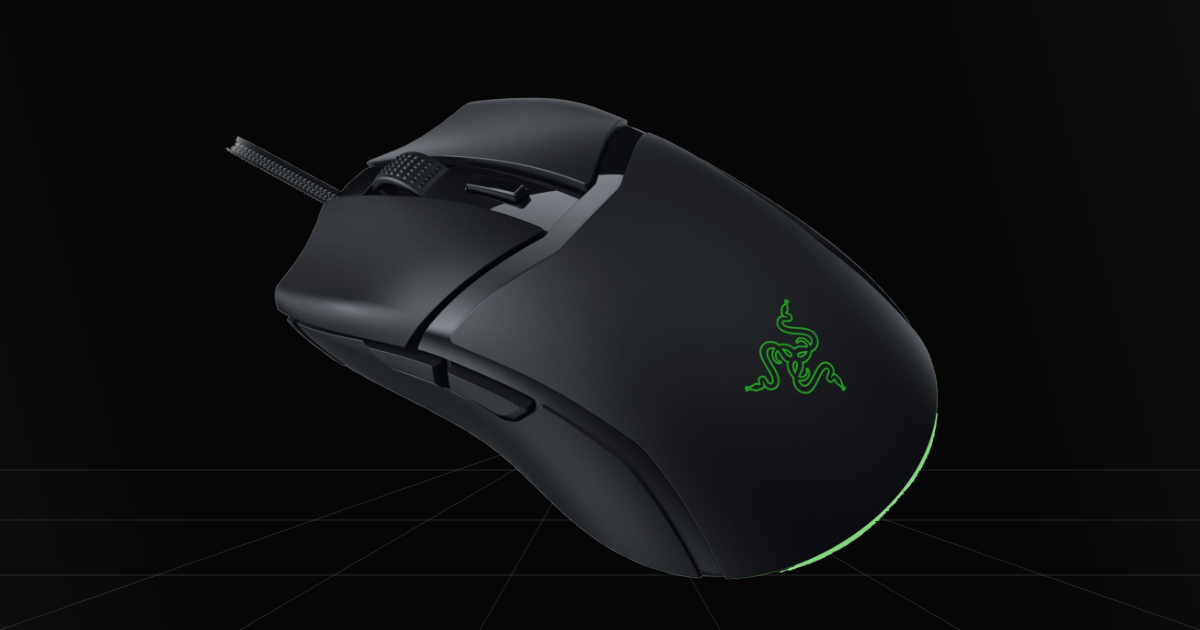
8. Razer Cobra Wired - Ultimate Budget FPS Gaming Mouse
Quick Take
One of the absolute best budget gaming mouse options ever released, especially if you're looking for a more premium build and feel. This is actually one of Razer's best mice because almost anyone can get their hands on one. It's based on the Razer Viper Mini shape, staying true to that lightweight, compact design while packing low-latency Gen-3 optical switches. This is true FPS gaming on a budget.
The Catch
It's a bit outdated, so you'll find that you're missing out on top-tier premium features. No 4000Hz polling rate, no motion sync, and sadly it is strictly wired. Still, it hits the absolute sweet spot for budget pricing to raw aim performance.
Where To Buy
➔ Check Price on Amazon
➔ Check Price on Newegg
Why We Chose It
The Razer Cobra sits around $40 most of the time, dropping even lower when on sale, and you just can't beat this price if it fits your hand. That means it can be a great gift for a kid just getting into PC gaming, or even a solid budget option if you're playing in high-ranked competitive shooter lobbies. Value-wise, you simply can't ignore this mouse.
Now, the biggest issue for me leans into the fact that there is no budget wireless version, since the Razer Cobra Pro jumps straight into premium pricing. Because of that, you have to make do and probably buy a mouse cable bungee to get as close to a wireless feel as possible. Overall, if you need a budget option, this is the one, and it will likely leave you the most satisfied knowing you didn't have to drop over $150 for a premium gaming mouse.
Pros & Cons
Pros
Switches: For a budget mouse, the Razer Gen-3 optical switches are super crisp, high quality, and very durable.
RGB Lighting: Includes an RGB underglow strip along the bottom if you prefer having RGB on your gaming setup.
Budget Pricing: One of the most affordable mice on the market that actually plays incredibly well and feels premium.
Cons
Wired: You're stuck playing wired unless you want to purchase the wireless Pro version, which is really expensive.
Build Quality: It's not bad, but compared to actual premium shells, you'll notice some creaking if you squeeze it with extra force, though not during actual gaming sessions.
What Is The Right Mouse For You?
Short Answer: Any of them will work as long as you double check your hand size and grip style before buying one.
Then to be completely honest, I can't definitively say what mouse suits you best, we did our best to pick the best overall gaming mouse options for everyone. Majority of these options in 2026 are used by many pros and high ranked players including myself. Don't forget it will still require some practice and adapting no matter the new mouse you choose.