Affiliate Disclosure: Some links in this article may earn us a small commission if you make a purchase, at no additional cost to you.
Do Gaming Keyboards Make You A Better Player?
The short answer is yes, but being one hundred percent honest, gaming keyboards do not make you a better gamer, at least not enough where you're going to jump in rank dramatically. What a good keyboard actually does is provide that low-latency actuation advantage so you can improve as fast as possible, much like practicing with a good gaming mouse helps you build aim. It's all about finding the right, comfortable tool to help carry you higher, but you still won't get there without putting in real mechanical skill and in-game practice.
Best Keyboards For Gaming: A Quick Glance
Keyboard | Best For | Specs & Layout | Tier / Budget |
|---|---|---|---|
Standard Esports Choice | Lekker Tikker (Hall Effect) / 60% Layout / 8000Hz | Premium Flagship | |
$50 Hall Effect Disruptor | Epomaker Clear Mag / 65% Compact / 8000Hz | Ultra-Budget Value | |
Mid-Range 75% Sweet Spot | Raesha Magnetic White / 75% Layout (With Knob) / 1000Hz | Mid-Range Value | |
Feature-Packed TKL Heavyweight | OmniPoint 3.0 HyperMagnetic / Tenkeyless (TKL) / 1000Hz | Premium Mid-Range | |
Heavyweight Wooting Alternative | Keychron Lime Magnetic / 75% Layout / 8000Hz | High-End Enthusiast |
How To Pick The Right Gaming Keyboard
Before pulling the trigger on a keyboard, keep these key factors in mind:
Switches: While I mainly stuck to lightweight and balanced switches for pure speed on this list, switch weight actually matters a ton for hitting quick succession taps. Balanced switches are a bit better if you tend to rest your fingers heavy and want to avoid accidental misclicks.
Size: Pick the layout size that fits your setup so you still have plenty of room to flick your mouse around. Beyond gaming, pick a layout that keeps the keys you need for a fast, natural workflow when you're working or typing.
Build Quality: Simple enough, you have to decide what fits your desk: a budget plastic build that stays lightweight and sounds decent, a balanced mid-range board that mixes the best of both worlds, or a premium aluminum case packed with pre-installed acoustic dampening straight out of the box.
Actuation: This is a given in 2026. While it won't magically make you a pro overnight, most good players use adjustable actuation to gain a real advantage and slap on Rapid Trigger for instant key resets. You should definitely take advantage of this tech for yourself.
1. Wooting 60HE V2 - Standard Esports Choice
Quick Take
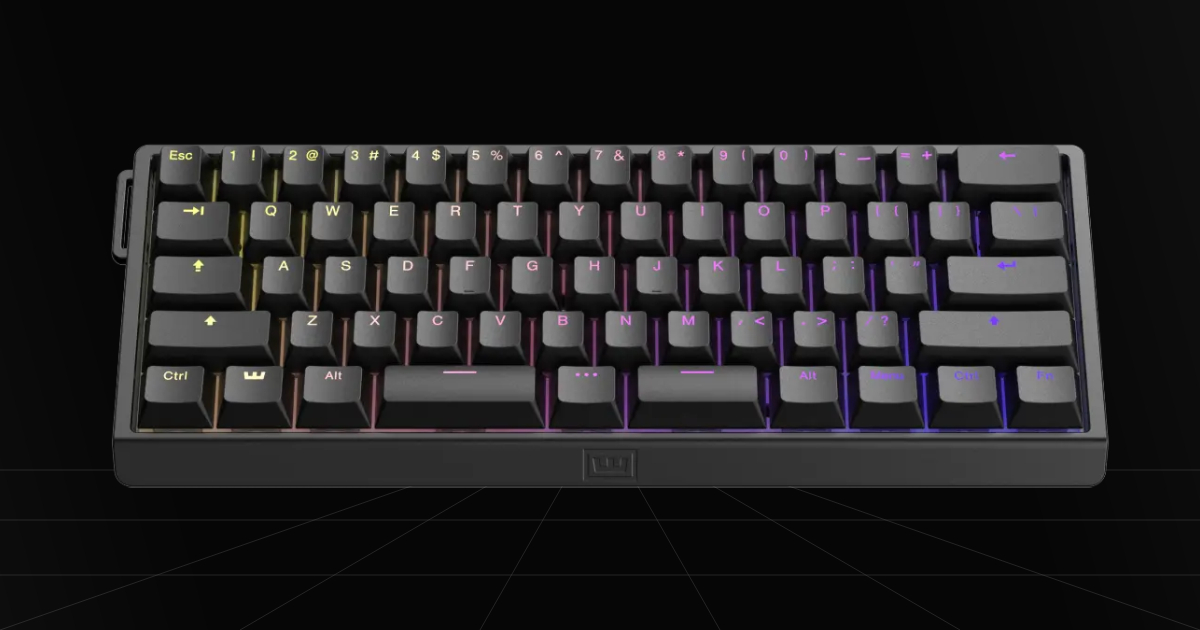
Wooting has been the staple point for pure top quality and innovation in the keyboard space. While that space has expanded drastically with new options, the Wooting 60HE V2 overall has the best premium spec customization and some of the best-sounding Hall Effect switches on the market. Not to mention still outperforming all other keyboards on raw specs, if that matters to you, which makes this keyboard the best gaming option for competitive players.
The Catch
This is one of the most expensive keyboards on the market. Realistically, if your only goal is to get an advantage in-game and you don't care about the super premium customization, you can grab most other Hall Effect keyboards and perform virtually the same for half the price.
Where To Buy
Why We Chose It
We still put this keyboard in the number one spot because overall, this is easily still the best competitive board with the most premium experience you can buy. The new Wooting 60HE V2 has improved, thocky Lekker Tikken switches and pre-lubed screw-in stabilizers, and it reaches a true 8000Hz polling rate so latency will never be an issue. You can also easily take out the keyboard module to modify the board and its case in minutes. There is so much customization opportunity, like saving a bit of money by going with a plastic casing, removing the silicon dampener, or choosing their ANSI split keyboard layout. Overall, you get that raw gaming performance with amazing software, and now a much better sounding, easier to customize keyboard.
Pros & Cons
Pros
8000Hz Polling Rate: If you were worried about latency for some reason, well, no problem, as this upgraded keyboard comes with an 8000Hz polling rate similar to gaming mice for the fastest possible technical latency.
Lekker Tikken Switches: If you wanted an improved typing and sound experience, these new, thocky, marble-like sounding switches are overall far more pleasant compared to previous Lekker switches.
Customization: The upgraded V2 provides the biggest jump in ease of customization by allowing you to completely remove the keyboard module from the case in seconds to modify the board to your liking with custom mods.
Cons
Cost: Without a doubt, it's one of the most expensive keyboards on the market, making it a tough pick for those just looking for a good-enough analog gaming keyboard, or those who want something that sounds better for typing and work rather than just pure gaming.
60% Layout Only: While they offer the 80HE for bigger layouts, the 60HE V2 form factor naturally limits you to a compact 60% layout, leaving those seeking larger keyboards with arrow keys or a function row out of luck.
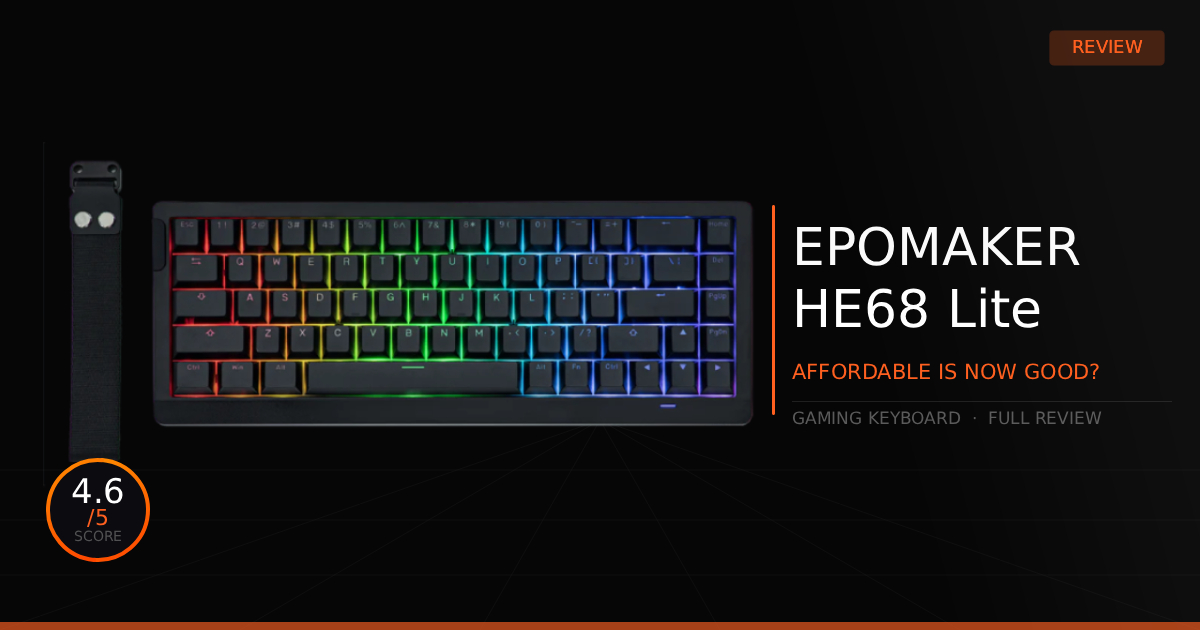
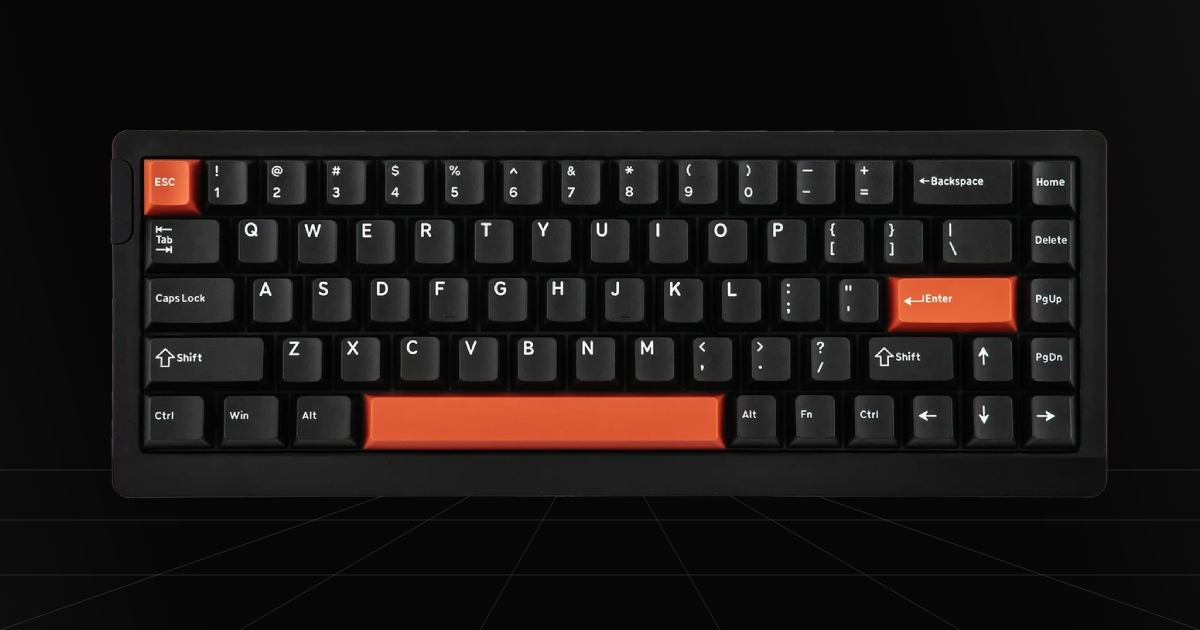
2. EPOMAKER HE68 Lite - $50 Hall Effect Disruptor
Quick Take
This is the keyboard that straight-up gives Wooting a run for its money. No, it doesn't provide that ultra-customizable, premium board experience, but instead, it delivers a polished, straightforward magnetic keyboard experience that packs an 8000Hz polling rate, sounds surprisingly good for the price, and comes with solid software for complete control over your Rapid Trigger settings.
The Catch
The main catch is simply that it's still a budget gaming keyboard. You aren't getting an aluminum body or ultra-high-end casing, and it definitely cuts some corners on materials, but there is nothing here that will mess with your actual gameplay or overall typing experience.
Where To Buy
➔ Check Price on Amazon
➔ Check Price on Newegg
Why We Chose It
The reason it takes second place on this list is because there is simply no exaggeration on how surprisingly good this keyboard actually is for its affordable pricing. You really do get that same 8000Hz polling rate with a 128kHz scan rate, offering high-tier Hall Effect performance that beats out most expensive keyboards. While customization lags behind the new Wooting keyboard, it still manages to give you the ability to hot-swap other magnetic switches from Epomaker, Gateron, and TTC. So you really do get a premium-like experience at a cost that anyone can afford, making this one of the best purchases to upgrade your gaming setup.
Pros & Cons
Pros
Super Affordable: Out of all the gaming keyboards we tested, not only did we enjoy this one more than popular big-name brands, but it also costs easily half as much.
Actuation Point & Rapid Trigger: Customizing your actuation depth and Rapid Trigger points lets every single key press and release register at exact millimeter intervals. Dialing these settings down to the absolute minimum lets competitive players react instantly and trigger rapid in-game actions with zero wasted travel distance.
128K Scan Rate: An extreme 128,000Hz scan rate means the internal onboard controller checks the status of every magnetic switch 128,000 times every second. This near-instantaneous polling ensures advanced Hall Effect features like Rapid Trigger update without a split second of delay or missed input.
Cons
Budget Build Materials: As you might expect at this lower price tag, some sacrifices had to be made. The plastic casing feels pretty lightweight and lacks that solid, weighted density you get from high-end aluminum or heavier composite boards.
Fixed Typing Incline: The bottom shell doesn't include adjustable flip-out feet. It sits at a single, built-in incline, so if you prefer flat typing or steeper angles, you're stuck with the default angle out of the box.
Read our complete EPOMAKER HE68 Lite review for full review and real world testing.
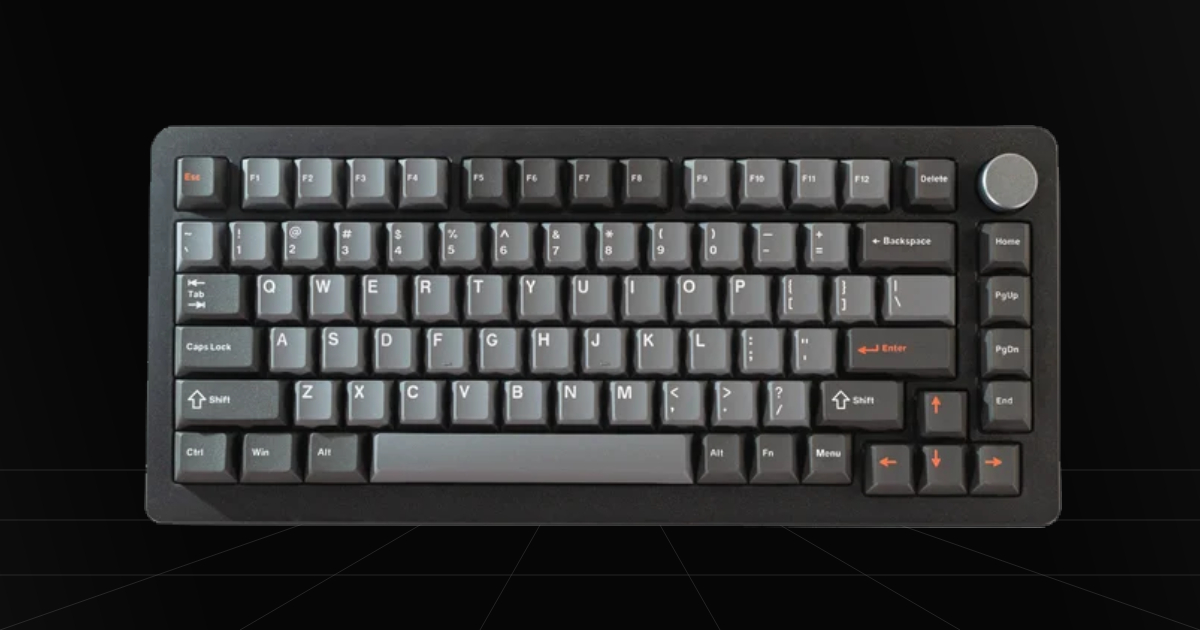
3. DrunkDeer A75 Pro - Mid-Range 75% Sweet Spot
Quick Take
This is one of the most unique keyboards we've discovered for gaming. Sure, we're throwing another board at you with 0.2mm to 3.3mm Rapid Trigger and actuation control for competitive gameplay, but DrunkDeer took a different approach for pure typing comfort by creating a shock-absorbing tray mount design that greatly helps with fatigue, overall typing feel, and sound.
The Catch
For gamers, it's not the absolute best spec on paper all around. It isn't the lowest latency board, doesn't have the best Rapid Trigger precision compared to a Wooting, and isn't that customizable. That doesn't make it a bad keyboard at all, though.
Where To Buy
Why We Chose It
This keyboard wasn't chosen with only gaming in mind. Instead, we genuinely enjoyed how comfortable it feels for long typing sessions while still giving you the full benefits of competitive gaming. Its shock-absorbing design makes typing feel like it slightly compresses down, creating a surprisingly soft and comfortable experience. It's also less noisy overall, though like a lot of budget magnetic keyboards, the switches are a bit clacky rather than deep or thocky. To some that might be a con, but to us, it's just standard for this market right now.
If you aren't interested in customizing a keyboard yourself, this board essentially comes with several popular mods pre-installed. Beyond those shock-absorbing tilt legs, it includes Poron foam, EMPA foam, and a bottom silicone pad. All of this combined makes for a balanced gaming and work keyboard that cuts down on hand fatigue while keeping sound under control.
Pros & Cons
Pros
Shock-Absorbing Tilt Legs: The base of the board compresses down when typing, helping with hand fatigue and improving the overall typing experience.
Rapid Trigger: Allows you to adjust how far the key must travel during release to deactivate the key anywhere between 0.2mm and 3.3mm.
Web-Based Software: Doesn't require installed software to control your keyboard settings, as everything can be managed directly through their web-based tool.
Cons
High Profile: It has a very tall profile, so you might even want to consider getting a wrist rest for comfort if that extra height causes hand fatigue.
Less Actuation Precision: You only get actuation control from 0.2mm to 3.3mm, making it still very quick, just not nearly as adjustable if you have a specific preference lower than 0.2mm or higher than 3.3mm.
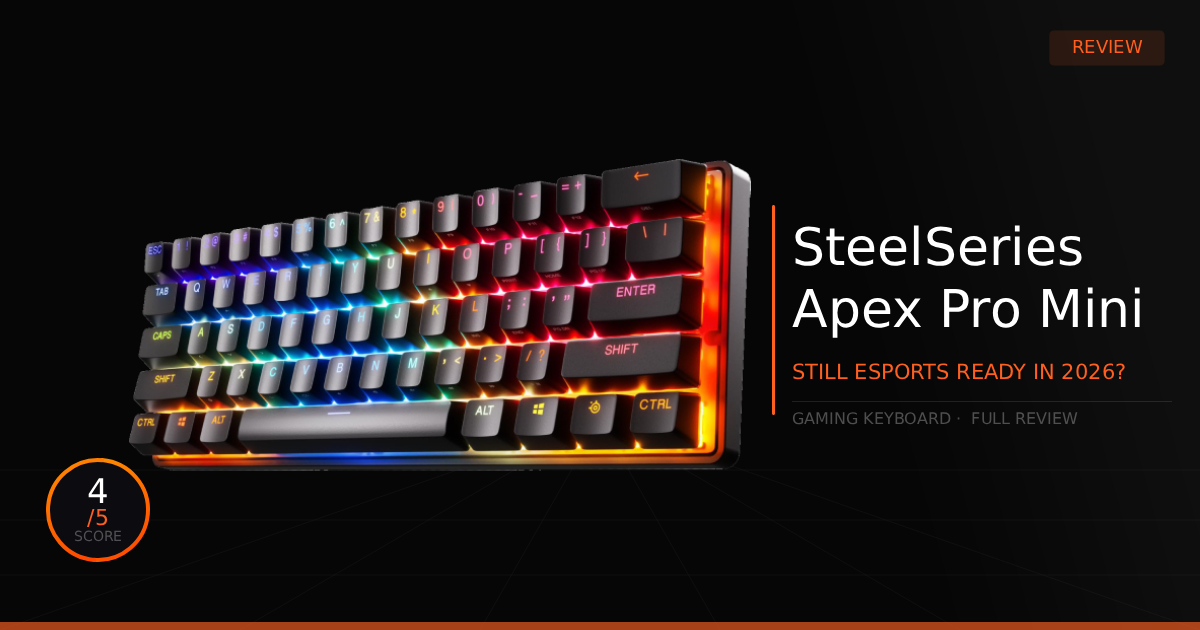
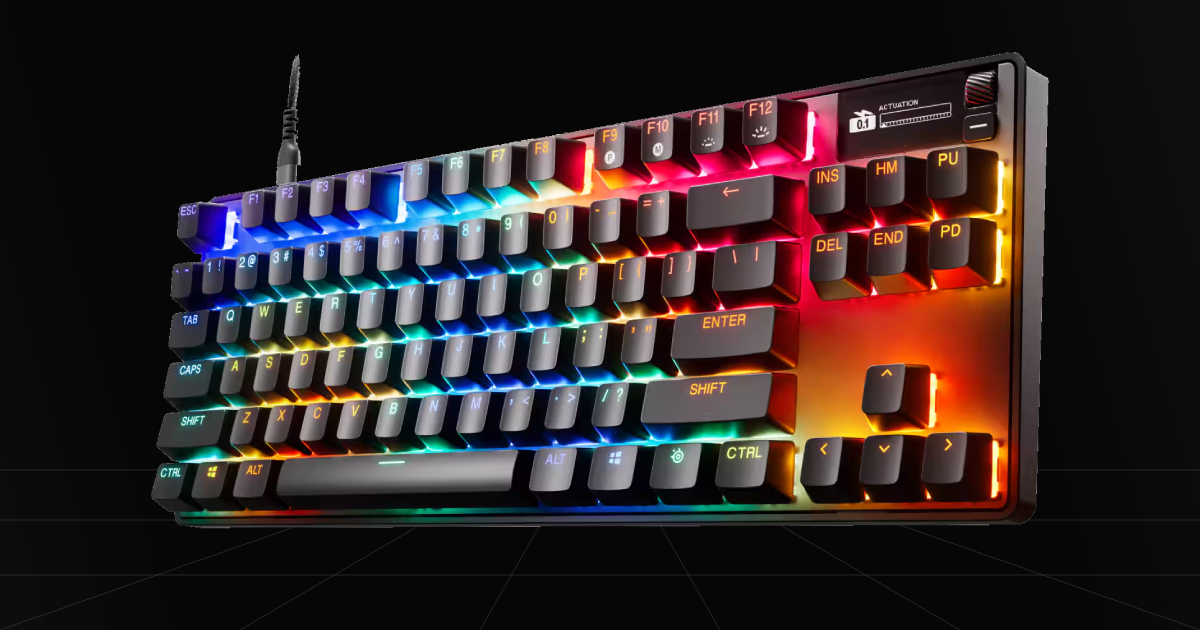
4. SteelSeries Apex Pro TKL Gen 3 - Full Sized Feature Packed Competitive King
Quick Take
Just like the rest of SteelSeries modern lineup of keyboards, you get that competitive edge from faster reaction times and instantaneous clicks thanks to Rapid Trigger and adjustable actuation from its magnetic OmniPoint 3.0 switches. It provides a feature-packed keyboard with unique extras like an OLED Smart Display, making this board great for gamers, content creators, and anyone doing daily work.
The Catch
There are two main things to watch out for before buying this keyboard. First off is the lack of physical customization outside of software, so you're basically stuck doing the standard keyboard mods that have been around for ages. More importantly, there's the LED issue. Previous generations were notorious for dying blue LEDs, and even now, you can still run into weird blue LED errors where colors don't display quite right.
Where To Buy
➔ Check Price on Amazon
➔ Check Price on Newegg
Why We Chose It
Originally, I was worried about adding the Apex Pro TKL Gen 3 to the list due to previous generation mishaps. However, not only have there not been huge, widespread issues yet since its release, but its all-around improvements are also genuinely good. They reworked this keyboard and tuned it well with new stabilizers that remove that massive amount of keycap wobble, and in combination with triple sound-dampening foam, you actually get a quieter overall switch sound. Finally, the switch itself was improved, too. It sounds more thocky compared to Gen 2 and comes factory pre-lubed. Oh, and using Rapid Trigger at 0.1mm doesn't bug out and spam multiple keys at once anymore. The main worry is still those blue LEDs after so many years, but luckily, no widespread issues so far.
Pros & Cons
Pros
OLED Smart Screen: A command center to control your settings, display notifications or tracked info, or simply play a GIF on your keyboard.
OmniPoint 3.0 Switches: A solid upgrade over its previous generation by removing any Rapid Trigger bugs and delivering an improved typing feel.
Sound Profile: Greatly improved sound quality with a quieter, thocky profile rather than that really loud, clacky sound found on previous Gen 1 and Gen 2 Apex Pro keyboards.
Cons
Possible Blue LED Issues: While the chances have lowered over the years due to improvements and there are no widespread issues, I have still noted a couple of instances across social media with some sort of blue light issue where people needed a replacement.
Expensive: The Apex Pro TKL Gen 3 sits right around that Wooting price line, which makes this keyboard pretty expensive considering the lack of physical customization features compared to a Wooting board.
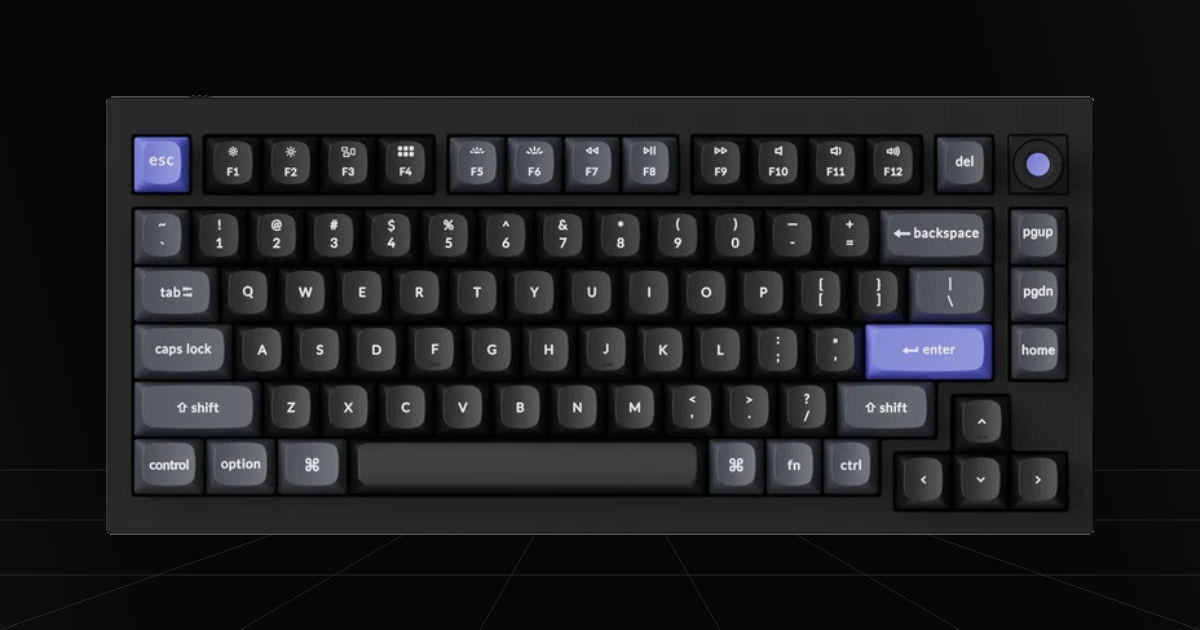
5. Keychron Q1 HE 8K - Heavyweight Wooting Alternative
Quick Take
The true Wooting alternative for extreme low-latency gaming performance paired with a premium keyboard experience. You get a solid CNC aluminum case, double-gasket mount system, screw-in stabilizers, and multiple dampening layers straight out of the box. Combined with its new lightweight Keychron Lime switches, it delivers a thocky, or slightly hollow clacky sound that feels cushioned on every single press.
The Catch
Keychron gives you a great premium, high-end keyboard experience right out of the box, but it doesn't provide the same level of case customization or easy teardown that the Wooting 60HE V2 brings to the table. Sitting at $219, it's also only about $10 less than Wooting's official aluminum option, so this isn't a budget savings play. Plus, it's a 75% layout, so you get dedicated arrow keys and a volume knob, but you have to make do with a slightly more space taken on your desk.
Where To Buy
Why We Chose It
When going toe to toe in the premium department, it trades blows with the Wooting 60HE V2, and gaming performance is practically identical for most gamers, so losing your games with either of these keyboards isn't going to be an issue. Both are extremely fast with great actuation control accuracy, Rapid Trigger all the way down to 0.1mm, and fast switches. The real difference is going to come down to personal preference. While both are going to feel great, you get to choose if you prefer a straightforward, out-of-the-box experience with a double-gasket mounting system for its cushioned typing feel and a slightly bigger layout for an easier typing and work experience.
Pros & Cons
Pros
Double-Gasket Mounting: Gives you a cushioned, flexible typing feel right out of the box that softens those hard bottom-outs and creates a deep, thocky sound without forcing you to do custom mods yourself.
Controller-Style Analog Control: Gives you gradual input control in supported games, letting you smooth-strafe, fine-tune your movement, and make precise directional adjustments just like you're playing on a controller stick.
Dedicated 75% Layout with Volume Knob: Keeps your dedicated arrow keys, a full function row, and a volume knob right out of the box, making it way more practical for daily typing, work, and media control than a tiny 60% board.
Cons
Wired Only: It doesn't come with Bluetooth or 2.4GHz wireless, so you're stuck using a direct USB-C cable for your setup.
Challenging Teardown & Zero Case Compatibility: You're completely locked into Keychron's stock frame with zero options for aftermarket case swapping, and taking the board apart yourself is a bit of a pain with the delicate ribbon cables and gasket setup inside.
Which Keyboard Is Right For You?
Out of all our picks, I can promise that no matter what you choose, they're all gonna feel great and play great in game. You're going to get faster reaction times with movement and hitting all your keybinds. It really comes down to cost and your own personal preference for typing comfort, desk layout, and whether you can roll with a budget option or need that premium feel for daily use.