
Affiliate Disclosure: Some links in this article may earn us a small commission if you make a purchase, at no additional cost to you.
Asus's Best AM5 Mid-End to High End Motherboard?
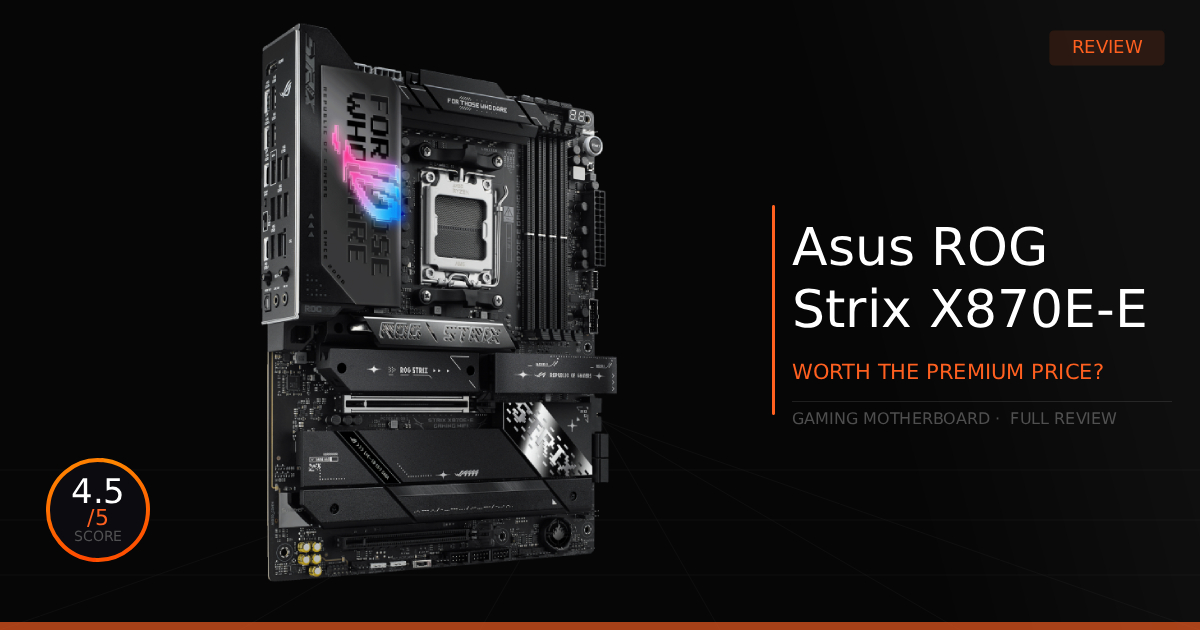
Asus's ROG Strix X870E-E is no AM5 motherboard to be ignored. When in search of a high-end gaming motherboard, this one reaches the top 5 motherboards for the AMD AM5 platform in 2026. While motherboards aren't generally all too different and usually don't provide much competitive difference, this motherboard provides great features even competitive gamers can appreciate.
GTT Quick Score: 4.5/5
Quick Verdict
The ASUS ROG Strix X870E-E Gaming WiFi is a premium, feature-packed beast of an AM5 motherboard that provides a truly luxurious experience for high-end gaming and effortless overclocking. While it is complete overkill for the average gamer and carries a tough $480 MSRP price tag, its incredible Wi-Fi 7 networking, rear Clear CMOS button, and massive storage expansion make it a highly recommended backbone for a new PC build.
➔ Check Price At Amazon
➔ Check Price At Newegg
Our Summary:
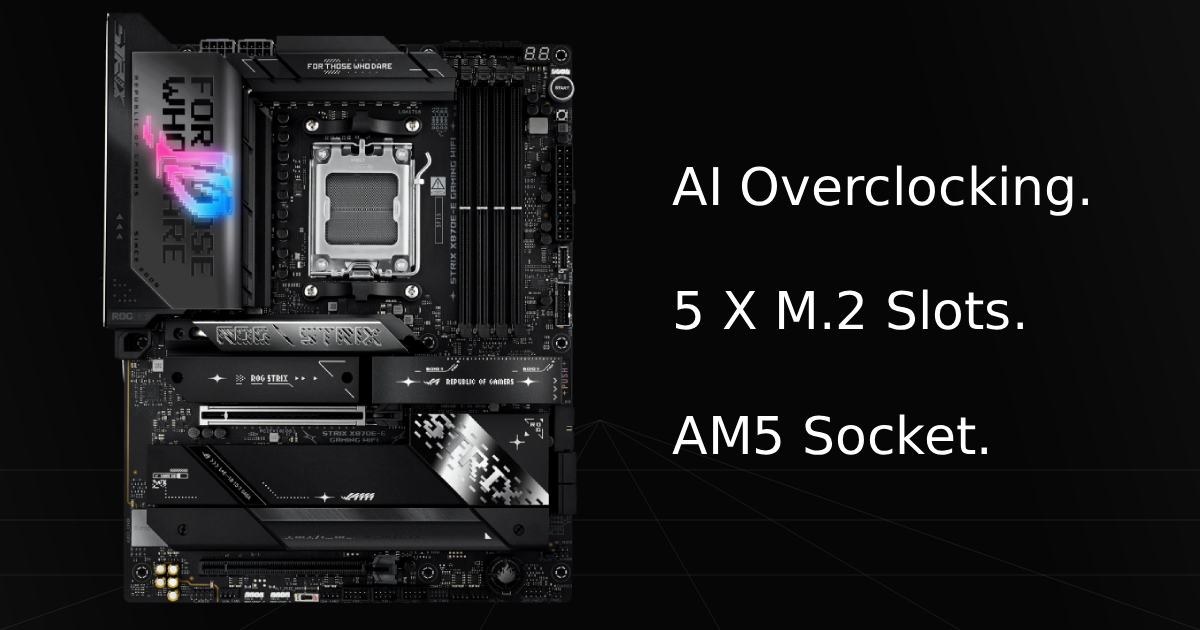
The ROG Strix X870E-E Gaming WIFI is a beast of a motherboard. For gaming, you really aren't going to miss any features or performance. Our favorite features of this amazing high-end motherboard are the access to lots of storage through 5 X M.2 Slots, incredible networking with WiFi 7 and a 5Gb Ethernet port, and the addition of a Clear CMOS button on the rear I/O panel. This makes daily gaming and performance gaining just so much less of a hassle.
Why this matters for you:
Being able to use as many high-end M.2 slots as you need to manage your storage is just too great of a luxury. Having a Windows install drive, a games drive, and a personal files drive at super speeds allows for less chance to lose data and keeps your games safe from a Windows reinstall. To top that off, having WiFi 7 speeds or way higher with Ethernet allows you to download any file or game you need to these drives in literally minutes (though your internet speeds need to reach those high speeds for full use). Finally, for those trying to access greater performance through CPU overclocking with PBO or Asynchronous Clock, or those just adjusting RAM timings, you won't have to deal with the struggle of opening your PC and manually resetting the CMOS on your board with every crash or non-bootable instance. Just a quick button press resets you so you can continue pushing performance.
Asus ROG Strix X870E-E: What Are The Specs?
Technical Specification | ASUS ROG Strix X870E-E Details | Why It Matters for Gaming |
|---|---|---|
Chipset / Socket | AMD X870E / Socket AM5 | Native support for Ryzen 9000 series (like the 9800X3D) and a guaranteed upgrade path through 2027+. |
Power Delivery (VRM) | 18+2+2 Power Stages (110A) | Ensures solid, clean power delivery to the CPU for maximum stability during intense, long gaming sessions and heavy overclocks. |
Memory Support | Dual-Channel DDR5 (8000+ MT/s OC) | Supports ultra fast RAM and AMD EXPO profiles, which directly improves 1% low framerates and eliminates micro-stutters. |
Graphics Interface | PCIe 5.0 x16 Slot | High-bandwidth PCIe slot that future proofs your system for next gen, high-end graphics cards. |
Storage Expansion | 5x M.2 Slots (3x PCIe 5.0 capable) | Provides lightning fast game loading times and massive storage flexibility for heavy modern game libraries. |
Networking | Wi-Fi 7 & 5Gb Ethernet | Delivers ultra low latency and massive bandwidth for competitive online multiplayer and extremely fast game downloads. |
Rear Connectivity | Dual USB4® Ports (40Gbps) | Allows for instantaneous file transfers from external drives and provides massive bandwidth for high-end streaming capture cards and peripherals. |
AI Overclocking & PBO | Dynamic OC Switcher & Core Flex | Automatically maximizes CPU clock speeds during gaming workloads without requiring manual BIOS tweaking. |
ROG Strix X870E-E: Pros and Cons.
Pros
Storage: Incredible expansion potential. This board carries several high speed Gen 5 and Gen 4 M.2 slots.
AI Overclocking: If you aren’t comfortable with manual overclocking, this feature delivers a safe, hassle free performance boost.
If you are uncomfortable with overclocking, simply apply a stable all-core PBO setting in the BIOS to completely mitigate any risk of hardware damage.
Socket Longevity: A massive fan favorite. AMDs commitment to platform longevity, combined with this board’s robust power delivery and cooling, means your motherboard will easily outlast multiple CPU upgrades.
Cons
Price: While not necessarily overpriced for what it offers ($480 MSRP), it’s still expensive. Gamers on a budget might prefer something more affordable but still great, like the ROG Strix B650E-F Gaming WIFI.
PCIe Lane Sharing: To run the main PCIe x16 Gen 5 slot at full x16 speeds, you cannot use M.2 slots 2 or 3. Populating those slots automatically drops the GPU lane to x8 mode to share bandwidth. While this rarely impacts real world gaming performance, it’s definitely a negative to keep in mind.
Real World Performance with the ROG Strix X870E-E
Here is our comparison for ROG Strix X870E-E vs MSI MPG X870E Carbon WiFi and then how well this motherboard holds up in real world daily gaming.
Specification | ASUS ROG Strix X870E-E Gaming WIFI | vs. MSI MPG X870E Carbon WiFi |
|---|---|---|
Power Delivery | 18+2+2 power stages running at 110A. Massive headroom for clean power delivery to ensure extreme stability with the Ryzen 9850X3D under heavy gaming loads. | 18+2+1 rail system using 110A smart stages. Equally robust power filtering that handles high wattage spikes seamlessly during long hardware sessions. |
Memory Tuning | Rated for high frequency memory speeds up to 8400 MT/s through EXPO profiles. Uses a refined board layout to stabilize tight RAM timings. | Reaches matching 8400 MT/s memory speeds easily. Forgiving memory training protocols make it simple to boot up with aggressive kits right away. |
M.2 Drive Slots | Packed with 5 total slots on the motherboard, including 3 fast PCIe 5.0 slots. Amazing if you intend to store massive modern game libraries across several drives. | Offers 4 total slots with 2 running at PCIe 5.0 speeds. Gives up one slot compared to ASUS but leaves fewer lanes shared across other board components. |
Network Speeds | Single 5Gb Ethernet port alongside Wi-Fi 7. High bandwidth for gigabit fiber connections to help lower online latency during multiplayer games. | Dual Ethernet layout featuring both 5Gb and 2.5Gb ports plus Wi-Fi 7. Great if you run a separate home server network line alongside your main setup. |
PC Building Ease | Includes a physical Q-Release button for the graphics card and simple latches for drives. Displays diagnostic error codes directly on the board. | Equipped with a quick release button and magnetic toolless heat sinks for the storage drives. Completely removes the frustration of handling tiny screws. |
Daily Use & Performance
This motherboard provides one of the absolute best AM5 gaming experiences on the market. If you make this your daily driver, you’ll likely never think twice about your purchase.
The premium combination of a 5Gb Ethernet port and WiFi 7, paired with lightning fast Gen 5 M.2 slots, means you can download clips, games, and massive files in an instant for work or play. At GTT, our personal pet peeve is not having separate physical drives for your OS, games, and work. This board makes storage management seamless with five dedicated M.2 slots, giving you plenty of room to separate your data and lower the risk of losing important files.
On the hardware side, the massive 18+2+2 power stages running at 110A VRMs are a standout feature. Paired with premium heatsinks connected by a dedicated heatpipe, it keeps daily gaming with high-end CPUs extremely efficient. It effortlessly manages clean power delivery without thermal throttling, ensuring you never drop frames or lose performance.
Who Shouldn't Buy The X870E-E
The ROG Strix X870E-E is an incredible board with very few flaws, but there are still a couple of reasons you might want to look elsewhere:
Budget Constraints: The $480 MSRP is a tough pill to swallow when inflation is hitting daily living costs and component prices, like RAM and storage already sky high. If you want to save cash, consider a mid-range option like the ROG Strix B650E-F Gaming WIFI. You’ll lose out on a few cutting-edge features, but it’s significantly more affordable.
Overkill: Frankly, while this motherboard is awesome, it is complete overkill for the average gamer. Unless you are a power user, there are massive portions of this board’s feature set that you will simply never utilize, making the extra cost hard to justify.
Game Tested Tech Score: 4.5/5
The Verdict
Would we recommend it? Absolutely. We truly believe anyone upgrading to this board will find the experience feels incredibly luxurious compared to standard budget or mid-range options. It has everything you need, features that make customization and optimization fast and easy, and very few real negatives, most of which won't even be noticed by the average gamer.
Our Personal Advice
Honestly, looking past the official verdict, our advice remains simple: if you are willing to fork out the extra cash for a premium board that delivers luxury features, effortless overclocking, and killer aesthetics, go for it! Just keep our few negatives in mind; if you think any of those constraints will impact your specific setup, there are plenty of other great options out there. Overall, this is a premium backbone for a new PC build that you’ll be incredibly happy with.