
Affiliate Disclosure: Some links in this article may earn us a small commission if you make a purchase, at no additional cost to you.
The Omada EAP723 Is Most Cost Effective Wi-Fi 7 Access Point
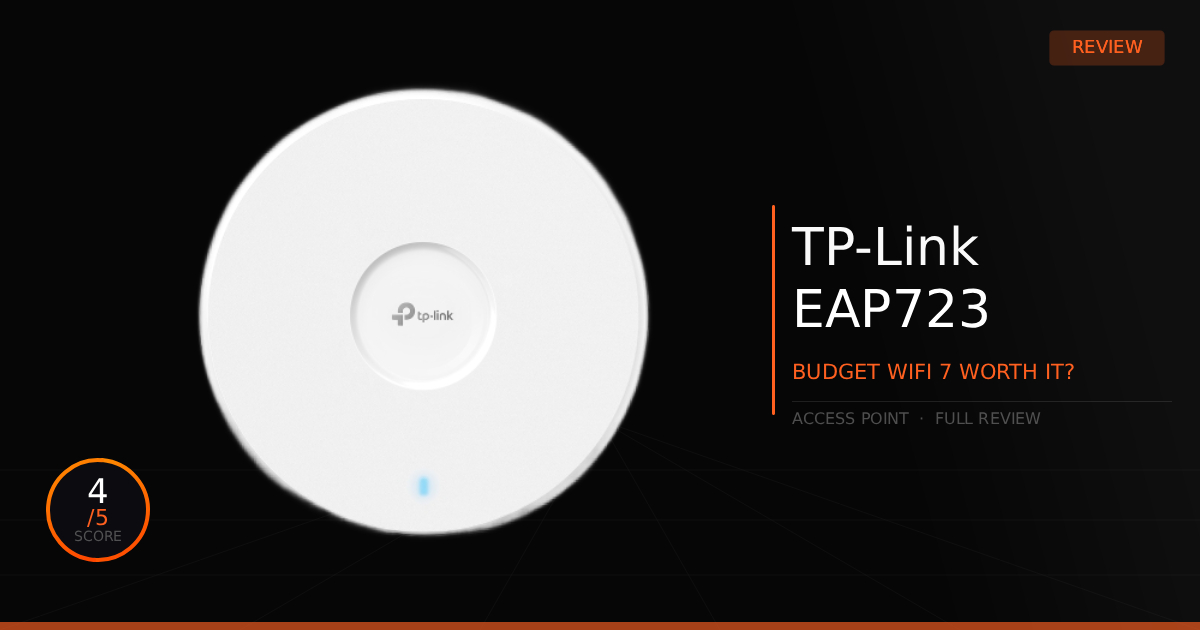
The TP-Link Omada EAP723 could be the most well-rounded entry-level access point on the market. It delivers incredible value alongside dual-band Wi-Fi 7 speeds, and its versatile power options mean anyone can install it, whether you are a hardcore networking enthusiast or a home user looking to expand your Wi-Fi range. So, what exactly makes it so versatile?
GTT Quick Score: 4/5
Quick Verdict:
The TP-Link Omada EAP723 is an incredibly good, compact Wi-Fi 7 access point that offers stable dual-band speeds and an easy installation for expanding your home network. While it lacks the 6GHz band and drops the DC power adapter from the box, it is an excellent, cost-effective choice for maximizing price-to-performance.
➔ Check Price At Amazon
➔ Check Price At Newegg
Our Summary:
Getting right into the versatility of this access point, it is incredibly compact and blends seamlessly into any environment, making it easy to keep out of sight. Users won't need to worry about power constraints either; you can easily choose between deploying Power over Ethernet (PoE) or utilizing a standard 12V/1.5A DC power adapter. It's worth noting that if you prefer the slightly older Omada EAP720 model, it costs about $10 more but actually includes that DC power adapter out of the box while delivering identical performance.
The EAP723 isn't the absolute fastest Wi-Fi 7 access point on the market, it is simply the most convenient option when balancing price to performance. Because of this entry-level focus, it misses out on the newer 6GHz band, operating strictly on a dual-band configuration. However, dual-band is more than enough for most homes, as the 5GHz band remains the absolute standard for everyday device traffic.
Indoor coverage is highly impressive, easily penetrating standard drywall up to 50 feet away. The hardware boasts a theoretical 5GHz link speed of up to 4,324 Mbps, though real-world testing yields realistic download speeds between 700–800 Mbps right next to the unit. Overall very stable.
Why This Matters For Your Home Network:
Being able to extend your range and still get a taste of Wi-Fi 7 is incredibly nice, even without the 6GHz band. It ensures everyone in the house gets a rock-solid internet connection, whether you need to push reliable Wi-Fi out to the garage or straight to the back bedrooms.
TP-Link Omada EAP723: What Are The Specs?
Technical Specification | Omada EAP723 Details | Why It Matters for Your Home Network |
|---|---|---|
Data Throughput Ceiling | BE5000 Dual-Band Wireless Capacity | Delivers massive, multi-gigabit wireless routing performance. It eliminates single-device local bottlenecks, letting you pull massive 4K movie streams or download huge file backups at maximum network efficiency. |
Channel Spectrum Width | Ultrawide 240 MHz Bandwidth (on the 5 GHz Band) | Dramatically opens up the standard 5 GHz frequency lane. This wide-open pipeline allows for many more simultaneous data transmissions with significantly lower network latency and congestion. |
Signal Modulation Logic | Enhanced 4096-QAM (4K-QAM) Architecture | Packs 20% more data into each wireless packet compared to older Wi-Fi 6 generations. This tighter data density maximizes over-the-air transmission efficiency, resulting in cleaner, more stable connections for compatible home gear. |
Wired Uplink Interface | 1\times 2.5 Gbps RJ45 Ethernet Port (PoE+ In) | Prevents hardwired entry limits from slowing down your wireless network. It connects straight to a multi-gig switch or router, unlocking the full potential of your Wi-Fi 7 devices. |
Ecosystem Management | Integrated Omada Cloud SDN platform | Provides a fully centralized software-defined networking panel. It gives you complete visibility and remote control over your entire home network architecture from a single intuitive dashboard interface. |
Chassis & Hardware Design | Slim, Low-Profile Shell | Features a sleek, modern architectural aesthetic. The compact frame blends in cleanly when mounted on walls or ceilings, delivering extensive spatial range without bulky hardware ruining your home interior. |
Pros & Cons of the TP-Link Omada EAP723
Pros
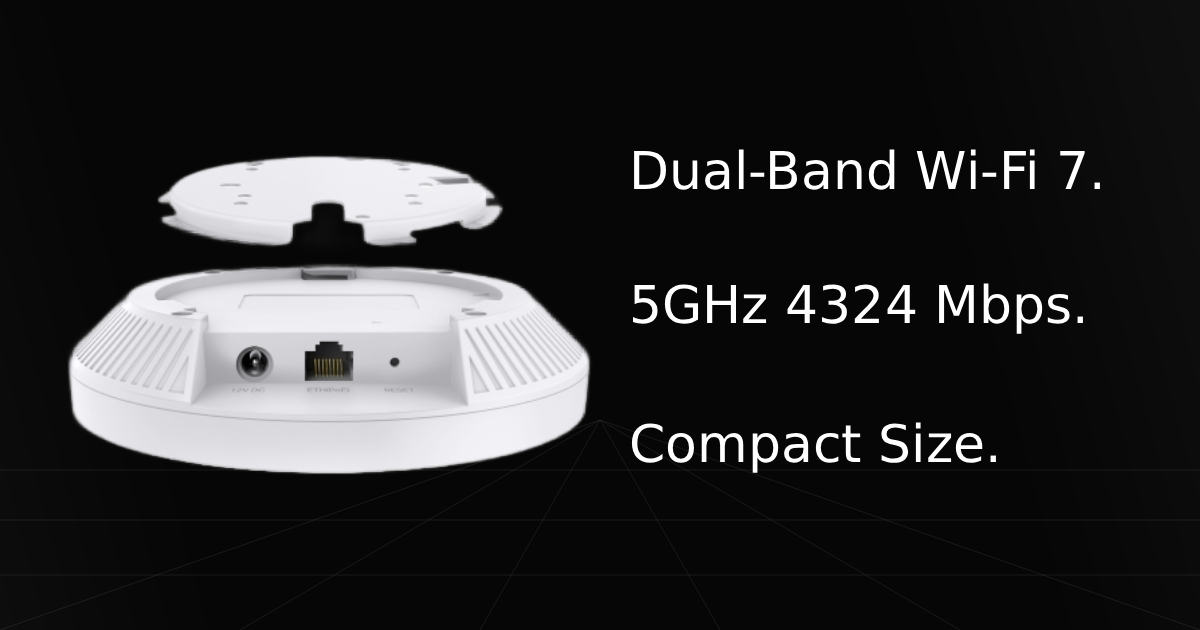
Compact Size: The design is incredibly compact, allowing it to sit flush on any wall or ceiling without becoming an eyesore.
MLO Support: It natively supports Multi-Link Operation (MLO) alongside a wider 240MHz channel width for a faster, more stable connection on supported devices like next-gen PC motherboards and newer mobile phones.
2.5Gb Ethernet Port: The high-speed 2.5GbE port allows you to push massive bandwidth directly to the access point, ensuring you can actually maximize the performance of a Wi-Fi 7 hardware upgrade.
Cons
No 6GHz Band: While the 6GHz spectrum has a shorter effective range, losing access to it means you miss out on the ultra-wide 160MHz and 320MHz channels, capping your peak wireless bandwidth potential inside the home.
DC Power Adapter Sold Separately: If you want to power the device via a wall outlet, you will need to buy a separate DC power adapter or opt for the Omada EAP720 model instead. Otherwise, you'll have to hope you have a compatible spare adapter lying around the house.
Real World Use With TP-Link Omada EAP723
Here is our comparison for the TP-Link Omada EAP723 vs the Ubiquiti UniFi U7 Lite and then how well the TP-Link Omada EAP723 does as a Wi-Fi 7 access point on the daily when gaming or exploring the internet.
Specification | TP-Link Omada EAP723 | vs. Ubiquiti UniFi U7 Lite |
|---|---|---|
5GHz Spectrum Sizing | Limits its maximum 5GHz channel width to 160 MHz. | Unlocks the full ultrawide 240 MHz channel bandwidth on the 5GHz band. |
Max Throughput Ceiling | Rated at a combined speed capacity up to 5.0 Gbps (4,324 Mbps on 5GHz + 688 Mbps on 2.4GHz). | Delivers a closely matched total capacity up to 5.0 Gbps (4,300 Mbps on 5GHz + 688 Mbps on 2.4GHz). |
Power Infrastructure | Requires a maximum power pool of 16.8W (up to 19.5W over PoE), drawing from a PoE+ (802.3at) switch port or a 12V/1.5A DC power adapter. | Optimized for high energy efficiency, drawing a maximum of only 13W. |
MIMO Spatial Streams | Runs a standard 2x times spatial stream array across both active frequency bands. | Features an identical, streamlined 2x times spatial stream layout for both 2.4GHz and 5GHz. |
Wired Uplink Interface | Features 1x 2.5 Gbps RJ45 Ethernet port to pass uncapped multi-gig internet traffic straight to your network core. | Outfitted with an identical 1x 2.5 Gbps RJ45 Ethernet port to completely eliminate physical hardwire bottlenecks. |
Ecosystem Management | Integrates into the Omada Cloud SDN platform via standalone web UI, local software, or hardware controller modes. | Provisions strictly through the proprietary UniFi Network application using a local UniFi OS console or cloud gateway. |
Daily Use & Performance
When using this device as an extension to your home Wi-Fi, it does a fantastic job with average daily use. Gaming on it is about as good as gaming on Wi-Fi gets, and it isn't particularly bad at all either; just as expected, your latency will fluctuate a bit. Online entertainment, like scrolling social media and streaming movies in 4K UHD, also works extremely well.
The main features we enjoy about this device are its size and aesthetic. The small, cylindrical box and clean white finish make it fairly easy to install. While it looks seamless mounted on a wall or ceiling, we eventually decided that for our small home, it was easiest to just set it right on a desk. After all, it is incredibly compact and takes up virtually no space. However, if you live in a bigger house with taller ceilings, we definitely recommend mounting it up high to get the absolute most out of its range when trying to cover dead spots in your home.
Who Shouldn't Purchase TP-Link Omada EAP723
Wants the 6GHz Band: If you want that less congested 6GHz band inside your house for ultra-high bandwidth and the fastest possible download speeds, then you might want to save up some extra cash for a more premium access point, or even a full router that can be configured to act as an access point.
Needs a Router: Remember that this device is strictly an access point for your network; it does not replace a router or a gateway. An access point cannot handle DHCP, routing, or firewall duties on its own.
Game Tested Tech Score: 4/5
The Verdict
Overall, this access point is incredibly good. The small, white, cylindrical design will go completely unnoticed on a wall or ceiling, it provides full bandwidth speeds from your router, and it is very simple to install and set up. If you want a reliable access point that expands your home Wi-Fi range and you don't mind the lack of tri-band connectivity, then this Wi-Fi 7 device is for you.