
Affiliate Disclosure: Some links in this article may earn us a small commission if you make a purchase, at no additional cost to you.
How Good Is It For A Budget LCD Screen Sensor?
Actually, this is a surprising showdown between expensive and budget LCD vital screens for gaming computers. For being so cheap, you don't expect much, but how often does Thermalright truly disappoint? Not very often. That just makes this screen yet another great product from Thermalright, because it's nearly plug-and-play right out of the box and looks pretty decent for a budget LCD display.
GTT Quick Score: 3.7/5
Quick Verdict
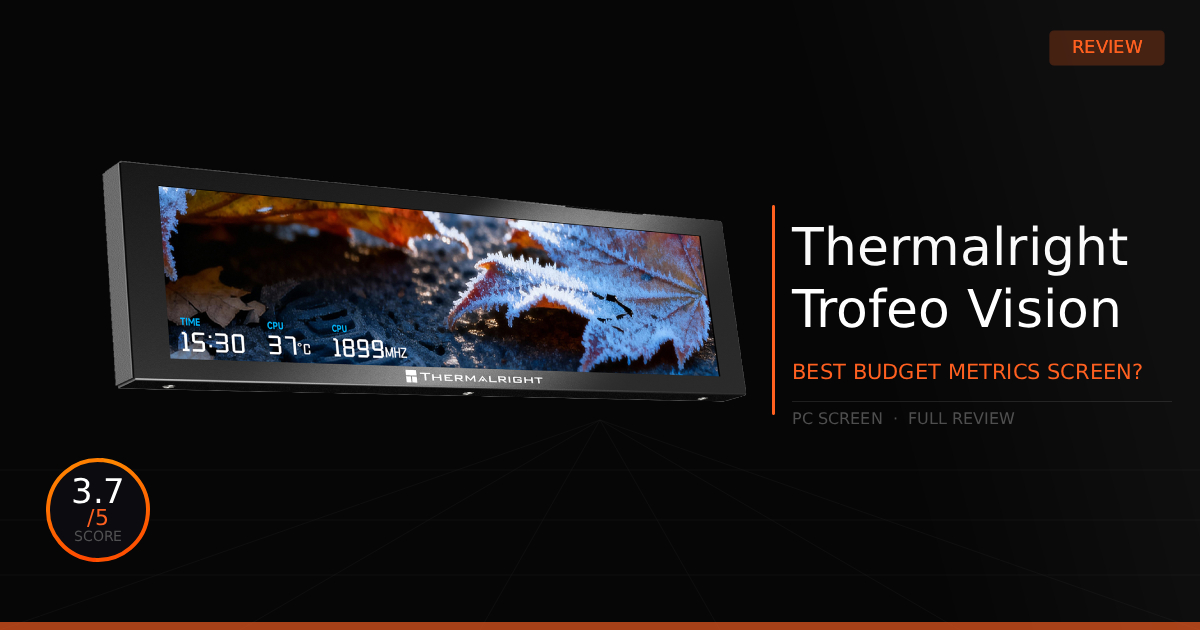
The Thermalright Trofeo Vision is an incredibly budget-friendly 9.16-inch hardware vitals display that delivers a crisp 1920x480 resolution, a strong magnetic mount, and an easy single-cable USB-C setup. While it sits a bit dim in bright rooms and sacrifices the advanced features of a true secondary monitor, it is a highly capable and simple plug-and-play solution that gets the job done perfectly for about $50.
Our Summary:
Once this device is easily installed, all you need to do is download the software, possibly install a required .NET Framework, and it should be fully operational. You will immediately see beautiful, customizable art right inside the software, featuring tons of pre-made animations to finalize the look of your system. Whether you are matching the specific RGB lighting of your PC or just want a cool animation that lets text read clearly, it has it all. On top of that, you can completely customize what shows up on the LCD vitals display. If you want to monitor Fan RPM, CPU temperatures, or real-time component speeds, you will find all the vital visuals you need built right into the software.
Why this matters for you:
As a casual or enthusiast PC builder, you'll get the benefit of having an incredibly budget-friendly LCD screen while being able to monitor your system vitals without dealing with traditional, resource-heavy software. You'll be able to easily tell if a component is overheating and diagnose an issue before actual damage occurs, simply because all that real-time performance data is displayed right on the screen before you even run into trouble.
Thermalright Trofeo Vision: The Specs for Builders
Technical Specification | Thermalright Trofeo Vision 9.16 LCD Black Details | Why It Matters for Builders |
|---|---|---|
Display Panel | 9.16-Inch IPS Full-Color LCD Screen | Provides a massive canvas inside your build to display custom GIFs, artwork, or real-time hardware vitals clearly. |
Screen Resolution | High-Density 1920 \times 480 Pixels | Ensures crisp, readable text for system tracking so your diagnostic metrics don't look pixelated or blurry behind glass. |
Physical Dimensions | L251 mm \times W68 mm \times H17 mm | Features an ultra-slim profile that easily fits flat against a PSU shroud, case frame, or a radiator without blocking component clearance. |
Mounting Options | Magnetic Box & Adhesive Mount Backing | Makes installation effortless; you can snap it securely to any steel section of your case or reposition it easily during a rebuild. |
Data & Power Interface | Single USB Type-C Connection | Keeps your wiring incredibly tidy by combining both video data and power transmission into a single, easy-to-route cable. |
Software Management | Thermalright TRCC Control App | Includes a dedicated suite with preset dashboard themes and DIY customization tools to quickly sync the panel to your PC's look. |
Thermalright Trofeo Vision: Pros & Cons

Pros
Cheap: Buying this screen and trying it out probably won't hurt most wallets. At just around $50 USD, it is absolutely worth a try.
Easy Installation: It simply requires you to plug it straight into an internal motherboard header or use the included USB cable.
Resolution: The display generally looks incredibly crisp. It definitely helps that it is a small, pixel-dense screen, but the 1920x480 resolution looks remarkably clean.
Strong Magnet: Easily sticks to the metal part of our PC case and it hold strong not budging from its location.
Cons
Black Screen: Lots of people have reported the screen actually turning off or black screening, due to what seems to be a bad cable.
Brightntess: The screen appears somewhat dim in a well lit room.
Real Daily Use with the Thermalright Trofeo Vision
Here is our comparison for Thermalright Trofeo Vision vs. Lian Li 8.8" Universal Screen and how well we think this screen works daily.
Specification | Thermalright Trofeo Vision 9.16 LCD Black | vs. Lian Li 8.8" Universal Screen (SM088X) |
|---|---|---|
Screen Real Estate & Clarity | Features a slightly larger 9.16-inch IPS display panel. It matches with a crisp 1920 \times 480 screen resolution, making it ideal for standard wide-aspect layouts. | Offers an 8.8-inch display panel. It relies on an identical 1920 \times 480 density but delivers a highly bright 500-nit background with a smooth 60Hz refresh rate to eliminate choppy animations. |
Mounting Hardware & Adjustments | Ships with a magnetic back plate box along with secondary adhesive tape pads. It lets builders stick the screen completely flat against a metal PSU shroud or a smooth case structure. | Employs an advanced physical mechanical mounting bracket with built-in height and tilt rail hinges. It is specifically designed to mount straight onto empty 120mm or 140mm fan brackets. |
Chassis Styling & Lighting | Focuses entirely on a sleek, minimalist all-black bezel frame without any extra physical clutter. It is designed to blend into the shadows of your case so only the active LCD screen graphics pop out. | Features a prominent, highly customizable built-in diffused ARGB border frame. This makes the screen stand out as an illumination piece that can completely sync with the rest of your system's lighting via software. |
Data & Power Infrastructure | Powered completely through a singular, straightforward USB Type-C connector port. This combines power and video stream data together to minimize messy cable bulk running behind the motherboard. | Highly flexible setup allowing power via an internal motherboard USB 9-pin header or a standard external rear I/O Type-A connector. It acts as a true secondary Windows monitor without occupying a precious GPU display port. |
Software Control Eco-system | Managed through Thermalright's proprietary TRCC Control Application. It is packed with a straightforward selection of pre-made dashboard templates for real-time temperature tracking. | Fully integrated into Lian Li's dominant L-Connect 3 software environment. It allows for heavy UI customization, multiple active screen configurations, and features a smart offline mode clock when the PC sleeps. |
Daily Use & Performance
Truthfully, for what it's worth, it does look nice and adds some serious flair to your build. Most importantly, it gives you a ton of functionality for checking your system vitals. Outside of that, though, you probably won't find yourself staring in awe at this every single day. At the end of the day, it's just a vitals screen that adds a bit of clean aesthetic.
However, when it comes to the selection of vitals you can add, you should be able to look over almost everything you could want. That includes CPU vitals, GPU vitals, Network vitals, fan speeds, storage capacity, and more, which is absolutely fantastic.
Who Shouldn't Buy The Thermalright Trofeo Vision?
It's great when compared to other budget screens for checking vitals, but there are some obvious reasons you might want to look for another option.
Needs a Better Screen and More Complexity: While this screen comes out of the box with beautiful pre-made art, it is not a true secondary mini-monitor that can play absolutely anything you want or be used as a fun desktop extension. The best part about it is simply the fact that you can hook it up in minutes and it does exactly what it was built for with zero issues, but that simplicity comes at the cost of missing out on crazy cool, advanced features.
Premium Budget Competition: I should also mention that if you are willing to look past the ultra-easy installation, there are slightly more expensive, but generally better looking screens on the market, such as the premium options from Lian Li.
Game Tested Tech Score: 3.7/5
The Verdict
It's decent. It won't blow you out of the water, but it absolutely gets the job done. If you truly want a simple, clean, and easy-to-install screen for your PC case, you will find that this works exactly as advertised, whether you plan on using it permanently or just as a placeholder until you find a higher-end option suited for your build. In this case, it is well worth picking it up and giving it a chance.
Our Personal Advice
Firstly, if you've fully decided on picking up this screen, then congratulations and have fun with it—but keep a lookout for black screen issues. While we haven't personally encountered this problem on our test bench, it has been discussed by some users online. Secondly, if you're unsure about purchasing this specific display or believe you want something with more premium features, consider trying out the Lian Li 8.8" Universal Screen instead, and just expect the installation process to take a little longer.