
Affiliate Disclosure: Some links in this article may earn us a small commission if you make a purchase, at no additional cost to you.
Why Should You Get A Seagate Xbox Expansion Card?
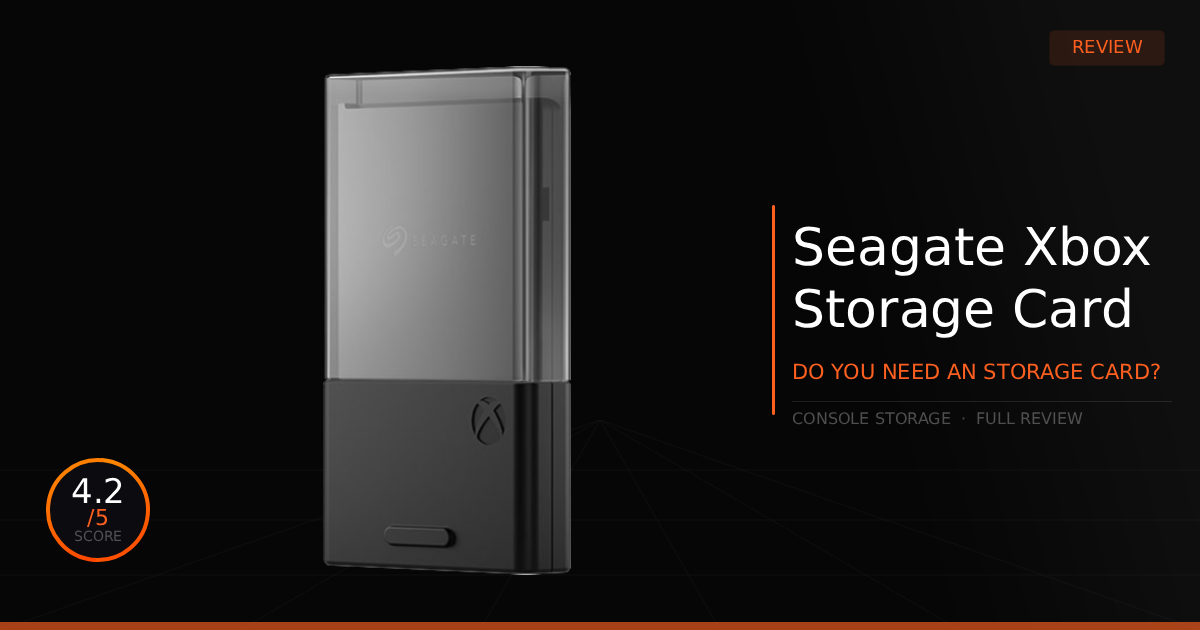
It's unfortunate but true that the Xbox Series X and S have a massive weak spot on the market: storage expansion. For most people, upgrading means either taking apart the entire Xbox to install a new M.2 NVMe SSD, which is terrible or Microsoft does provide a simple, easy plug-and-play expansion card slot on the back of the console. Luckily, Seagate offers several very fast expansion storage card options to increase your capacity, so you install new games in minutes. Let us show you the amazing power, and the drawbacks, of purchasing a Seagate storage expansion card.
GTT Quick Score: 4.2/5
The Seagate Xbox Expansion Card is a flawless plug-and-play solution that mirrors internal drive performance to run optimized Series X|S games seamlessly. While Microsoft's proprietary design keeps prices high, this card is highly recommended to easily avoid the headache of a risky console teardown.
➔ Check Price At Amazon
➔ Check Price At Newegg
Our Summary:
To summarize the experience with the Seagate storage expansion card for Xbox, it is great. You pick your size, order the expansion card, plug it into the back of your Xbox, and it's already working. You now have extra storage to download all your new Xbox Series X games, especially any titles with the X|S optimized games logo, which won't work on standard external drives these days, very unfortunate. The obvious flaws or drawbacks of this expansion card come down to flexibility and proprietary design, which isn't Seagate's fault, but rather Xbox's fault. This means you get limited control over what SSDs go into your console, and you're stuck with limited options. Thankfully, Seagate remains a great option, even if it comes at a higher cost compared to standard PC NVMe drives.
Why this matters for gamers:
While it leaves it's users at a lack of storage options, it does provide a unified user friendly installation. You quite literally just slide it in, which anyone can manage. You have instant storage, with minor configuration on the Xbox.
Seagate Storage Expansion Card: What Are The Features?
Technical Specification | Seagate Xbox Expansion Card Details | Why It Matters for Gaming |
|---|---|---|
Available Capacities | 1TB / 2TB / 4TB tiers | Provides granular scaling options to dramatically expand storage footprint based on individual user libraries. It easily scales past the constraints of a standard console drive to comfortably accommodate multiple massive, modern 100GB+ AAA installations. |
Interface Protocol | Custom PCIe Gen 4 x2 NVMe | Bypasses traditional USB interface overhead and structural bottlenecks by plugging directly into the CPU's dedicated storage lanes. It delivers a completely uncompromised, zero-lag data pipeline matching the console's internal performance block-for-block. |
Ecosystem Integration | Replicates Xbox Velocity Architecture | Serves as the only expansion card format fully validated to natively play Optimized for Xbox Series X|S titles directly from external memory. It completely avoids the tedious, slow process of moving files back and forth from standard external hard drives. |
Feature Continuity | Full Quick Resume & Fast Loading | Retains advanced platform features seamlessly. It permits instantaneous system-level state switching across multiple suspended games in seconds and sustains identical next-gen loading speeds. |
Form Factor Design | Plug-and-Play Solid State Card | Drops cleanly into the dedicated hardware slot on the back of the console with zero assembly, tools, or internal disassembly required. The ultra-compact, portable build allows users to easily pull the card out and transport an entire game library to a friend's console. |
Pros & Cons of the Seagate Storage Expansion Card

Pros
Easy Installation: Literally the definition of plug-and-play; just slide the card into the back slot for instant storage.
Supports Optimized Series X|S Games: Games that are specifically designed for the Xbox Series X|S will run perfectly directly from these expansion cards.
Cons
Proprietary: The custom form factor honestly just leaves prices higher and more expensive for consumers.
Limited Options: Seagate is just about the only option outside of Western Digital to choose your expansion card from.
Real World Use With Seagate Storage Expansion Card
Here is our comparison for the Seagate Expansion Card vs the previous Western Digital Expansion Card and then how well the Seagate Expansion Card does daily as your new storage device for Xbox.
Specification | Seagate Storage Expansion Card | vs. Western Digital WD_BLACK C50 |
|---|---|---|
Available Capacity Scaling | Focuses strictly on large-volume tiers: 1TB, 2TB, and 4TB. It is the definitive choice for enthusiasts who want to future-proof their setup with a massive 4TB drive, completely wiping out the need to shuffle games. | Targets the entry and mid-tier sweet spots: 512GB, 1TB, and 2TB models. It provides a more budget-friendly entry point via the 512GB drive but lacks an enthusiast 4TB option. |
Ecosystem & Tech Integration | Natively engineered around the Xbox Velocity Architecture. It unlocks the identical performance of the console's internal drive, granting uncompromised access to fast loading, direct play for Series X|S optimized games, and fluid Quick Resume swapping. | Fully licensed and built to match the exact same Xbox Velocity Architecture specs block-for-block. It ensures absolute parity in game loading speeds, background asset streaming, and multi-game suspension without experiencing a single performance drop. |
Added Out-of-the-Box Value | Packaged as a direct, standalone hardware expansion. While it frequently goes on sale to match market pricing, it strictly delivers the premium drive itself with its standard protective plastic cap for on-the-go storage safety. | Sweetens the buy by bundling 1 Month of Xbox Game Pass Ultimate directly with the hardware. It gives players instant access to a rotating vault of first-party titles right after plugging the card in, offering a minor edge in immediate value. |
Chassis & Industrial Design | Utilizes a clean, minimalist, and smooth metal form factor that matches the seamless aesthetic of the expansion slot on the back of the console. It blends flush into the hardware, making it a true set-and-forget accessory. | Flaunts a rugged, military-styled WD_BLACK industrial aesthetic with a ribbed texture. It features an integrated loop hole for attaching it to a lanyard or keychain, emphasizing portable durability for gamers who frequently carry their profiles to a friend's house. |
Daily Use & Performance
Alright, jumping into daily use, we can start by reaffirming its one truly great quality: it is incredibly simple, and you practically forget about the storage device once it is installed.
The rest of the setup relies entirely on Xbox’s side of things. For us, the only thing we felt was necessary was ensuring we didn't fill the main internal drive to its absolute maximum capacity. So, when we installed our new expansion card, we switched the default game installation path from the main internal Xbox NVMe over to the new expansion card NVMe. Now, all of our new games automatically install straight to the expansion card.
Who Shouldn't Purchase Seagate Storage Expansion Card?
This is a weird one to talk about because I cannot realistically not recommend it to anyone. Unfortunately, the storage situation is one of the biggest Xbox design mistakes for the Series X and S. You are practically stuck purchasing an official storage expansion card unless you are an advanced enthusiast who knows how to swap out the internal M.2 NVMe.
Crucially, swapping that internal drive is not quite the same as opening up a standard PC, screwing a new NVMe down, and creating a partition. While it is technically possible, you have to learn how to open up the Xbox with extreme care, clone the original Xbox drive's unique partition layout, and copy the system data onto the new drive. Because of that high barrier to entry, we simply cannot not recommend the Seagate Storage Expansion Card. We highly recommend grabbing this plug-and-play card over potentially damaging your expensive console.
Game Tested Tech Score: 4.2/5
The Verdict
Seagate's Xbox storage expansion card is great as a product on its own. Is it disappointing on Microsoft's part for using a proprietary design? Yes. However, we still highly recommend installing a brand-new expansion card to your Xbox to get that extra game storage so you never have to worry about it again.
Our Personal Advice
Our personal advice is to really consider your options, which are few, but at least you can choose your size. If you never want to worry about running out of space, we recommend saving up and grabbing the 4TB model.