
Affiliate Disclosure: Some links in this article may earn us a small commission if you make a purchase, at no additional cost to you.
Did ASUS Finally Bridge The Gap For Console & PC Gaming?
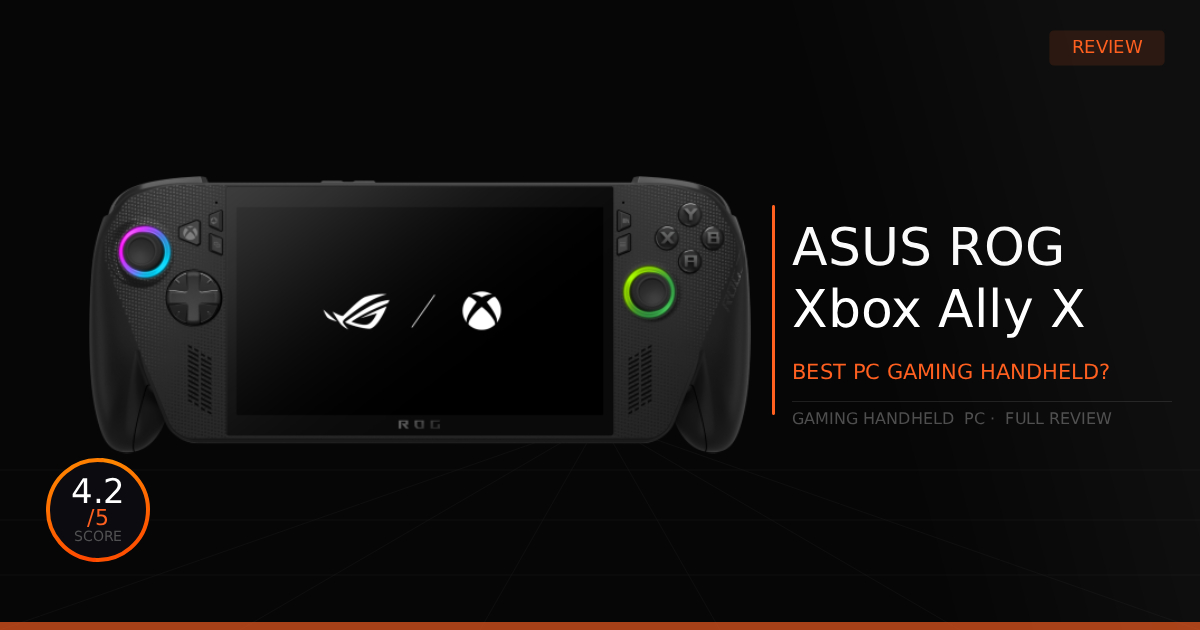
The ROG Ally X, while a long and confusing name for anyone unfamiliar with the lineup, can absolutely be described as the most powerful gaming handheld you can buy right now. What we want to know is, does it truly bridge the gap to a console gaming experience while still giving you the full customization of PC gaming?
GTT Quick Score: 4.2/5
Quick Verdict
The ROG Xbox Ally X is the most powerful handheld on the market, combining massive desktop-grade versatility with a comfortable Xbox controller design for impressive 1080p mobile performance. It is a premium, top-tier choice for on-the-go gaming, provided you are willing to navigate a slight Windows configuration learning curve rather than a pure out-of-the-box console experience.
➔ Check Price At Amazon
➔ Check Price At Newegg
Our Summary:
The quick answer is yes, what they advertise is mostly true. You get insane handheld performance out of the new AMD Ryzen AI Z2 Extreme and AMD Radeon 890M Graphics, which allows for some very impressive framerates in such a small form factor when running on high wattage settings. Does it run every game on ultra settings? Absolutely not. However, virtually every PC game becomes available on the ROG Xbox Ally X. You can install your games natively in Windows, configure them exactly how you want for performance, and thanks to the latest Windows updates, you can enable Xbox mode and set the device to boot directly into it.
Boom! Console gaming experience on a PC, right?
Sorta. You still have to face the hard reality that, unlike a Steam Deck, you really have to be the one to configure everything yourself rather than getting a fully tailored, out-of-the-box console experience. To be fair, it’s not extremely difficult. However, you will likely find yourself jumping back and forth into settings for further adjustments. That turns it into more of a Windows powered console machine rather than a pure Xbox, which is exactly why this device acts as a bridge, not solely a console.
Why this matters for gamers:
To keep it simple, you get the full PC gaming experience while having an on-the-go gaming console once it is fully configured to your liking. On top of that, you get amazing performance at low wattage settings, allowing it to outperform other handhelds on the market. It is a fantastic option for gamers, provided you are willing to get used to a small learning curve to truly take advantage of this device on the go.
ROG Xbox Ally X: What Are The Specs?
Technical Specification | ROG Xbox Ally X Details | Why It Matters for Gaming |
|---|---|---|
Processor Silicon | AMD Ryzen AI Z2 Extreme | Packs a cutting-edge hybrid architecture with up to 5.0 GHz boost and a built-in 50 TOPS NPU. It optimizes background resource allocation to stabilize frame pacing in demanding AAA games. |
Graphics Processing | AMD Radeon 890M Graphics | Delivers a massive generation-over-generation leap in portable graphical fidelity. Fully supports Radeon software technologies like AFMF and FSR for ultra-smooth, high-framerate mobile gaming. |
Thermal Dissipation | ROG Intelligent Cooling | Deploys anti-dust fans that keep the chassis cool to the touch while allowing the handheld to safely maintain its 35W Turbo limit. Prevents thermal throttling without loud fan whine. |
Display Panel | 7-Inch FHD (1920 \times 1080) | Offers native AMD FreeSync Premium variable refresh rate support. Completely wipes out screen tearing at lower framerates while pushing a bright 500 nits for great outdoor visibility. |
Memory Allocation | 24GB Dual-Channel | Destroys the typical handheld memory bottleneck by running an ultra-fast 8,000 MHz bus. Allows you to safely dedicate substantial VRAM to the GPU while leaving plenty for system assets. |
Storage Topology | 1TB M.2 NVMe SSD | Ditches tiny, restrictive drive sizes for a standard 2280 slot. Dramatically cuts open-world loading times and opens the door to massive, affordable multi-terabyte storage upgrades. |
Wireless Networking | Integrated Wi-Fi 6E | Pulls down blisteringly fast download speeds over a dedicated 6GHz band. Ensures smooth cloud streaming, fast local game transfers, and low latency during multiplayer matchmaking. |
I/O & Peripheral Speed | Dual USB-C Layout | Grants desktop-grade external lanes on the go. Lets you connect directly to high-end mobile laptop docks, high-refresh display monitors, or massive external backup storage drives. |
UI System | Armoury Crate SE & | Pairs ASUS performance mapping (up to 35W plug-in Turbo) with Microsoft's native Xbox Full Screen Experience. Boots right into a console-like dashboard while shaving down idle background power draw. |
Pros & Cons of the ROG Xbox Ally X

Pros
Xbox Controller Design: The new and improved Xbox controller design goes way beyond just a simple button layout. It provides comfortable grips with textured rubber on the back, making it feel remarkably similar to holding an official Xbox controller in your hand.
Top-Tier Performance: Running at a 1080p resolution at 35W, this system actually becomes the closest thing to a full 60+ FPS handheld console you can purchase today, depending on the specific game and graphics settings preset you choose.
Improved Joysticks: The analog sticks immediately feel grippier and feature much better tension over the original ROG Ally. This provides higher precision in any game, which is most noticeable in fast-paced shooter games.
Cons
Premium Cost: It is very expensive compared to other handheld devices on the market. While it officially launched at $999.99 USD, it varies a lot up and down in price online, meaning the best time to buy is when it goes on sale.
No OLED Display: Tying back into that high cost, you feel like you should be getting premium features like an OLED screen at this price point. Unfortunately, you miss out on that with this specific model.
Real World Use With The ROG Xbox Ally X
Here is our comparison for the ROG Xbox Ally X vs the previous Steam Deck OLED and then how well the ROG Xbox Ally X does daily as a gaming handheld.
Specification | ROG Xbox Ally X (RC73XA) | vs. Steam Deck OLED (Valve Sephiroth) |
|---|---|---|
Processor Silicon & Architecture | Driven by the cutting-edge AMD Ryzen AI Z2 Extreme (Zen 5 / RDNA 3.5). It is an absolute powerhouse for scaling frame rates up at high wattages, leveraging high compute units to chew through modern AAA visual pipelines. | Powered by a custom 6nm AMD "Sephiroth" APU (Zen 2 / RDNA 2). It intentionally trades top-end desktop-grade raw computing power for legendary low-wattage optimization and architectural instruction efficiency. |
Juice Reservoirs & Volumetric Capacity | Outfitted with a massive 80Wh internal battery reservoir. It entirely eliminates the classic battery-drain anxiety of high-performance Windows handhelds, letting you stretch heavy-duty mobile gameplay out significantly longer. | Deploys a structurally optimized 50.08Wh lithium-ion battery array. While physically smaller in raw capacity than the Ally X, it extracts massive runtime per watt due to the highly efficient nature of its underlying display and APU silicon. |
Wattage Scaling Profiles (TDP) | Operates on a highly scalable variable power band: 13W (Silent) / 17W (Performance) / 25W (Turbo Battery) / Up to 35W (Turbo Plugged In). It lets you dump raw power into the silicon to force triple-digit frames, but runs inefficiently if dropped below 10W. | Constrained to an optimized, razor-focused power envelope running from 3W up to a maximum hard ceiling of 15W. It hits its architectural sweet spot right between 10W–12W, delivering full gaming performance without massive thermal or battery trade-offs. |
Real-World AAA Battery Endurance | Pushes ~2 to 2.7 hours of uninterrupted heavy AAA runtime when locked into its high-draw 17W-25W performance envelopes. It yields unparalleled frame pacing for demanding next-gen titles at the cost of high thermal output and total platform power draw. | Delivers ~3 to 5 hours of continuous AAA gameplay (and up to 12 hours on lightweight 2D titles/emulation) within its native 10W-15W ceiling. It functions as the ultimate long-haul travel companion, sustaining rock-solid frame consistency away from walls. |
Display Panel & Motion Fluidity | Packs a fast, high-resolution 7-Inch 1080p (1920x1080) 120Hz IPS Display featuring native AMD FreeSync Premium. It targets extreme motion clarity and targets flawless VRR tracking to iron out dips, though it lacks the contrast depth of self-emissive pixels. | Features a gorgeous 7.4-Inch 90Hz HDR OLED Display boasting a 1,000,000:1 contrast ratio and True HDR 1000 peak highlights. It trades a few target frames for infinite black depths, instantaneous response times, and jaw-dropping color saturation. |
Operating System Infrastructure | Runs on a fully open Windows 11 Home platform managed via ASUS Armoury Crate. It grants unrestricted access to every PC game launcher (Game Pass, Epic, Battle.net), anti-cheat ecosystems, and total modding freedom at the cost of a clunkier UI. | Driven by the custom, console-like SteamOS (Linux-based Proton layer). It delivers an incredibly clean, near-instant sleep/wake gaming ecosystem with zero desktop overhead, though it blocks games utilizing kernel-level anti-cheat software. |
Daily Use & Performance
This will be our first real dig into the product for our daily use section. Firstly, yes, it is incredibly comfortable and plays games decently on the go. However, while it isn't necessarily a con, it was honestly rather expected that when gaming on battery mode, you are stuck with less performance and shorter gaming sessions.
Don't get us wrong, it is a massive improvement. Battery life jumped from just a bit over 1 hour of intense use on the original ROG Ally Extreme up to over 2 hours of intense gameplay on the new ROG Xbox Ally X. Furthermore, switching the device to silent mode at extremely low wattages does get you around 5 hours of normal daily use for things like watching movies or YouTube on the go.
So, while that is definitely nice, for actual gaming it still feels like you are going to need to carry around a power brick. You will obviously need it to play at the highest framerates while on vacation playing AAA titles, but also just because this handheld still dies quickly without the power cable when gaming, even on a quick trip to a family or friend's house.
Who Shouldn't Purchase The ROG Xbox Ally X?
Budget-Conscious Gamers: Doubling down on the cost, the price tag is kind of crazy compared to other handhelds on the market, especially considering a few lacking components you would normally expect to see in this $1,000+ price range. Unless you specifically want a full desktop PC experience and the highest possible mobile framerates, you could easily find a different handheld console that suits you much better at a more affordable price.
Gamers Who Want Portable Power Without Handheld Compromises: Generally speaking, not everyone wants to be limited by the lower power of a handheld device, or maybe you don't even care all that much about the actual handheld experience itself. In that case, you should look around for a nice mid-to-high-end gaming laptop. It still allows you to play games in bed, and you won't even need to purchase a separate docking station just to hook it up to external displays and get the extra ports you need for your mouse and keyboard.
Game Tested Tech Score: 4.2/5
The Verdict
This is the absolute best handheld solution on the market for raw power and enjoying games at a smooth 1080p 60 FPS in places where you traditionally can't bring your desktop gaming PC. Plus, for those who love the feel of Xbox controllers, it is arguably the most comfortable handheld console available today. If you are looking for a highly comfortable handheld gaming experience packed with the sheer versatility of a desktop computer, then this is definitely the device for you
Our Personal Advice
Make sure to install all the latest drivers and firmware upgrades right away for optimal performance. From there, decide whether you want to customize your ROG shortcut controls or leave them at their defaults. Finally, head over to Xbox mode and ensure it is selected to automatically launch at startup, which will help streamline your experience and boost your gaming performance a tad bit more.