
Affiliate Disclosure: Some links in this article may earn us a small commission if you make a purchase, at no additional cost to you.
The Best Gaming Airflow PC Case?
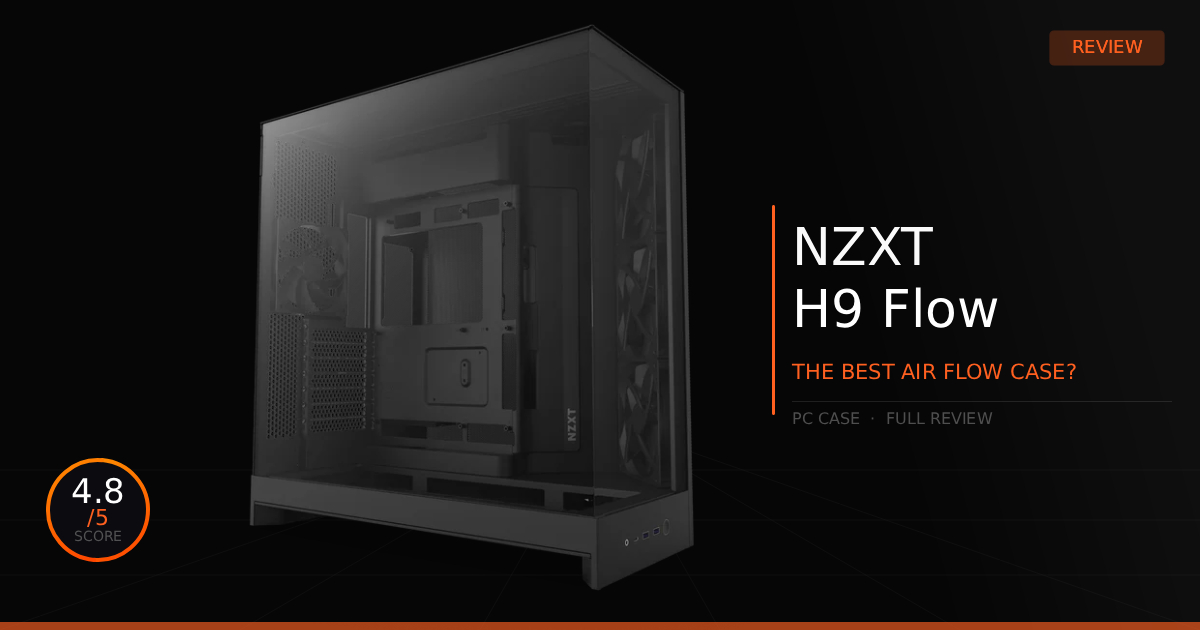
The NZXT H9 Flow is the dream case for many, and it's my personal favorite choice too. Where it lies on the market is perfect: it's a chassis that isn't in budget territory but isn't overly expensive either, comes in both black and white, and features a perfected airflow design that keeps everything running extremely cool with fresh air. While this case isn't super flashy, it is certainly clean and provides an extreme, no compromise approach to space and thermal design. Almost any component and orientation will fit effortlessly into this mid-tower case.
GTT Quick Score: 4.8/5
Quick Verdict
The NZXT H9 Flow is a builder's absolute dream and one of the few perfect dual-chamber airflow cases ever designed, delivering a no-compromise approach to space, triple 360mm radiator support, and effortless cable management. While it takes up a bit of desk space and has a few minor fan-mount gaps, it is completely worth picking up for an incredibly clean, high-performance build.
➔ Check Price At Amazon
➔ Check Price At Newegg
Our Summary:
This case is nearly perfect, with only a few small quirks to be addressed. The secret to their amazing airflow architecture is the use of a dual-chamber design that completely separates airflow into two different sections of the chassis. The large main half of the case can house ten 120mm fans, we actually went with 10 Corsair QX120 fans for our build. To top that off, there is space for dual 420mm radiators, allowing for the most optimal CPU and GPU liquid cooling you can possibly obtain. Finally, at the back of the chassis, an open mesh panel breathes fresh air directly to your mounted power supply, alongside tons of open space for perfectly neat cable management without bunching everything into a zip-tied mess.
Why this matters for you:
It's actually pretty obvious, everything in this case has the perfect amount of room to complete your build without much of a headache, especially for a first time builder. The airflow design of this case isn't just going to keep your system thermally optimal; it is going to cool every last component in your gaming machine with the right setup in mind.
NZXT H9 Flow (2025): The Specs for Builders
Technical Specification | NZXT H9 Flow Details | Why It Matters for Builders |
|---|---|---|
Chassis Layout | Dual Chamber Design | Separates the hot core components from the power supply and storage drives, giving you an entirely dedicated backside compartment to hide massive cable bundles cleanly. |
Cooling Layout | Perforated Top and Side Mesh Panels | Ditching restrictive solid panels ensures unfiltered, high volume airflow into the chassis, keeping high-draw graphics cards and processors running significantly cooler under load. |
Fan Capacity | Supports up to 10x 120mm Fans | Gives you massive layout flexibility, allowing you to easily configure full intake arrays along the bottom and side while exhausting heat out the top and rear panels. |
Radiator Clearance | Triple 360mm Radiator Mounting | Accommodates thick liquid cooling setups on the top, side, or bottom mounting brackets simultaneously without forcing you to compromise on component sizing. |
Storage Expansion | Toolless SSD Wing and Drive Cage | Features a swinging hinge panel behind the motherboard tray that mounts multiple drives instantly while neatly acting as a physical shield to conceal complex wiring. |
GPU Clearance | Up to 435mm Maximum GPU Length | Offers massive interior breathing room to easily fit even the largest next-gen graphics cards, leaving plenty of space left over to run thick front radiator setups. |
Cable Management | Built-in Routing Channels and Velcro Straps | Provides wide, pre-mapped structural highways directly behind the motherboard tray to tie down thick cables securely, removing the headache of forcing side panels shut. |
NZXT H9 Flow (2025): Pros & Cons

Pros
Airflow: Easily a top-5 airflow design on the market, offering massive support for a wide variety of radiator and fan sizes.
Dual 420mm Radiator Support: Out of the box, it fully supports front side and top mounted 420mm radiators for high-end cooling loops.
GPU Clearance: You won't have to worry about sizing out any graphics cards; this case comfortably fits all modern GPUs in both vertical and standard orientations.
Cons
Side 420mm Radiator Limitation: Only the top position leaves enough clearance for a thick push-pull fan configuration. The side mount supports a radiator and a single layer of fans, but won't fit a second layer of push-pull fans.
Vertical GPU Mount Cost: Utilizing a vertical graphics card layout requires an additional purchase; make sure you buy the specific vertical support bracket that explicitly matches the new 2025 NZXT H5, H7, and H9 Flow cases.
Fan Mount Gaps: If you choose to run smaller 120mm fans or a 360mm radiator, you might notice visible gaps, particularly around the bottom intake section due to the sheer size of the mounting frame.
NZXT H9 Flow Real World Use
Here is our comparison for NZXT H9 Flow vs Lian Li O11 Vision and then how well this case holds up for ease of building a PC.
Specification | NZXT H9 Flow (2025) | vs. Lian Li O11 Vision |
|---|---|---|
Chassis Layout & Glass | Features a wrap-around dual-chamber design with a clear dual-glass front and side pillarless corner. It gives a panoramic look at internal hardware while using a traditional metal top mesh panel for ventilation. | Upgrades to a striking three-sided columnless tempered glass design, dropping the top metal frame entirely. It creates an incredible greenhouse view of the components but completely removes top radiator support. |
Backside Cable Access | Equipped with a unique swinging toolless SSD bracket that hinges open behind the motherboard tray. This acts as a physical shield to instantly hide a massive bundle of messy cables from view. | Utilizes a removable, dedicated central cable management bar along with adjustable velcro straps. It lets you bundle thick power extensions down the middle neatly before securing the rear metal panel. |
Fan & Radiator Layout | Supports up to ten 120mm fans and can house massive triple 360mm radiators on the top, side, and bottom brackets simultaneously, giving builders maximum freedom for thick liquid cooling loops. | Fits up to eight 120mm fans and shifts radiator mounting strictly to the side or bottom brackets up to 360mm. It adds a dual 120mm exhaust mount at the rear which is great for pushing air straight out the back. |
Component Clearances | Provides massive interior space supporting large graphics cards up to 435mm in length. The wide dual-chamber basement means you have absolute breathing room for standard power supplies and extra wiring. | Features a modular motherboard tray that can be dropped lower into the chassis to gain extra clearance at the top. It easily fits graphics cards up to 455mm but requires careful planning for side tube routing. |
Storage Expansion | Houses a dedicated, removable internal drive cage in the rear chamber alongside the swinging door panel, letting you hide multiple bulk storage drives entirely out of the main hardware compartment. | Uses a clever multi-function storage mounting bar that doubles as an adjustable cable cover plate, plus two individual hot-swappable drive bays accessible straight from the rear exterior of the case. |
Daily Use & Performance
Funny enough, we aren't even going to talk about its airflow here, even though it's great. However, the cooling method entirely still depends on your component purchases and your fan direction choices to get the absolute best outcome for your PC.
The honest best part of daily using this case has to be the absurd amount of room and the ease of access to everything. Nothing feels hidden, yet it still is hidden. I know exactly where all my cables and controllers are located; yet, from the front, everything looks incredibly clean with that zero cable appearance, giving the system a glowing, cave-like look with amazing RGB lighting.
Who Shouldn't Buy The NZXT H9 Flow?
There isn't really a scenario where we wouldn't recommend this case to someone.
Personal Preference: We can only really say don't purchase this case if it simply doesn't fit the specific vision you have for your new PC build. For instance, maybe you prefer a small, compact form factor, or perhaps you want a much larger full-tower chassis to accommodate an extreme, complicated custom water-cooling loop or a highly creative themed design.
Game Tested Tech Score: 4.8/5
The Verdict
It's one of the few perfect dual-chamber airflow cases to ever be designed. You'll likely find that it fulfills every single requirement you desire: great airflow, a massive amount of cooling options, and a builder's absolute dream for cable management. This case is completely worth picking up for your new build!
Our Personal Advice
The dual-chamber design does make this mid-tower feel a bit large on a desk. We recommend checking the physical space where your PC is actually going to sit, and even as a hardware enthusiast, you probably shouldn't use this exact same case for every single build in your house. Overall, it easily remains one of our absolute favorite cases for our personal builds.