
Affiliate Disclosure: Some links in this article may earn us a small commission if you make a purchase, at no additional cost to you.
What Makes This The Best Webcam for Streamers?
While its true, webcams are frowned upon by many people for streaming, that doesn't mean you can't use one or get a really good webcam. We understand peoples frustration, but casual streamers or even those who just play games really don't need a camera studio setup unless if they make millions off their work. In this case, will talk about why the Logitech MX Brio is really so good and why there is a chance you'll be more than happy with this new webcam.
GTT Quick Score: 4.4/5
Quick Verdict
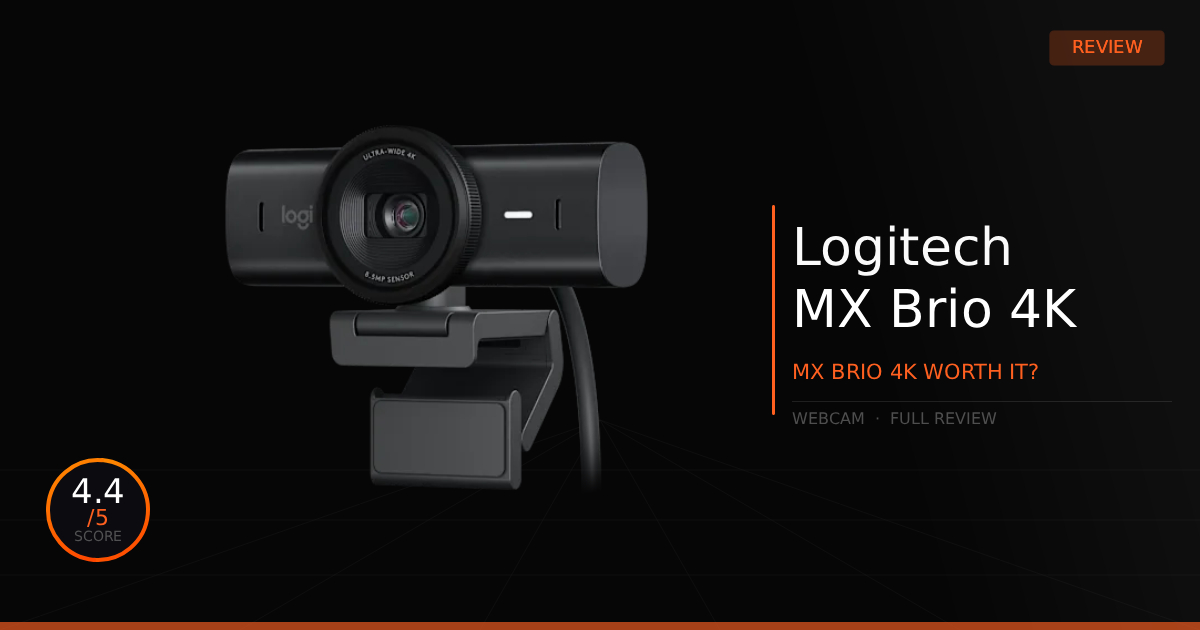
The Logitech MX Brio 4K is a masterpiece upgrade and the next best option over most webcams on the market, delivering a premium aluminum chassis, vastly improved color accuracy, and natural handling of darker rooms. While it carries a premium $200 MSRP price tag and a mediocre microphone, it is a plug-and-play workflow and streaming beast that provides a sharper, highly detailed image right out of the box.
➔ Check Price At Amazon
➔ Check Price At Newegg
Our Summary:
The Logitech MX Brio 4K is truly a masterpiece upgrade over the previous-generation Logitech Brio 4K webcam. That might sound dramatic for a webcam, but that's because it kind of is dramatic to us. A lot of typical webcam issues are solved with Logitech's innovation here: the build quality is far superior, featuring a premium aluminum chassis paired with glass optics. Even more importantly, it offers a huge buff to overall picture quality in both fine details and color accuracy. Finally, what really makes those details pop is its vastly improved handling of darker scenes, bringing out more detail while keeping the image looking completely natural.
Why this matters for streamers:
While it isn't going to beat a professional DSLR camera setup, it provides a highly accurate image right out of the box for a webcam. It makes your face look completely natural, allowing viewers to see fine details that usually get blurred out by most standard webcam lenses, all while still giving you that 4K recording experience or the flexibility to stream at 1080p 60fps. Whether it's from the new sensor, the improved processing, or a mix of both, you get a much sharper, more detailed image that eliminates that washed-out, gray look in favor of colors that actually pop. All of these upgrades make for a far more professional stream to watch, whether you're broadcasting to Twitch or just hopping into a Discord call with your friends.
Logitech MX Brio 4K: The Specifications
Technical Specification | Logitech MX Brio 4K Details | Why It Matters for Streaming |
|---|---|---|
Sensor & Capture Resolution | Upgraded Sony STARVIS 8.5MP Sensor | Streams in ultra-crisp 4K at 30fps or 1080p at 60fps. Features 70% larger pixels than the older Brio to capture finer facial details and textures cleanly under standard room lighting. |
Exposure Control | RightLight 5 with AI Face-Based Enhancement | Intelligently tracks your face to automatically optimize exposure and white balance in real-time. It prevents you from looking washed out or completely silhouetted when backlit by a bright window or setup monitor glare. |
Optics & Composition | f/2.0 Large Glass Lens with Adjustable dFOV | Pulls in massive amounts of light for superior low-light tracking. Let's you crop the field of view between 90°, 78°, or 65° via software to perfectly frame your face or hide a messy room background. |
Desk Demonstrations | Integrated Hardware Show Mode | Allows you to tilt the camera completely downward past 90 degrees to showcase physical sketches, notes, or controller hand-cams on stream. The software automatically flips the image orientation right-side up for viewers. |
Privacy Integration | Embedded Aluminum Rotating Privacy Shutter | Features a mechanical outer ring built directly onto the housing lens. A simple physical twist opens or completely blocks the lens hardware-level for absolute peace of mind when your stream goes offline. |
Audio Capture | Dual Integrated Beamforming Microphones | Uses intelligent placement to focus cleanly on your voice while utilizing built-in noise-canceling suppression to isolate and drown out annoying ambient background hums or PC fans. |
Software Studio | Logitech G HUB & Logi Options+ Ecosystem | Grants streamers absolute manual control over the visual feed. Unlocks granular tuning sliders for ISO, shutter speed, digital zoom, focus depth, and color vibrance to match your exact stream lighting layout. |
Pros & Cons of the Logitech MX Brio 4K

Pros
Handles Dark Rooms: Our favorite part of this webcam is that it looks a lot more natural in poorly lit rooms compared to standard webcams.
Out Of The Box: It works incredibly well right out of the box and is completely plug-and-play. However, if you want to get the absolute closest to perfect image quality, you will want to use the "Logi Options+" software.
Show Mode: A clever physical feature that lets you tilt the webcam down to show whatever you are doing on your desk, while the software automatically flips the image so your stream or friends see it right side up.
Cons
Bad Microphone: Being honest, most people avoid using webcam microphones altogether for good reason, and the built-in mic here is only slightly better on the MX Brio compared to other webcams.
Expensive: This is a high-end webcam, and that premium hardware comes at a premium MSRP of $200, though it does frequently drop in price during sales.
Logitech MX Brio 4K: Real World Daily Use
Here is our comparison between the Logitech MX Brio vs. the Logitech Brio and how well the Logitech MX Brio operates as a daily streaming webcam.
Specification | Logitech MX Brio 4K | vs. Logitech Brio 4K |
|---|---|---|
Sensor & Low-Light Tech | Features an advanced 8.5MP Sony STARVIS sensor boasting 70% larger pixels than its predecessor. Paired with RightLight 5 and AI face-based tuning, it drastically cuts digital noise and keeps skin tones perfectly sharp and accurate in dimly lit rooms. | Relies on a traditional, smaller 1/3-inch CMOS image sensor running RightLight 3 with HDR. While it still pushes a crisp 4K stream, it struggles significantly more in poor lighting, showing noticeable grain and flatter facial textures. |
Chassis Build & Optics | Upgrades to a highly premium, rugged aluminum housing framing an ultra-sharp f/2.0 large glass lens. It trades away biometric login sensors to focus entirely on industrial-grade durability and a deeper, cleaner focal plane. | Built out of a lighter, standard plastic shell over a smaller glass element. Its major structural advantage is an integrated infrared sensor technology array, which natively enables biometric Windows Hello facial recognition. |
Privacy Integration | Features a built-in mechanical rotating privacy shutter. A smooth, physical twist of the lens outer ring blocks the hardware instantly, offering clean aesthetic lines with no loose plastic pieces. | Relies on a basic, completely separate clip-on plastic privacy flap. While it successfully blocks the lens, the piece is highly prone to snapping off, getting lost, or rattling around during adjustments. |
Desk Presentation Tools | Introduces an advanced hardware Show Mode powered by an embedded accelerometer. Simply tilting the camera straight down automatically flips your stream orientation right-side up, allowing you to showcase physical paperwork or sketches mid-call. | Lacks any automatic orientation hardware or angle tracking. Tilting the camera down to show your desk leaves the image completely inverted and upside-down for your viewers unless you manually configure a flip inside third-party software. |
Mounting & Infrastructure | Ships with a detachable magnetic monitor mount that pops off instantly to reveal standard 1/4-inch tripod threading. Powered via a modern, shorter 5-foot detachable USB-C to USB-C cable optimized for clean laptop or monitor hub runs. | Equipped with a permanently attached, stiff plastic clip mount that requires you to physically snap the clip base off to access its tripod holes. Includes a much longer, traditional 7.2-foot USB-A to USB-C cable for reaching distant floor-mounted PC towers. |
Software Management | Fully managed through modern ecosystems like Logitech G HUB and Logi Options+. Unlocks ultra-deep, granular AI toggles alongside fine manual tuning sliders for shutter speed, ISO, color tint, and raw vibrance. | Tied to the older Logitech Camera Settings app or basic Logi Tune configurations. While it covers standard fields of view and auto-focus brackets, its software interface completely lacks precise manual tint and vibrance sliders. |
Daily Use & Performance
It is definitely one of, if not our absolute favorite webcam to look through, especially considering the highly detailed image it provides. Everything stated in this article so far holds absolutely true: very fine details show up clearly, even things like the texture on your wall, brighter colors pop much more, and it truly does get rid of that annoying, washed-out gray look in certain lighting conditions.
Everything is incredibly easy to manage, and it even features a sleek physical ring around the lens that you can rotate to open or close a built-in privacy shutter, which is a massive upgrade over those cheap, plastic flip-down covers. Finally, we obviously don't recommend using it in an pitch-black room without any lighting; it is only meant to make dim environments look more natural, it isn't magic that's going to fix a completely unlit setup.
Who Shouldn't Purchase Logitech MX Brio 4K?
Its a great webcam, there isn't many reasons not to purchase the MX Brio but will still be honest.
Studio Level: Okay, this one is obvious: if what you're doing is far above casual work use and you need something that maximizes your setup as a whole, then I wouldn't even consider a webcam at all.
Cost: If you are on a budget, this webcam is extremely nice, but you don't always need the absolute best. You could easily use a cheaper 4K webcam in the meantime and come back to this one once you've saved up the $200 MSRP you're okay with spending.
Game Tested Tech Score: 8/10
The Verdict
If you are one of the many new upcoming streamers or just someone looking for a great, high-end webcam without wanting to break the bank on a full-sized camera, then this is 100% on your list of items to consider. It will get the job done in literal minutes compared to configuring a full camera setup. This is currently the next best option over most webcams you can find on the market. It is definitely worth getting your hands on this webcam.
Our Personal Advice
Truth be told, there is probably still some headroom left for optimizing the image quality of the MX Brio webcam, so don't be afraid to try some guides to optimize your setup. Also, make sure that if you're the type to sit in the dark, you get a decent key light for yourself. Anything, even a dimmer light, will help the look of your stream dramatically.