
Affiliate Disclosure: Some links in this article may earn us a small commission if you make a purchase, at no additional cost to you.
Gigabytes Best Gaming Laptop To Release Yet?
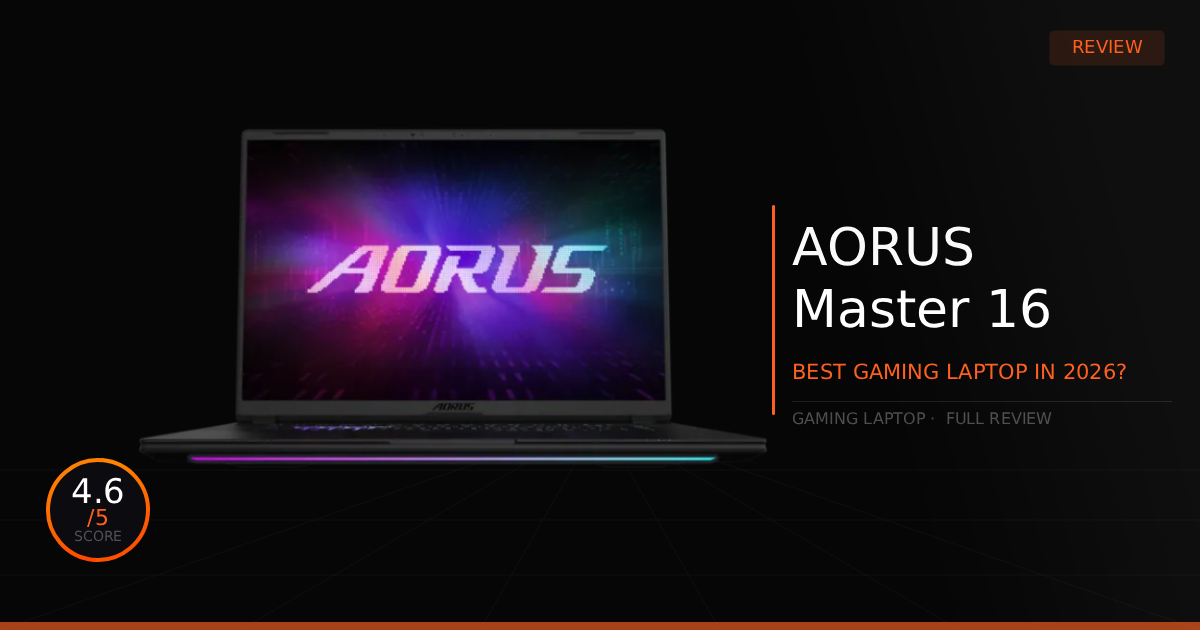
This laptop came across our eyes recently and we were nothing but stunned. We had to share this gaming laptop as soon as possible, this is our personal favorite gaming laptop of 2026. This laptop comes packed with power and improvements over its previous generation hardware paired with probably the best OLED gaming panel in a laptop we've seen in 2026.
GTT Quick Score: 4.6/5
Quick Verdict
The GIGABYTE AORUS Master 16 is an absolute beast and our personal favorite gaming laptop of 2026, combining a vibrant, glossy 240Hz OLED display with the raw processing power of the Ryzen 9 9955HX3D. While it is an extremely overkill, expensive luxury laptop that gets quite loud during heavy loads, it is absolutely worth the premium price tag for such a portable gaming machine.
➔ Check Price At Amazon
➔ Check Price At Newegg
Our Summary:
The AORUS Master 16 is a absolute beast of a laptop. Most importantly, it comes packed with the new Ryzen 9 9955HX3D featuring AMD's 3D V-Cache technology, delivering a massive 10% to 20% performance increase in CPU-heavy games. It comes perfectly paired with a vibrant, glossy 240Hz OLED display and features massive improvements to its overall design and build quality compared to its predecessor. These changes make the laptop much easier to take on the go thanks to its lighter weight and thinner chassis, making it a perfect portable gaming computer.
Why this matters for gamers:
Having that extra V-Cache in a gaming laptop makes a world of difference in real-world performance, providing incredibly smooth, stutter-free, high frame rates. In our testing, we noticed it is actively bridging the gap between desktop and laptop performance, well sort of, when looking at CPU bound 1% lows.
In most cases, the 9955HX3D’s 1% lows stayed relatively close to its average frame rates. It never really dipped below 60 FPS in demanding titles like Battlefield 6 and Cyberpunk 2077. Compare that to the laptop's previous Intel 275HX chip, which often dipped down into the 40-50 FPS range and caused noticeable choppiness during intense gameplay. As for the average frame rates, they were back and forth or roughly the same. Now pairing this raw processing power with a 240Hz OLED panel creates a deeply cinematic experience in ray tracing or graphics-heavy games, while delivering incredibly fluid smooth visuals and very clear motion clarity in competitive titles.
AORUS Master 16 (RTX 5080): What Are The Specs?
Technical Specification | AORUS MASTER 16 (2026) Details | Why It Matters for Gaming |
|---|---|---|
Processor Silicon | AMD Ryzen 9 9955HX3D (16-Core / Zen 5) | Packs desktop-tier silicon natively stacked with a massive 128MB of L3 3D V-Cache. It entirely eliminates bottlenecking, radically stabilizing 1% low frame rates in heavy esports titles. |
Graphics Processing | NVIDIA GeForce RTX 5080 Laptop GPU (16GB GDDR7) | Built on next-gen Blackwell Max-Q architecture. Delivers mind-bending frame rates, full path-traced ray rendering, and native DLSS 4 frame generation for maximum future-proofing. |
Thermal Dissipation | WINDFORCE Infinity EX Vapor Chamber Layout | Deploys an ultra-dense asymmetric 158-blade Frost Fan design paired with massive vapor chamber coverage. It reliably tames a massive 230W total power draw without sounding like a jet engine. |
Display Panel | 16-Inch WQXGA (2560 \times 1600) 240Hz OLED | A jaw-dropping, factory-calibrated 16:10 display boasting an ultra fast 0.2ms pixel response time and True HDR 1000 peak brightness. Wipes out motion blur while making game colors look impossibly vivid. |
Memory Allocation | 32GB Dual-Channel DDR5-5600 RAM | Runs high-speed, dual-channel mobile memory slots with upgrade support for up to 64GB. Provides a massive bandwidth pipe to feed assets to the CPU without micro stutters. |
Storage Topology | Dual M.2 NVMe Slots (1x Dedicated PCIe 5.0 Slot) | Features a blisteringly fast Gen 5 interface next to a secondary Gen 4 slot. Cuts open-world level streaming loads down to near-instant intervals while keeping massive game libraries organized. |
Wireless Networking | Integrated Wi-Fi 7 Technology (Up to 46 Gbps) | Next-gen tri-band data streaming that pumps up to 4.8x faster speeds with 100x lower latency than Wi-Fi 6. Ensures zero-packet-loss competitive wireless matching, even on busy home networks. |
I/O & Peripheral Speed | Native USB4 (40Gbps) & HDMI 2.1 Outputs | Grants desktop-grade external lanes. Allows you to hook up high refresh rate external monitors at native resolution while maintaining massive overhead for high-end capture cards or external SSD workflows. |
AI System Governor | GIGABYTE GiMATE Intelligence Engine | A specialized hardware-level AI assistant. It dynamically scales the power envelope on the fly, pushing the GPU up to 175W and CPU to 55W in Turbo mode, to squeeze out every single drop of gaming performance. |
AORUS Master 16 (RTX 5080): Pros & Cons

Pros
3D V-Cache: The extra overhead of V-Cache really improves 1% lows frame rates dramatically and generally stutters a lot less.
I/O Selection: This laptop includes 1 x HDMI 2.1, 2 x USB3.2 Gen 2 Type-A, Type-C USB4, and a RJ45 ethernet port for the lowest latency and strongest connections.
Hybrid Graphics: Seamlessly switch between integrated graphics and discrete graphics without restarting the laptop.
Cons
Reflective: The glossy screen is great but in bright environments, light and general reflections stick to this screen.
Loud During Heavy Loads: Easily reaches 75 decibels of audio when pushing the hardware to its maximum performance.
Real World Use With The AORUS Master 16 (RTX 5080)
Here is our comparison for the AORUS Master 16 vs the previous AORUS MASTER 16 (BYH - Intel) and then how well the AORUS Master 16 (2026 Model) does daily.
Specification | AORUS MASTER 16 (AM6H - AMD) | vs. AORUS MASTER 16 (BYH - Intel) |
|---|---|---|
Processor & Silicon Architecture | Powered by the bleeding-edge AMD Ryzen 9 9955HX3D (16 Cores / 32 Threads). Features massive, vertically stacked 3D V-Cache (128MB L3), which radically accelerates instruction cycles to iron out micro-stutters and maximize 1% low frame rates in heavy esports titles. | Driven by the high-end Intel Core Ultra 9 275HX (24 Cores / 24 Threads). Built on Arrow Lake-HX architecture featuring 8 Performance and 16 Efficiency cores. It trades raw gaming cache depth for maximum multi-threaded, raw clock speed brute force. |
Graphics & Frame Delivery | Features the next-gen NVIDIA GeForce RTX 5080 Laptop GPU (16GB GDDR7). Operates with a heavily maximized power target, granting native access to hardware-level DLSS 4 Multi-Frame Generation and path-traced ray rendering. | Deploys the identical NVIDIA GeForce RTX 5080 Laptop GPU with 16GB of GDDR7 VRAM. Delivers pixel-for-pixel matching render performance, completely future-proofing your setup for ultra-spec competitive gaming. |
Thermal Dissipation Layout | Outfitted with the top-tier WINDFORCE Infinity EX system featuring active vapor chamber coverage. It seamlessly controls up to a massive 230W total power budget across the Zen 5 and Blackwell chips without thermal throttling under continuous strain. | Utilizes the matching WINDFORCE Infinity EX dual-fan cooling stack with 158-blade asymmetric Frost Fans. Excellently vents heat during extreme loads, and safely drops into a completely silent 0dB profile during low work periods. |
Storage & Bus Speeds | Configured with dual M.2 NVMe slots, including one dedicated PCIe Gen 5.0 x4 slot wired straight to the AMD processor. Perfect for dropping in ultra-fast next-gen drives to handle heavy open-world asset streaming. | Equipped with two high-speed M.2 expansion lanes supporting up to 4TB via an active PCIe Gen 5 slot next to a Gen 4 slot. Offers absolute parity for storage density, cutting game level loads down to near-instant intervals. |
High-Speed External I/O | Packs a native USB4 (40Gbps) hub profile alongside a dedicated HDMI 2.1 display out. Grants high-speed data lanes to prevent frame drops when running high-draw dual streaming capture cards or fast external SSD arrays. | Upgrades the connection suite to native Thunderbolt 5 framework alongside an alternate Thunderbolt 4/USB-C lane and HDMI 2.1. Provides unparalleled external bandwidth for multi-monitor desktop setups and professional docking stations. |
Daily Use & Performance
All in all, as a daily driver, this laptop handles well for work or casual media consumption and absolutely dominates in gaming. If you're trying to do video editing, that wide color gamut provides a phenomenal creator experience, and having a peak of 1000 nits in HDR helps greatly, too. The same goes for enjoying movies or video games with those inky blacks.
On the plus side, we noticed that the speakers are quite decent; they are noticeably louder than the previous model and feature Dolby Atmos support to help expand the soundstage. While they aren't mind-blowing, they are still much better than what you get from most monitors or other gaming laptops. Finally, the thing that annoyed us the most, though not horribly, is that there is a bit of wobble with the screen hinge. In a bright room, that slight movement ends up catching and showing off a lot of distracting reflections on the glossy panel or just how loud it can get during gaming because of the fans.
Who Shouldn't The Get AORUS Master 16 Gaming Laptop?
Playing games, working, and general everyday use are all excellent on this gaming laptop. We would easily call this laptop top-of-the-line, and almost anyone will thoroughly enjoy it if they decide to grab one.
Affordability and Overkill: This is an extremely overkill, expensive luxury laptop, especially if you don't plan on using it as your primary daily driver. If you just need a machine for on-the-go use and some casual gaming without breaking the bank, you can find options with very similar performance that still offer a beautiful screen by opting for a high-quality Mini-LED panel rather than an OLED.
Game Tested Tech Score: 4.6/5
The Verdict
This is easily one of the most supreme gaming laptops of 2026. The inclusion of a 240Hz OLED display offers the perfect combo for both high-end competitive play and casual, laid-back gaming, while the beastly interior hardware pushes frame rates incredibly high compared to traditional laptops of the past. It is absolutely worth the premium price tag for such a premium portable gaming machine.
Our Personal Advice
Fan Profiles: Be prepared to eventually play around with the fan tuning software and set up a custom fan curve if you want to tame the loudness when running at maximum performance.
Screen Care: We always recommend using a high-quality microfiber cloth to clean the display. If you absolutely need to use liquid, use distilled water only, and ensure the device has been completely shut off for several minutes before cleaning.