
Affiliate Disclosure: Some links in this article may earn us a small commission if you make a purchase, at no additional cost to you.
Is a Stream Deck Worth It?
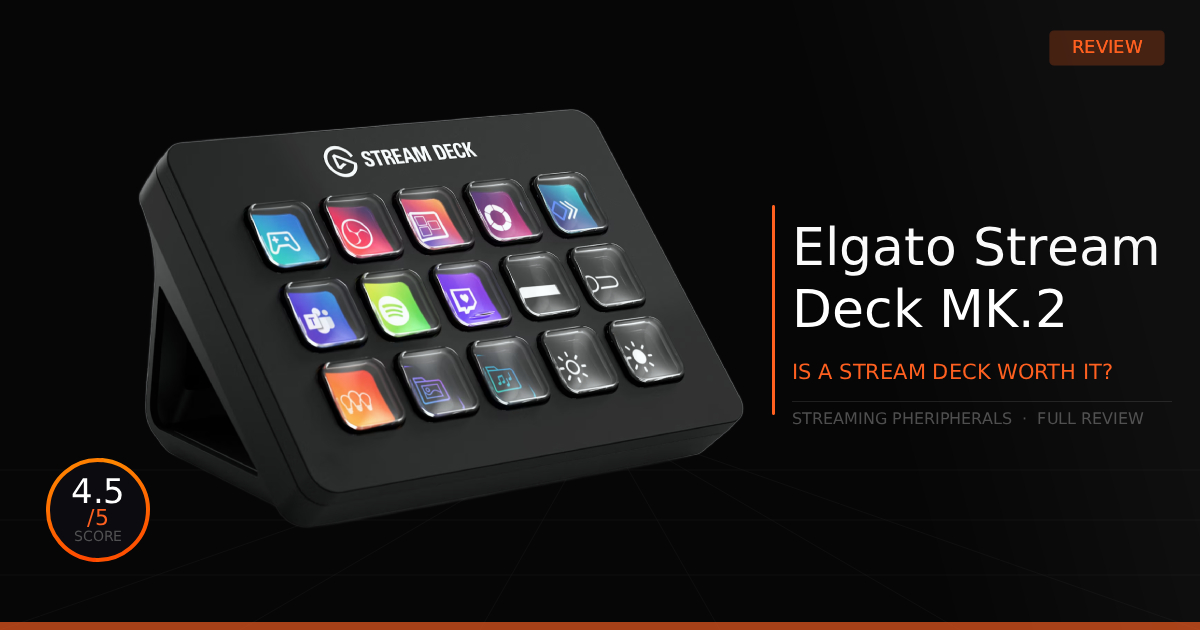
There are lots of iterations of a Stream Deck, and they all aim to accomplish the same basic goal: to be a quick, easy device for pushing buttons to trigger features on stream. However, the Stream Deck MK.2 honestly adds a lot more to the market than what you see at first glance. Let us explain why this Stream Deck is so good.
GTT Quick Score: 4.5/5
Quick Verdict
The Elgato Stream Deck MK.2 is a highly recommended desktop tool that delivers flexible, professional broadcast management through 15 customizable LCD keys and unmatched companion software. While it is a premium investment that easily attracts fingerprints, its massive plugin ecosystem and satisfying, quiet functionality make it a perfect addition to your desk for both live streaming and daily computer use.
Our Summary:
The Stream Deck MK.2 body feels solid with its sturdy plastic that isn't too heavy, and the buttons make great contact with a nice, satisfying, quieter click. They feature just the right amount of actuation so you don't get frustrated by noise or struggle to press them. Underneath the buttons, it features small LCD screens that give the Stream Deck its iconic look and hold the icons for whatever features you set up. This is all great, but more than that, we think the real selling point of this product has to be what it does better compared to nearly all of its competitors: the software. It's simple, has tons of native settings to do exactly what you need for a stream, and the extras in the store really polish it off, allowing you to achieve almost anything you could want to do.
Why this matters for streamers:
This matters for streamers because you'll be able to control your broadcast with flexibility and professional management. You'll never keep your stream waiting when changing scenes, switching to other devices like cameras, or muting and hiding your screen in an instant if needed. It goes way past the simple features, too: you can clip, post, and edit on social media, set up a soundboard for funny moments, or control a music player for your stream. There is honestly so much you can do, especially with the use of plugins, supported by all the custom sounds and icons to help you navigate, that we wouldn't even be able to write it all down on paper.
Elgato Stream Deck MK.2: The Specifications
Technical Specification | Elgato Stream Deck MK.2 Details | Why It Matters for Streaming |
|---|---|---|
Interface Control | 15 Customizable LCD Keys | Replaces complex keyboard macros with instant physical triggers. Each key displays a dynamic visual icon that can flash or update in real-time to show active mute states, scene names, or viewer counters. |
Action Layout | Multi-Action Macro Chains | Allows you to trigger a sequence of events with a single press. You can open OBS, tweet your live link, adjust your key lights, and launch your game simultaneously without clicking around your desktop. |
Software Infrastructure | Elgato Marketplace Plugin Ecosystem | Features deep, native integration with popular software like OBS Studio, Twitch, Discord, and Spotify. It talks directly to your programs at the API level so actions trigger instantly with zero lag or software overhead. |
Physical Design | Detachable 45° Desktop Stand | Positions the keys at a perfect ergonomic angle for quick blind-clicks mid-game. The heavy non-slip base keeps the unit perfectly steady on your desk when you mash buttons during a frantic moment. |
Connectivity | Detachable Right-Angle USB-C Cable | Keeps your desk wiring completely clean. If the cable gets damaged by a pet or caught on an edge, you can swap it out instantly for any standard Type-C cable instead of replacing the entire device. |
Aesthetic Customization | Swappable Magnetic Faceplates | Features a front shell that pops off effortlessly, letting you switch out plain styles for custom colors and design prints to perfectly match your room layout or custom keyboard aesthetic. |
Automation Workflow | Smart Profile Switching | Automatically detects what application is currently on your screen and swaps the active key profiles instantly—giving you one set of buttons for live streaming, and a completely new layout when you open an editor. |
Pros & Cons of the Stream Deck MK.2

Pros
Powerful Software: The companion software has tons of functions you wouldn't expect to be able to do, featuring over 200 plugins.
Bright LCD Keys: The buttons feature very vibrant static or animated screens that are bright enough to see clearly in both dark and bright room setups.
Weighted Stand: The new weighted stand prevents the device from pushing or sliding around when you adjust the cable. It also holds the Stream Deck at a fixed 45-degree angle, making it much easier to see.
Cons
Cost: Sitting around $150, it is quite expensive if you don't care for all of the extra software and plugin features.
Attracts Fingerprints: We noticed that smudges and dust can easily settle on the glossy faceplate finish of the plastic chassis.
Real World Use: Elgato Stream Deck MK.2
Here is our comparison between the Logitech MX Brio vs. the Logitech Brio, and how well the Logitech MX Brio operates as a daily streaming webcam.
Features | Elgato Stream Deck MK.2 | vs. Razer Stream Controller X |
|---|---|---|
Tactile Key Response | Features 15 classic membrane-based LCD keys. These provide a softer, cushioned press with a deep travel distance, prioritizing a familiar physical "click" during live production. | Utilizes 15 switchblade-style LCD keys. These are designed for a shorter, more immediate actuation with a crisp, tactile feel that mimics high-end laptop keys rather than traditional buttons. |
Software Infrastructure | Powered by the Stream Deck SDK, the most mature ecosystem in the category. It offers a massive marketplace of third-party plugins, icon packs, and community-driven tools for niche integrations. | Runs on the Loupedeck UI, which is highly optimized for creative workflows. It features deep, native integration for Adobe Premiere Pro and Photoshop that often surpasses basic macro mapping. |
Mounting & Ergonomics | Ships with a fixed 45-degree angle stand. The stand is a single, sturdy unit with an integrated cable cutout to keep the detachable USB-C cable securely routed and hidden. | Includes a detachable magnetic stand with a non-slip base. This allows for a slightly lower profile on the desk or easier removal for handheld use during complex production sessions. |
Customization & Aesthetics | Focuses on interchangeable faceplates. Users can easily pop off the front bezel to swap in different colors and patterns, allowing the hardware to match any desk setup theme. | Relies on customizable skins and animated GIF support for the LCD buttons. While it lacks the physical faceplate ecosystem of Elgato, it prioritizes digital flair through high-contrast button visuals. |
App-Specific Automation | Utilizes Smart Profiles to automatically switch layouts based on the active foreground application. This allows for seamless transitions between gaming, editing, and browsing. | Features Dynamic Mode, which instantly shifts the haptic key layout when it detects a change in software. It is particularly effective at surfacing specific toolsets within the Adobe Creative Cloud. |
Daily Use & Performance
For us, this is actually one of those devices designed for gamers and streamers that really does more than just serve as a utility tool for streaming. While the Elgato Stream Deck MK.2 is a perfect tool for broadcasting, you generally just get an overall better gaming experience with this device as a whole. For example, you can use a Discord plugin when chatting with friends, where many people's favorite function is running a soundboard or our personal favorite as tech enthusiasts, you can display live HWiNFO metrics directly on the buttons. With a bit of a learning curve, you could seriously learn to do almost whatever you want with these buttons to make daily computer use much simpler.
Who Shouldn't Purchase Elgato Stream Deck MK.2?
It functions perfectly, and you can really spice up your stream with it, but do you actually need it?
Doesn't Want The Extra Features: If you really don't require or want the extra plugins and deep usability, and you just want basic stream features, you could easily use your keyboard for shortcuts or buy a cheaper alternative.
Cost: Spending around $150 on a pad with buttons might be a lot for a beginner streamer who is still uncertain if they even want a Stream Deck. Consider trying out shortcuts on your keyboard first, and then decide later if the premium purchase is truly worth it.
Game Tested Tech Score: 4.5/5
The Verdict
Its a nice to have product on your desk, whether you mostly want it for streaming, or want some quick functionality at your finger tips. This device handles not only well, but its supporting software really carries a pack full of functions that will certainly get what you need done. We fully recommend to put one on your desk and enjoy the simple functionality.
Our Personal Advice
There isn't much left for us to say about the Stream Deck MK.2. We highly recommend keeping a microfiber cloth around to keep it clean of dust and smudges. From there, take your time setting up its functions and just have fun with it, rather than stressing over making it a purely professional tool.