
Affiliate Disclosure: Some links in this article may earn us a small commission if you make a purchase, at no additional cost to you.
Better Then Its Predecessor iCUE Link AIO?
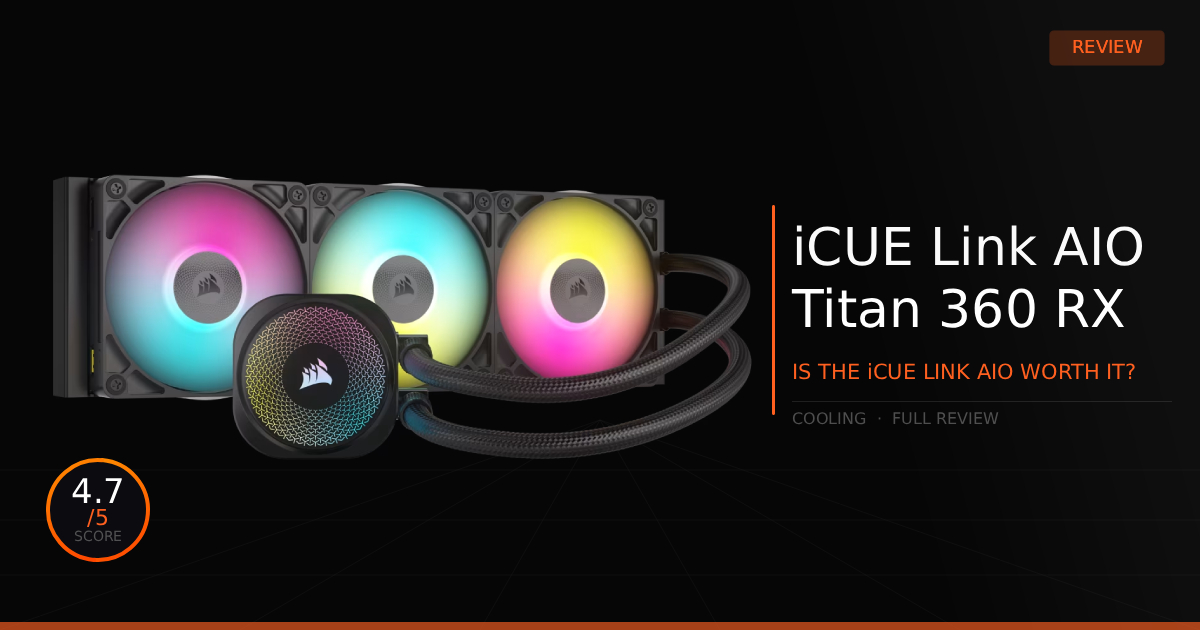
Okay, so from a first glance, the Corsair iCUE Link Titan 360 RX RGB AIO comes off as a bit of a downgrade to us. Actually, though, we were somewhat wrong. While there are some drawbacks, we can confirm there are actually some really profound improvements, mostly where it matters most: the cooling. We won't just be going over what hurt the AIO's appearance from the outside, but rather, we will make sure you understand how it actually got improved on the inside.
GTT Quick Score: 4.7/5
Quick Verdict
The Corsair iCUE Link Titan 360 RX AIO drops CPU temperatures by up to 5°C thanks to a powerful 3-phase motor and high-pressure RX120 fans. While it sacrifices some RGB flair and introduces a prominent pump cable, its revolutionary single-cable installation makes it a highly recommended, premium choice for clean minimalist builds.
➔ Check Price At Amazon
➔ Check Price At Newegg
Quick Summary:
The Corsair iCUE Link Titan 360 RX AIO immediately comes off as a downgrade because of two visually noticeable changes. First, the new RX120 fans replace the previously used QX120 fans; while both are good premium options, the older QX120 fans look dramatically prettier with their 34 RGB LEDs. Second, everyone agrees that the new location for the main cable connection, running straight from the controller to the pump block, is not aesthetically pleasing. We believe, though, that Corsair proceeds to make up for these visual changes by significantly improving raw cooling performance and installation ease, thanks to the addition of those high airflow RX120 fans, a new 3-phase pump motor, and their redesigned mounting brackets and pump architecture.
Why this matters for gamers:
This combination of improvements with iCUE Link cables and redesigned mounting brackets genuinely helps everyday PC builders put their systems together more efficiently and in less time. Honestly, we see it as nearly dropping the learning curve altogether when it comes to dealing with messy fan hubs and fan headers. Following that train of improvements, while the RX120 fans might lack total RGB compared to older models, they feature high static pressure, which is exactly what is important for pulling air through a thick AIO radiator and creating better case airflow. Additionally, the inclusion of the new 3-phase pump motor and an improved copper cold plate design drops raw cooling temperatures by up to 5^\circ\text{C} over previous generation iCUE Link AIOs. What this means for your in game performance is keeping your CPU temperatures and noise levels down, eliminating thermal throttling from happening. This allows your CPU to maintain its maximum boost clock speed longer, ensuring your frame rates stay stable and high, and your 1% lows even higher for smoother gameplay.
iCUE Link Titan 360 RX RGB AIO: What Are The Specs?
Technical Specification | iCUE Link Titan 360 RX RGB Details | Why It Matters for Gaming |
|---|---|---|
Radiator Size | 360mm Aluminum Radiator | Provides massive surface area to dissipate thermal energy quickly, keeping high-end gaming CPUs perfectly cool during intensive, long multiplayer sessions. |
Pump Design | In-House Engineered FlowDrive Engine | Uses a high performance three phase motor to optimize coolant flow rates across the CPU copper plate, reducing thermal heat spikes when a game suddenly demands maximum processing power. |
Cooling Fans | 3x RX120 RGB Fans (Magnetic Dome Bearings) | Delivers immense static pressure to push cool air through the radiator fins efficiently while keeping physical motor friction and fan noise down to an absolute minimum. |
Connectivity Eco-System | Integrated iCUE Link Architecture | Routes both power and RGB data through single unified smart connectors between the components, completely eliminating a messy web of traditional fan cables behind your motherboard tray. |
Thermal Paste Layout | Pre-Applied Premium Paste (Cap-Style) | Features a perfectly measured checkerboard pattern of high quality thermal material out of the box, ensuring an even spread across the processor lid for optimal heat transfer without any installation guesswork. |
Modular Aesthetics | Swappable Pump Cap Modules | Allows you to pop off the default lighting top easily to swap in optional modular accessories like a high resolution LCD screen or a VRM fan module to cool down surrounding motherboard parts. |
iCUE Link Titan 360 RX RGB AIO: Pros & Cons.

Pros
Corsair Link System: Makes fan cooling easier to install and provides a much cleaner minimal aesthetic with less visible cables.
QX120 Link Fans Support: If you don't mind losing a tiny bit of airflow performance switching from RX120 Link fans to QX120 Link Fans, you can be happy knowing these Link fans are supported and will provide a beautiful light show to this AIO. (We love these fans, they have a beautiful watercolor effect.)
Cons
Pump Cable Port: Unfortunately, there is now a port on the pump block that you have to run a cable over your motherboard from the Corsair controller which is pretty prominent and leaves a visual mark if you don't like it.
Link Fans Required: For the Link system to work, you are going to need fans that support the link connections. Well, you don't need them but you will have a weird crossbreed of cables going on making things complicated.
RX120 Fans RGB: This AIO comes with RX120 fans for a good reason, better airflow for the AIO, however you are left with good but an average RGB experience. This con also depends on your personal goals and build aesthetic.
Real World Performance with the iCUE Link Titan 360 RX AIO
Here is our comparison for Corsair iCUE Link Titan 360 RX RGB vs Corsair iCUE Link H150i RGB and how well the newer Titan AIO handles daily and for long gaming sessions.
Specification | Corsair iCUE Link Titan 360 RX RGB | vs. Corsair iCUE Link H150i RGB |
|---|---|---|
Pump & Fan Speeds | Features an aggressive pump profile capable of ramping up to a high-velocity 3,600 RPM. The RX120 fans operate in a wide power band from 400 RPM up to a powerful 2,100 RPM for maximum performance. | Utilizes a standard pump profile that maxes out around 2,900 RPM. The included QX120 fans feature a slightly wider range, running from a dead-stop 0 RPM up to 2,400 RPM for flexible acoustic control. |
Pump Design | Features the newly engineered FlowDrive cooling engine using a three phase motor. It moves fluid much more efficiently across the copper plate to eliminate sudden thermal spikes during heavy gaming. | Powered by a standard, reliable CoolIT pump layout. It is highly effective for typical gaming loads but shows slightly higher temperature crests when pushing high-wattage CPUs to their limits. |
Included Radiator Fans | Comes bundled with premium RX120 RGB fans utilizing magnetic dome bearings. They push immense static pressure through the radiator fins while keeping motor friction noise practically silent. | Equipped with QX120 RGB fans that use magnetic levitation bearings. They perform brilliantly and offer tons of lighting customization, but require slightly higher RPMs to match the raw pressure of the RX series. |
Cooling Block Aesthetics | Designed with a fully modular pump cap system. This lets you easily twist off the default lighting plate to install physical accessories like a functional VRM fan module or a custom LCD screen. | Features a fixed premium cap layout out of the box with a beautiful ring of individual LEDs. To upgrade this unit to an LCD setup, you have to buy a completely separate, dedicated LCD version of the cooler. |
Thermal Paste Application | Ships with pre-applied high performance thermal paste laid out in a specialized cap-style grid pattern. It ensures a perfectly even spread across the entire CPU lid to prevent air pockets. | Comes with a traditional solid square layer of pre-applied thermal compound on the copper block. It works perfectly fine for a standard seat, but lacks the advanced grid layout of the newer model. |
Tubing Flexibility | Upgraded with noticeably more flexible, low permeability rubber sleeves. This makes routing the clean lines around tall motherboard VRM heatsinks or tight case corners much smoother during installation. | Employs slightly stiffer braided sleeve tubing. It provides identical structural safety against evaporation over time, but requires a tiny bit more effort to train into clean aesthetic bends inside the chassis. |
Daily Use & Performance
During daily use, normal tasks are not going to ramp up your fan profiles at all. especially if you select a quiet profile. You won't find your cooling ramping up until you actually start gaming. This AIO is well optimized for low noise environments, and the RPM speeds are completely controllable within the iCUE software, where you can easily customize both the RGB lighting and speed profiles for the included fans. We also tried playing around, creating our own profiles, fair warning it might take a while before you actually get used to the software and creating a perfect profile. It can be a little frustrating when you don't want to spend the extra time tinkering with profiles.
There isn't much to say for gaming, temperatures should easily stay under thermal throttle limits and shut down temps. During gameplay, your CPU probably won't even come close to hot temperatures. For us, it's been a stutter free experience.
Who Shouldn't Buy The iCUE Link Titan 360 RX AIO
For an AIO, it mostly just comes down to: "Is it good enough?" Choosing an AIO is all about making sure your CPU stays cool and that you enjoy the overall look of your newly built computer.
Doesn't Care About Link: If you don't care enough about the Corsair Link system, then you can probably find cheaper fans to pair with a cheaper AIO that fit the exact aesthetic you are trying to achieve. Of course, by doing that, you lose the luxury of the clean iCUE Link installation.
Game Tested Tech Score: 4.7/5
The Verdict
The iCUE Link Titan 360 RX AIO provides a high performance 3-phase pump motor, optimized-airflow RX120 fans, and an installation experience that all builders can appreciate. While it provides the absolute best cable management and PC building experience on the market, we don't think it's quite perfect yet. That said, it is still a great, fairly affordable premium AIO, and we highly recommend it to those who are genuinely interested in utilizing the Corsair Link ecosystem features.
Our Personal Advice
We'd say give the new iCUE Link AIO a try if you are excited and ready to step up the overall look of your computer. Especially for a minimalist builder, this setup gets you incredibly close to achieving a true, zero visible cable management aesthetic.